


Wired headphones and in-ear monitors are appealing because the signal path can be simple: source, amplifier, cable, transducer.
In practice, compatibility still matters.
A sensitive IEM can hiss or become too loud too quickly on the wrong output, while a full-size headphone may need more volume headroom. A 4.4 mm balanced plug will not fit a 3.5 mm socket, a 0.78 mm 2-pin IEM cable will not fit every earphone, and a detachable headphone cable is only useful if the connector matches the headphone side as well as the amplifier side. This guide explains how to match wired headphones and IEMs with amplifiers, cables and connectors in a practical, safe way, using real headphone and IEM examples where they clarify the process.
Start with the headphone type: over-ear, closed-back, open-back or IEM
Before choosing an amplifier or cable, identify what you are trying to drive.
Full-size over-ear headphones and compact IEMs can both use wired connections, but they place different demands on comfort, isolation, cable handling and amplifier noise.
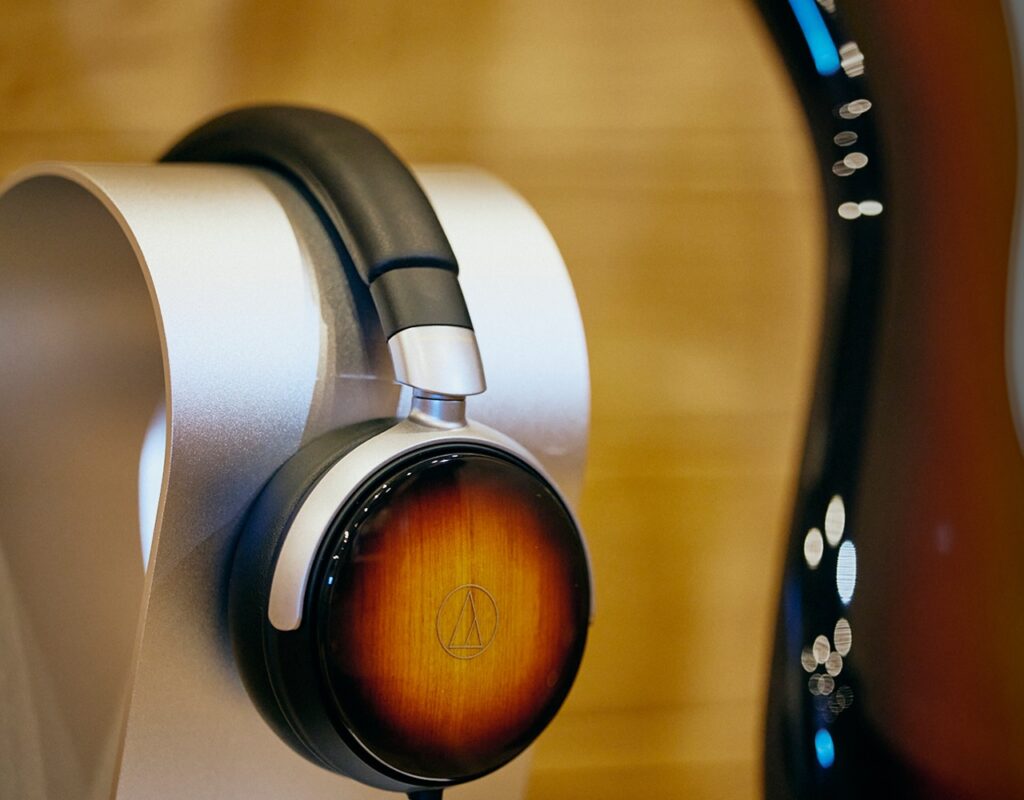
Closed-back over-ear headphones, such as the Final DX4000CL and Audio-Technica ATH-WP900SE, are designed with sealed earcups.
That can help with isolation and makes them practical for everyday listening, travel or shared spaces.
Open-back over-ear headphones, such as the Austrian Audio Arranger, use open earcups and are more naturally suited to home listening, where sound leakage is less of an issue.
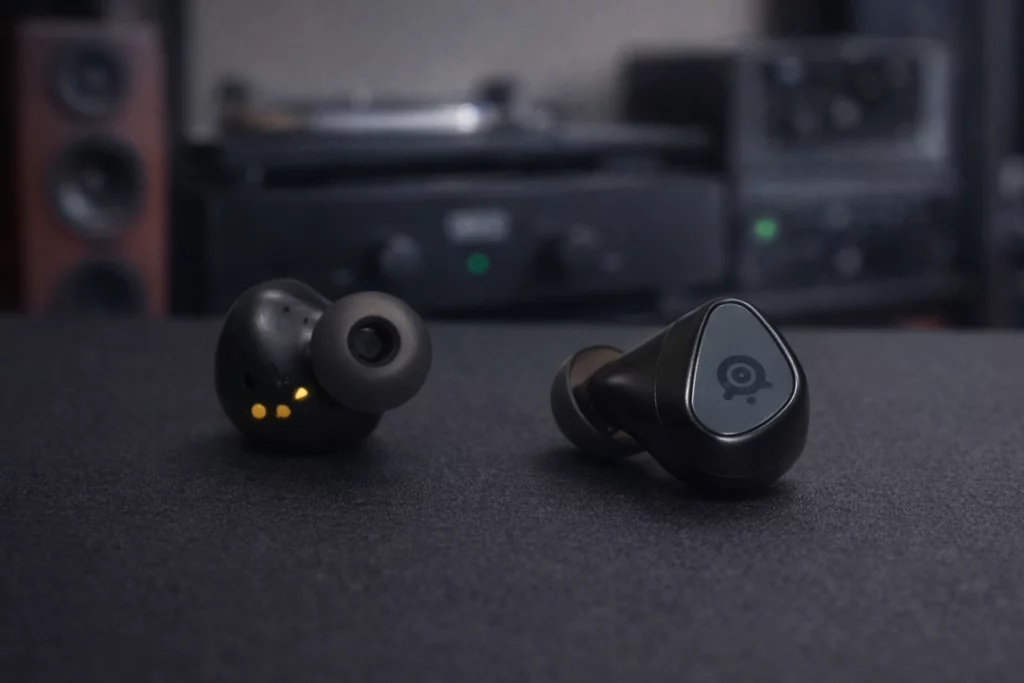
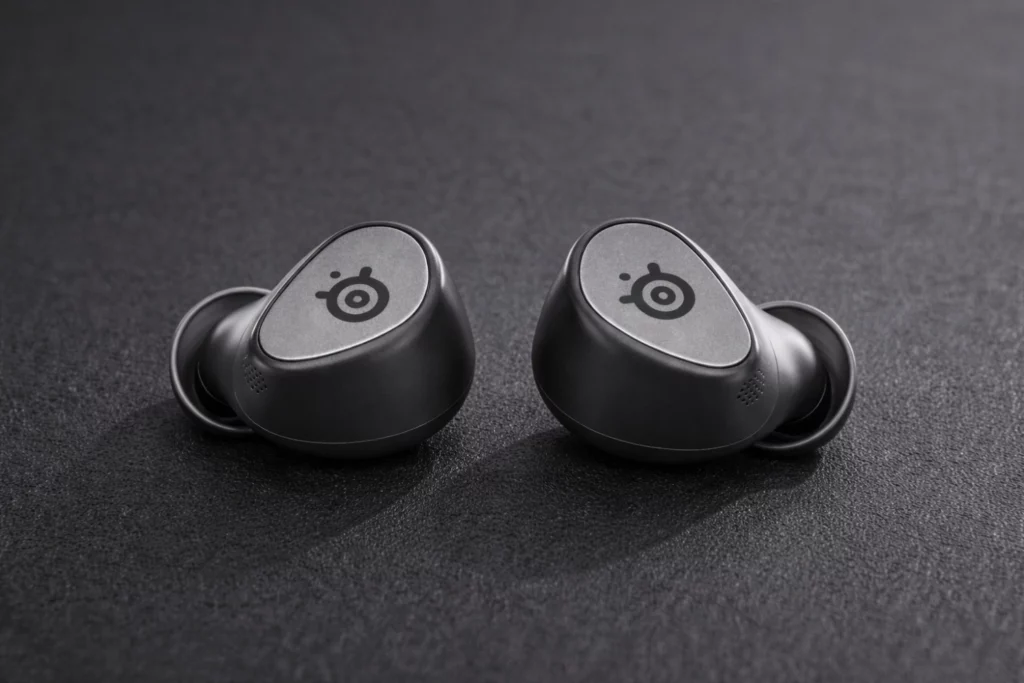
IEMs sit inside the ear canal and depend heavily on fit and eartip seal.
Models such as the EarAcoustic OSHUN-LTD and NiceHCK NX8 Ti Limited Edition use detachable 0.78 mm 2-pin cables and can be ordered or used with either 3.5 mm single-ended or 4.4 mm balanced plugs.
Because IEMs can be highly sensitive, amplifier noise and volume control behavior are especially important.
- Decide where you will listen: home desk, portable player, hi-fi rack, gaming desk or travel bag.
- Choose closed-back headphones or IEMs when isolation matters; choose open-back headphones when leakage is acceptable and home listening is the priority.
- Check whether the cable is detachable, and note both ends: the headphone/IEM connector and the amplifier plug.
- Write down the stated impedance and sensitivity before choosing the amplifier output.
Understand impedance and sensitivity before choosing an amplifier
Two specifications are especially useful when matching wired headphones and IEMs: impedance and sensitivity.
Impedance, measured in ohms, describes the electrical load the headphone presents to the amplifier.
Sensitivity describes how loud the headphone or IEM gets from a given input. Manufacturers express sensitivity in different ways, so do not compare every figure as if it used the same scale.
The supplied examples show why these numbers matter.
The Final DX4000CL is specified at 37 ohms and 96 dB/mW.
The Audio-Technica ATH-WP900SE is also specified at 37 ohms. The EarAcoustic OSHUN-LTD is specified at 26 ohms with 110 dB/mW sensitivity. The NiceHCK NX8 Ti Limited Edition is specified at 18 ohms and 112.3 dB sensitivity. The Austrian Audio Arranger is specified at 25 ohms with sensitivity given as 110 dB SPL/V rather than dB/mW.
A low impedance number does not automatically mean a headphone is difficult or easy to drive.
Sensitivity and amplifier behavior also matter.
In general practical terms, a very sensitive IEM will usually reach high volume easily but may reveal hiss from a noisy output. A less sensitive full-size headphone may need more volume setting or a stronger amplifier output to provide comfortable headroom.
Do not choose an amplifier only because it has the highest output power.
For headphones and IEMs, clean low-level control is as important as maximum loudness.
If the first few millimeters of the volume control already become too loud, the pairing is inconvenient and potentially unsafe.
- Find the impedance and sensitivity in the headphone or IEM documentation.
- For sensitive IEMs, prioritize an amplifier or DAC/amp with a low-noise headphone output and usable volume range.
- For full-size headphones, check that the amplifier has enough volume headroom without running constantly near maximum.
- Always start with the amplifier volume at minimum before plugging in or pressing play.
Choose between 3.5 mm single-ended and 4.4 mm balanced outputs
The two most common plug choices in modern portable wired headphone setups are 3.5 mm single-ended and 4.4 mm balanced.
A 3.5 mm plug is the familiar standard headphone connector found on many portable devices, DAC/amps and some wireless headphones that include analog cable support.
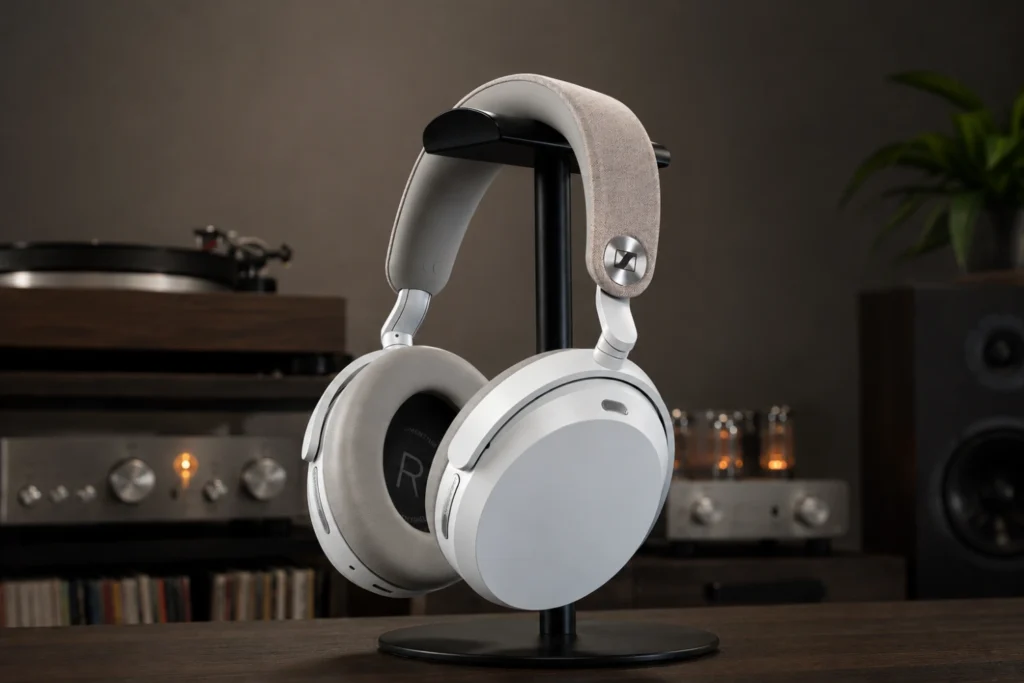
The Sennheiser Momentum 5 Wireless package, for example, includes a 3.5 mm analog audio cable, even though that model is primarily wireless.
A 4.4 mm balanced connector is now common on audiophile portable players, DAC/amps and some headphone amplifiers.
Several current wired headphones and IEMs support it.
The Audio-Technica ATH-WP900SE includes both 4.4 mm balanced and 3.5 mm standard cables. The EarAcoustic OSHUN-LTD and NiceHCK NX8 Ti Limited Edition are offered with 3.5 mm or 4.4 mm plug options. The Austrian Audio Arranger supports balanced connectivity through optional cables including 4.4 mm Pentaconn and 5-pin XLR options.
Balanced connection can be useful when your amplifier has a dedicated balanced output and your headphone cable is wired correctly for it.
It is not a universal upgrade that automatically improves every system.
The main compatibility rule is simple: use the cable termination that matches the amplifier output. Do not force a plug into the wrong socket, and do not improvise adapters unless they are explicitly safe for that connection type.
If you are building your first wired setup, a 3.5 mm cable is usually the most broadly compatible starting point.
If your DAC/amp or player has a 4.4 mm balanced output and your headphone or IEM is supplied with the correct balanced cable, the 4.4 mm route can be clean and convenient.
- Look at the amplifier output sockets first: 3.5 mm, 4.4 mm, XLR or another format.
- Use a 3.5 mm cable with a 3.5 mm output and a 4.4 mm balanced cable with a 4.4 mm balanced output.
- Do not assume that a balanced plug can be adapted casually to every single-ended output.
- Label cables if you own several similar-looking terminations.
Check the headphone-side connector before buying a replacement cable
The amplifier end of the cable gets most of the attention, but the headphone-side connector is just as important.
Detachable cables are useful for replacement, balanced upgrades and storage, but only if the connector standard matches the headphone or IEM.
For IEMs, a common connector in the examples is 0.78 mm 2-pin.
Both the EarAcoustic OSHUN-LTD and NiceHCK NX8 Ti Limited Edition use standard 0.78 mm 2-pin connectors.
This makes cable replacement more straightforward, but it still requires care: pins should be aligned correctly and inserted without bending.
For full-size headphones, connector systems vary more.
The Audio-Technica ATH-WP900SE uses Audio-Technica’s A2DC detachable connectors, and the Austrian Audio Arranger uses a balanced four-pin connection on the headphone side.
These are not interchangeable with 0.78 mm 2-pin IEM cables. Always check the exact connector type before ordering a cable.
A cable can be perfect at one end and useless at the other.
For example, a 4.4 mm balanced cable for one headphone may not fit another headphone if the earcup connector is different.
Match both sides: headphone connector plus amplifier plug.
- Identify the headphone-side connector: 0.78 mm 2-pin, A2DC, four-pin or another design.
- Identify the amplifier-side plug: 3.5 mm, 4.4 mm, XLR or another output.
- Buy or install only cables that match both ends.
- When connecting 2-pin IEM cables, align left/right markings and insert straight to avoid bent pins.
Set gain and volume safely
Gain is the amplifier’s level range before the volume control.
Many headphone amplifiers and portable DAC/amps offer low and high gain.
Low gain is usually the safer starting point, especially for sensitive IEMs. High gain can be useful when a headphone needs more level, but it can also make the volume control too abrupt or increase audible noise with sensitive earphones.
The practical setup method is simple: connect the headphone, set the amplifier to low gain if available, lower the volume fully, start playback, then raise the level slowly.
If you reach normal listening volume with the knob barely above minimum, the pairing may have too much gain for that IEM.
If the volume must be turned very high and still lacks headroom, the amplifier may not be the right match for that headphone.
Protect your hearing.
Wired setups can produce sudden high levels if a cable is inserted while music is already playing, if the wrong output is selected, or if a balanced output has a different level than the single-ended output.
Mute or pause playback before changing cables or outputs.
- Turn volume down before connecting headphones or IEMs.
- Select low gain first if the amplifier offers gain settings.
- Start playback at a low level and raise volume gradually.
- Switch to higher gain only if normal listening level cannot be reached comfortably.
- Pause playback before unplugging, changing cables or switching outputs.
Fit and placement matter, especially with IEMs
With over-ear headphones, placement is mostly about centering the earcups, adjusting clamp and ensuring the pads seal evenly around the ears.
Closed-back headphones depend on a good pad seal for isolation and bass consistency.
If glasses, hair or pad wear break the seal, the sound and isolation can change.
With IEMs, fit is a core part of the acoustic system.
A poor eartip seal can reduce bass, shift tonal balance and make the listener raise the volume unnecessarily.
The NiceHCK NX8 Ti Limited Edition includes multiple ear tip options, which is useful because comfort and seal vary from ear to ear. Try different sizes rather than assuming the preinstalled tips are correct.
IEMs with interchangeable nozzles require extra attention.
The NiceHCK model includes titanium alloy nozzles and gold-plated copper nozzles for different tuning preferences, and the removable design also simplifies cleaning and long-term maintenance.
When changing nozzles, work over a clear surface, avoid cross-threading, and make sure filters or small parts are not lost.
- For over-ear headphones, center the pads around your ears and check for an even seal.
- For IEMs, try multiple eartip sizes until bass is stable and the fit is secure.
- Route IEM cables comfortably to reduce tugging and microphonic noise.
- If your IEM has replaceable nozzles, tighten them gently and inspect them during cleaning.
Maintain cables, connectors, pads and nozzles
A wired headphone system is only as reliable as its contact points.
Most intermittent sound problems come from loose plugs, dirty sockets, stressed cables or poorly seated detachable connectors.
Good maintenance is simple: avoid sharp bends, pull plugs by the housing rather than the cable, and store cables loosely coiled.
Replaceable parts extend the life of a headphone.
The Austrian Audio Arranger is designed with user-replaceable wear parts such as ear cushions and headband.
Replaceable earpads help maintain comfort and seal over time. IEMs also need regular attention because earwax and dust can block nozzles or filters.
Some finishes need careful handling.
The Audio-Technica ATH-WP900SE uses solid ash wood earcups with a lacquered-style presentation and includes a special Fujigen cleaning cloth.
For any premium finish, use a soft cloth, avoid aggressive cleaners and keep moisture away from cable sockets and driver openings.
- Disconnect by holding the plug housing, not by pulling the cable.
- Store detachable cables loosely; do not wrap them tightly around a player or amplifier.
- Inspect 0.78 mm 2-pin connectors for bent pins before insertion.
- Clean IEM nozzles and eartips regularly using supplied tools where provided.
- Replace worn pads or tips when seal, comfort or hygiene deteriorate.
Troubleshoot common connection and sound problems
If one channel is missing, first check the simplest causes.
Confirm the plug is fully inserted, the cable is attached to the correct left and right sides, and the source balance control is centered.
With detachable IEM cables, remove and reseat the connectors carefully. With full-size headphones, confirm that the earcup connector is fully locked or seated according to its design.
If you hear hiss with IEMs, the earphones may be revealing the amplifier’s noise floor.
Try a lower gain setting, a different output, or a quieter DAC/amp.
Highly sensitive IEMs such as models specified around 110 dB/mW or above can make noise more obvious than less sensitive headphones.
If the sound is thin or bass-light, check fit before blaming the amplifier.
Closed-back headphones need pad seal, and IEMs need eartip seal.
If bass changes when you press gently on the earcups or IEM shells, the seal is probably the issue.
If a balanced cable produces no sound or distorted sound, stop and re-check compatibility.
Balanced connections require the correct wiring and correct output.
A 4.4 mm cable should be used with a proper 4.4 mm balanced output, not forced into a workaround that was not designed for it.
- No sound: lower volume, confirm output selection, reseat the plug, then raise volume slowly.
- One side missing: check left/right cable seating and source balance.
- Hiss: use low gain or a quieter output, especially with sensitive IEMs.
- Weak bass: improve pad or eartip seal before changing equipment.
- Crackling: inspect plugs and detachable connectors for dirt, looseness or damage.
Concise wired headphone and IEM setup checklist
- Confirm headphone type: open-back, closed-back or IEM.
- Note impedance and sensitivity from the manufacturer specifications.
- Match the amplifier output to the cable plug: 3.5 mm, 4.4 mm, XLR or another format.
- Match the headphone-side connector: 0.78 mm 2-pin, A2DC, four-pin or the exact required design.
- Start on low gain with volume fully down.
- Raise volume slowly and check for hiss, imbalance or distortion.
- For IEMs, test multiple eartips for a secure seal.
- Store cables loosely and clean connectors, pads, tips and nozzles regularly.
Common mistakes and how to avoid them
Buying a cable based only on the amplifier plug.
Check both ends of the cable.
A 4.4 mm plug may match your amplifier, but the headphone side still needs the correct connector, such as 0.78 mm 2-pin, A2DC or a four-pin headphone connector.
Assuming balanced always sounds better.
Use balanced only when your amplifier has a proper balanced output and your headphone cable is designed for it.
A well-matched 3.5 mm single-ended connection is preferable to an unsafe or incompatible adapter chain.
Using high gain with sensitive IEMs.
Start with low gain.
If the volume becomes loud too quickly or you hear hiss, high gain is the wrong setting for that pairing.
Blaming the amplifier for weak bass when the seal is poor.
Check eartip fit on IEMs and pad seal on closed-back headphones first.
A poor seal can reduce bass and isolation dramatically.
Forcing detachable connectors.
Align pins and markings carefully.
If a connector does not seat easily, stop and confirm the cable type rather than pushing harder.
Changing cables while music is playing loudly.
Pause playback and turn volume down before plugging, unplugging or switching between 3.5 mm and 4.4 mm outputs.
Frequently asked questions
Do low-impedance headphones always need a powerful amplifier?
No.
Impedance is only one part of the match.
Sensitivity and amplifier noise also matter. Many low-impedance IEMs get loud easily, but they may reveal hiss if the amplifier output is noisy or the gain is too high.
Is 4.4 mm balanced better than 3.5 mm?
A 4.4 mm balanced connection can be useful when the amplifier has a dedicated balanced output and the headphone cable is correctly wired for it.
It is not automatically better in every setup.
Use the connector that properly matches your amplifier and cable.
Can I use any 0.78 mm 2-pin cable with any 0.78 mm 2-pin IEM?
A standard 0.78 mm 2-pin connector improves compatibility, but you still need to check polarity, fit, plug termination and physical design.
Insert pins straight and gently to avoid bending them.
Why do my IEMs hiss on one amplifier but not another?
Sensitive IEMs can expose the noise floor of an amplifier.
Try low gain first.
If hiss remains, the output may not be ideal for that IEM, even if it has enough power.
Why does my IEM sound thin or lack bass?
The most common cause is a poor eartip seal.
Try different tip sizes and insertion depth before changing cables or amplifiers.
When should I replace pads, eartips or cables?
Replace pads or tips when comfort, hygiene, seal or isolation deteriorates.
Replace a cable if it causes intermittent sound after you have confirmed the connectors and source are not the problem.
Conclusion: match the whole wired chain, not just the headphone
The right wired headphone or IEM setup is a chain of compatible choices.
Start with the headphone type and listening environment, then check impedance and sensitivity to choose sensible amplifier gain and volume behavior.
Match the cable at both ends: the headphone-side connector and the amplifier-side plug. Use 3.5 mm for broad compatibility, 4.4 mm balanced only when the amplifier and cable are designed for it, and specialist connectors such as A2DC, 0.78 mm 2-pin or XLR only where they are explicitly supported. Finally, protect the system with good habits: start at low volume, avoid forcing connectors, maintain pads and nozzles, and troubleshoot fit before replacing equipment. A careful match will be safer, more reliable and more satisfying than simply buying the most powerful amplifier or the most expensive cable.



Join the discussion
Share your thoughts, listening impressions or product experience.