

An AV receiver can appear to be working normally while producing no sound, intermittent sound, a weak centre channel or an annoying hum. The cause is often not a failed amplifier. Incorrect input selection, an HDMI-ARC handshake, a muted zone, a calibration setting or a loose speaker connection are more common starting points.
Work through the checks below in order. Change one thing at a time, and test with a familiar source after each step. This avoids replacing cables or resetting settings without knowing what solved the problem.
Start with these checks
Begin with the receiver, source device and speakers switched off or at low volume. Then check the following:
- Confirm the receiver is on the correct input and that the source device is actually playing.
- Turn off mute and raise the master volume gradually. Check that the volume is not set extremely low or limited by a maximum-volume setting.
- Make sure the correct listening zone is selected. A receiver can be playing in Zone 2 while the main room appears silent.
- Check that the receiver is not in a headphone-only or Bluetooth-transmit mode, if the model supports one.
- Inspect every speaker cable at both ends. No copper strands should touch an adjacent terminal or the receiver's chassis.
- Try a different source and, if possible, a different HDMI, optical or analogue input.
Do not open the receiver or attempt to repair its mains circuitry. If it smells of burning, becomes unusually hot, repeatedly shuts down or shows visible damage, disconnect it from the mains and arrange professional service.
The broad connectivity found on modern receivers makes input confusion particularly easy. The Denon AVR-X2700H, for example, combines HDMI, optical, analogue, phono, USB, Ethernet and wireless functions. A similar-looking cable connected to the wrong labelled input can therefore produce silence even when the source is operating correctly.

Denon AVR-X2700H: AV Receiver equipped with a automatic home theater calibration system
If there is no sound from any source
First, disconnect all source devices except one known-good source. Select that input manually rather than relying on automatic switching. Play a track or video and watch the receiver's display: it should indicate an incoming signal or a selected decoding mode.
If the display shows a signal but the speakers remain silent, check the speaker assignment and output mode. Some receivers allow the front channels to be redirected to a different configuration, while others can disable internal amplification when pre-outs or a second zone are selected. Confirm that the main speaker outputs are enabled and that the receiver is set for the number of speakers actually installed.
Next, test with headphones at a low level if the receiver has a headphone socket. Sound in headphones but not through the speakers points towards speaker wiring, output assignment, a protection state or an external amplifier connection. No sound through either headphones or speakers suggests checking the source, mute state, input configuration and receiver status before assuming an internal failure.
Disconnect any external power amplifier, subwoofer or complex trigger system while testing. A faulty cable or an incorrect trigger arrangement can complicate the diagnosis. Reconnect accessories only after the basic receiver-and-speakers setup works.
If the TV works intermittently or not at all over HDMI
HDMI audio-return problems are usually handshake or configuration problems. Verify that the cable is connected to the television's HDMI socket labelled ARC or eARC and to the receiver's corresponding ARC/eARC output. Select the TV audio input on the receiver and enable HDMI-CEC and ARC/eARC in both devices' menus.
On the television, choose the receiver or external audio system as the sound output rather than the internal speakers. If there is still no sound, temporarily set the TV's digital audio output to PCM. This is a useful diagnostic step because it removes surround-format compatibility from the equation. Once audio is stable, try Auto, Bitstream or a preferred surround setting again.
Power-cycle the complete HDMI chain: switch off the TV and receiver, disconnect them from the mains for a short period, reconnect the HDMI cable firmly, then power up the TV before the receiver. Do not assume that a cable carrying video reliably will also behave correctly with every ARC/eARC feature. A short, certified cable is a sensible test replacement.
Receivers such as the JBL MA7100HP and Denon AVR-X2700H support HDMI eARC, while the Yamaha R-N1000A uses HDMI ARC as part of its stereo-receiver connectivity. The label and capabilities of the socket matter: connect the TV to the correct return-channel input rather than to an ordinary HDMI input.

JBL MA7100HP: A classic AV receiver that delivers outstanding performance
If one channel is missing, weak or louder than the other
Start with the simplest possibility: confirm that the balance control is centred and that the receiver is not in a sound mode that intentionally reduces certain channels. Play a stereo recording and swap the left and right speaker cables at the receiver end, keeping the volume low. If the problem moves to the other side, investigate the receiver output or its settings. If it stays with the same speaker, inspect that speaker, its cable and its terminals.
For surround systems, use the receiver's built-in test tone. Check whether each speaker produces the tone from the position and channel named on screen. A silent centre channel may be caused by a dialogue-focused speaker being connected to the wrong terminal, an incorrect speaker assignment or a source mixed in stereo. A silent height or surround channel may simply reflect content that contains little information for that channel.
Do not use the test tone at high volume. If one output repeatedly cuts out, or the receiver enters protection when a particular speaker is connected, stop testing and have the system inspected. A shorted cable or speaker with an abnormal load can cause protection to operate; repeatedly switching the receiver back on is not a repair.
If the sound is too quiet or the level changes between sources
Different sources are not always recorded at the same level. Compare them at a moderate volume and check each source device's own volume control. Bluetooth devices, televisions, games consoles and streaming apps may each have independent volume or output settings.
Check the receiver's input trim or source-level adjustment if available. Use it to bring sources into a similar range, not to compensate for a damaged cable or a failing channel. Also check whether night mode, dynamic-range compression, dialogue enhancement, loudness compensation or an analogue input attenuator is active.
After automatic calibration, speaker distances and levels may look surprising but should not be changed casually. A microphone-based system is correcting for listening position, speaker sensitivity and room acoustics. The Yamaha R-N1000A uses YPAO, the Denon AVR-X2700H uses Audyssey MultEQ XT, and the JBL MA7100HP is ready for Dirac Live while also offering EZ Set EQ. These systems differ, so follow the relevant on-screen procedure and place the microphone at ear height in the intended listening position.
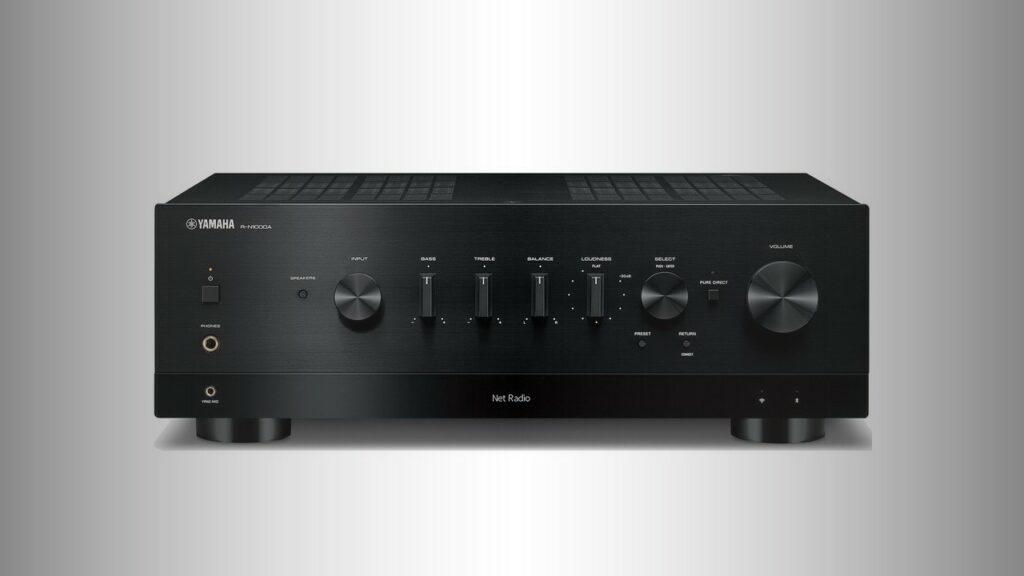
Yamaha R-N1000A: Build a modern music system with this stereo receiver
If there is hum, buzz or hiss
Identify whether the noise changes with the receiver's volume control. A hum that remains at the same level often enters through a source, cable shield or mains connection. A hiss that rises with volume may be normal electronic noise, but it should not suddenly become loud or appear only after a particular component is connected.
Turn off all sources and remove their signal cables from the receiver, leaving only the speakers connected. If the noise disappears, reconnect devices one at a time until the source is identified. Check cable routing: keep analogue interconnects away from mains adapters and power bricks, and avoid tightly bundling signal cables around them.
Use a single, properly wired mains outlet or power strip for the audio system where practical. Never defeat the earth connection, use unsafe grounding adapters or connect exposed wires to radiators or other household plumbing. If the hum remains with all sources disconnected, or if it is accompanied by heat, crackling or a burning smell, stop using the receiver and seek service.
If the receiver shuts down or sound drops out
Protection shutdown usually means the receiver has detected excessive heat, a wiring problem or an abnormal load. Switch it off and allow it to cool. With the receiver disconnected from the mains, inspect the speaker terminals for stray strands and check that no cable is trapped behind furniture or damaged.
Reconnect one speaker pair at a time at low volume. If the receiver remains stable with one pair but shuts down when another is connected, leave the suspect pair disconnected and arrange a proper inspection. Do not repeatedly power-cycle the unit to force it to continue operating.
For intermittent dropouts, also check ventilation. Do not cover the top vents or install a receiver in a tightly sealed cabinet. Heat can build up during multichannel playback even when the front panel does not feel unusually hot. Reduce the volume temporarily and remove other possible causes, such as a loose HDMI plug or unstable wireless connection.
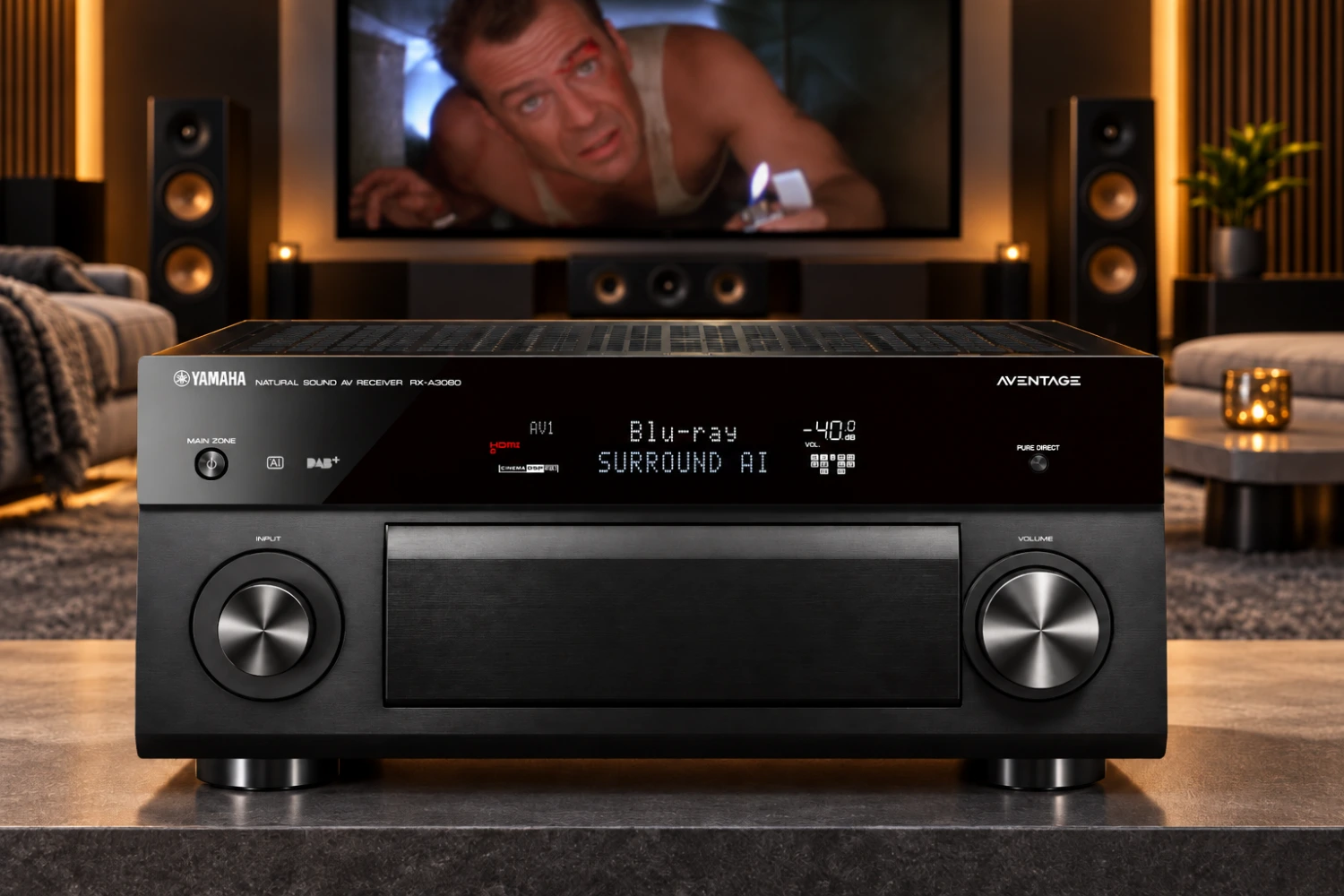
The large, multichannel designs described in the Yamaha RX-A3080 article and the 7.2-channel Denon and JBL models can drive several amplifier channels at once. That does not mean every speaker combination is automatically suitable. Follow the receiver's specified speaker-impedance guidance and do not assume that a shutdown is harmless.
If streaming or network playback fails
First determine whether the problem affects one service or the whole network. Test the receiver's wired Ethernet connection if available, then restart the router and receiver. Confirm that a phone or tablet running the control app is on the same home network, not a guest network or mobile-data connection.
For Wi-Fi, move the receiver temporarily closer to the router or test Ethernet. Metal cabinets, thick walls and busy wireless networks can cause dropouts. If the receiver sees the network but cannot play a service, check the account, app status and firmware information rather than repeatedly changing audio settings.
MusicCast, HEOS, AirPlay and Chromecast are separate ecosystems, so a phone may discover one device or service but not another. The Yamaha TSX-N237D MusicCast 200 illustrates how Yamaha's MusicCast family can combine Wi-Fi, Ethernet, Bluetooth, AirPlay and network playback; compatibility still depends on the specific device and software combination. Likewise, the RX-A3080 uses Yamaha network control and MusicCast, while the Denon AVR-X2700H uses HEOS and AirPlay 2.

Yamaha TSX-N237D: Updated version of the desktop audio system MusicCast 200
Bluetooth is a useful isolation test. If Bluetooth plays reliably while network streaming does not, the amplifier and speakers are probably not the first suspects. If Bluetooth also fails, check pairing, the source device's output selection and whether another previously paired device is taking control.
If the receiver sounds wrong after calibration
Run calibration again only after checking speaker polarity, placement and cable connections. Put the supplied microphone on a stable stand at the main listening height; do not hold it in your hand or place it on a sofa cushion. Keep the room quiet during measurement, including fans and nearby phones.
Use the correct microphone input and follow the measurement positions shown by the receiver. A calibration system cannot correct a speaker connected to the wrong terminal or a damaged driver. It also cannot make a centre speaker sound clear if it is obstructed by furniture.
Compare the calibrated and uncalibrated modes at a sensible level. If the result is much too bright, thin or bass-heavy, check speaker size, crossover and subwoofer settings before deleting every adjustment. Save the original configuration where the receiver allows it. The Yamaha RX-A3080's YPAO RSC, Denon's Audyssey MultEQ XT and JBL's Dirac Live-ready platform use different procedures, so avoid applying instructions from one brand to another.

Yamaha RX-A3080: Fully equipped flagship AV Receiver
When a reset is justified
A factory reset can clear corrupted input assignments, network credentials and unusual processing settings, but it should be a last resort. Record your speaker distances, levels, crossover choices, network details and remote-control settings first. A reset will not repair a damaged HDMI socket, a shorted speaker cable or an internal amplifier fault.
Before resetting, try restoring only the affected input, deleting and recreating the network connection, or disabling a recently changed feature. If the receiver still behaves incorrectly after a documented reset and a known-good cable and source have been tested, contact the manufacturer or a qualified service centre. Explain what was connected, which inputs were tested and whether headphones or the test tone worked.
Final checklist
- Correct input, source playback and listening zone selected.
- Mute, balance, volume limits and processing modes checked.
- Speaker cables firmly connected with no stray strands or shorts.
- HDMI connected to the correct ARC/eARC sockets, with TV audio output configured.
- Another cable, source and speaker output tested at low volume.
- Ventilation checked and protection shutdown treated as a warning.
- Hum isolated by disconnecting sources one at a time; grounding never defeated.
- Network tested with Ethernet or a known-good Wi-Fi connection.
- Calibration microphone positioned correctly and settings recorded before any reset.
- Burning smell, repeated shutdowns, visible damage or persistent channel failure referred to a qualified service professional.
Most AV receiver problems can be narrowed down without opening the equipment. The key is to isolate the system: one source, one input, the main speakers and a low listening level. Once that basic path works, add HDMI devices, subwoofers, network services and multiroom functions one at a time.


Sound Off
0Join the discussion if you have something to add.