

Headphones are only one part of a hi-fi listening chain.
A great pair can sound underpowered, noisy, or inconvenient if the DAC, amplifier, cable, and output type are poorly matched.
The goal is not to buy the most powerful device or always use the biggest connector. The goal is to give your specific headphones a clean signal, enough control, the right cable connection, and comfortable volume range without adding unnecessary complexity. This guide explains how to match wired headphones and IEMs with DACs, headphone amplifiers, and balanced outputs, using practical examples from modern open-back, closed-back, planar, dynamic, portable, and wireless headphone designs.
Start with what the headphone actually needs
Before choosing a DAC or amplifier, read the headphone’s basic specifications and physical connection requirements.
The most useful numbers are impedance and sensitivity.
Impedance, shown in ohms, tells you how much electrical load the headphone presents. Sensitivity tells you how loud the headphone gets from a given amount of power or voltage. Together, they give a practical clue about whether a small USB dongle, portable player, desktop DAC/amp, or powerful standalone amplifier is appropriate.
A low impedance headphone is not automatically easy, and a higher impedance headphone is not automatically difficult.
Sensitivity matters just as much.
For example, the FiiO JT7 is an open-back planar headphone with an 18-ohm impedance and 92 dB/mW sensitivity at 1 kHz. That low impedance suggests it can work with portable sources, and its included 3.5 mm and 4.4 mm cables make connection straightforward. By contrast, the HIFIMAN HE6 Remastered is a planar magnetic headphone with 50-ohm impedance and 83.5 dB sensitivity. The source material explicitly notes that HE6-style headphones require a powerful amplifier to perform at their best. Those two examples show why impedance alone is not enough.
IEMs often sit at the other end of the matching problem.
The Meze Audio Astru is rated at 32 ohms and 111 dB SPL/mW at 1 kHz, and it ships with a 4.4 mm balanced connector plus a 4.4 mm to 3.5 mm adapter.
A sensitive IEM like this is unlikely to need huge amplifier power, but it does need a quiet output and fine volume control so you can avoid hiss and sudden volume jumps.
- Find the headphone impedance in ohms.
- Find the sensitivity rating and note whether it is expressed per mW or per voltage.
- Check whether the headphone is dynamic, planar magnetic, or an IEM, because these designs often place different demands on amplification.
- Identify the supplied cable termination: 3.5 mm, 4.4 mm balanced, 6.35 mm, proprietary dual connectors, or another format.
- Decide whether your use is portable, desktop, travel, gaming, office, or home listening before choosing hardware.
Understand the DAC and amplifier as two separate jobs
A DAC, or digital-to-analog converter, turns digital audio from a phone, computer, streamer, or player into an analog signal.
A headphone amplifier then drives the headphone from that analog signal.
Many products combine both functions in one box, such as a USB DAC dongle or desktop DAC/headphone amp. The important point is that the DAC does not replace the amplifier; even a clean DAC output still needs an amp stage capable of driving the headphone properly.
For laptop and desk listening, a USB DAC/amp can be the simplest upgrade because it bypasses the computer’s built-in headphone output and gives you a dedicated headphone stage.
The FiiO QX13 is a useful example of this category: it has USB-C input, 3.5 mm single-ended output, 4.4 mm balanced output, gain settings, channel balance, filters, EQ, and a Desktop Mode that can use external power.
Its design shows why a DAC/amp should be chosen not only for sound quality but also for controls, power mode, heat, and ergonomics.
A DAC/amp that is ideal on a desk may not be ideal in a pocket.
The QX13, for example, is described as technically portable but more comfortable in stationary use because of its size, screen, buttons, cable connection, and heat.
That matters for headphone matching: if your listening happens mostly at a laptop with full-size headphones, a semi-stationary DAC/amp makes sense. If you walk around with IEMs, size, battery drain, cable strain, and low-noise output may matter more than maximum power.
- Use a DAC/amp rather than a plain adapter when your phone or computer lacks a quality headphone output.
- For desktop use, choose a unit with stable placement, accessible controls, and enough output options for your headphone cables.
- For sensitive IEMs, prioritize quiet operation and precise low-volume adjustment.
- For demanding planar headphones, prioritize amplifier headroom and, where available, an externally powered or desktop mode.
- Do not assume that a DAC with many features is automatically the right physical match for portable use.
When balanced output helps — and when it is just a connector
Balanced headphone output is commonly seen today as a 4.4 mm connection.
In a headphone context, a balanced output uses separate signal paths for left and right channels rather than sharing a common return in the same way many single-ended connections do.
In practical systems, balanced outputs may offer more available drive from a compatible amplifier, but the benefit depends on the amplifier design, the headphone cable, and the headphone’s needs.
The important rule is simple: balanced output only matters if the whole connection is balanced-compatible.
Your DAC/amp must have a balanced headphone output, your cable must be wired for balanced use, and your headphone must accept that cable correctly.
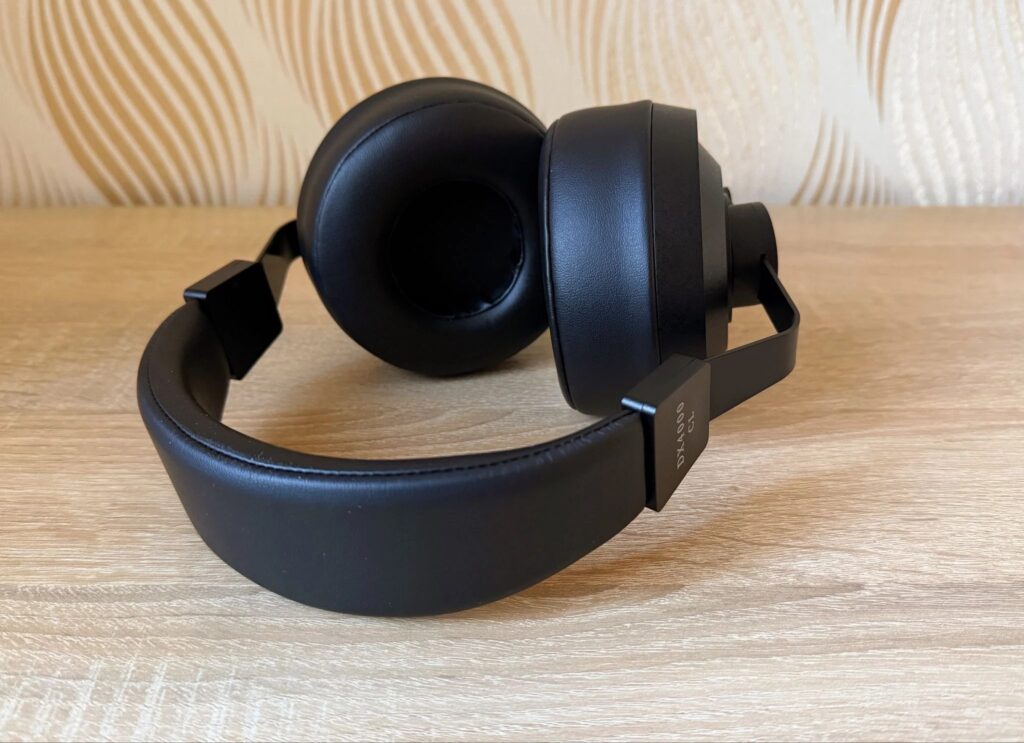
Several current headphone examples make this easier. The FiiO JT7 includes both a 3.5 mm cable and a 4.4 mm balanced cable. The Final Audio DX4000CL includes a silver-plated oxygen-free copper balanced cable terminated in 4.4 mm Pentaconn. The Meze Audio Astru ships with a premium balanced cable using a gold-plated 4.4 mm balanced connector and also includes a 4.4 mm to 3.5 mm adapter.
Balanced is not a quality guarantee by itself.
A well-designed 3.5 mm or 6.35 mm single-ended output can be entirely appropriate, especially for easier headphones or when the supplied cable is single-ended.
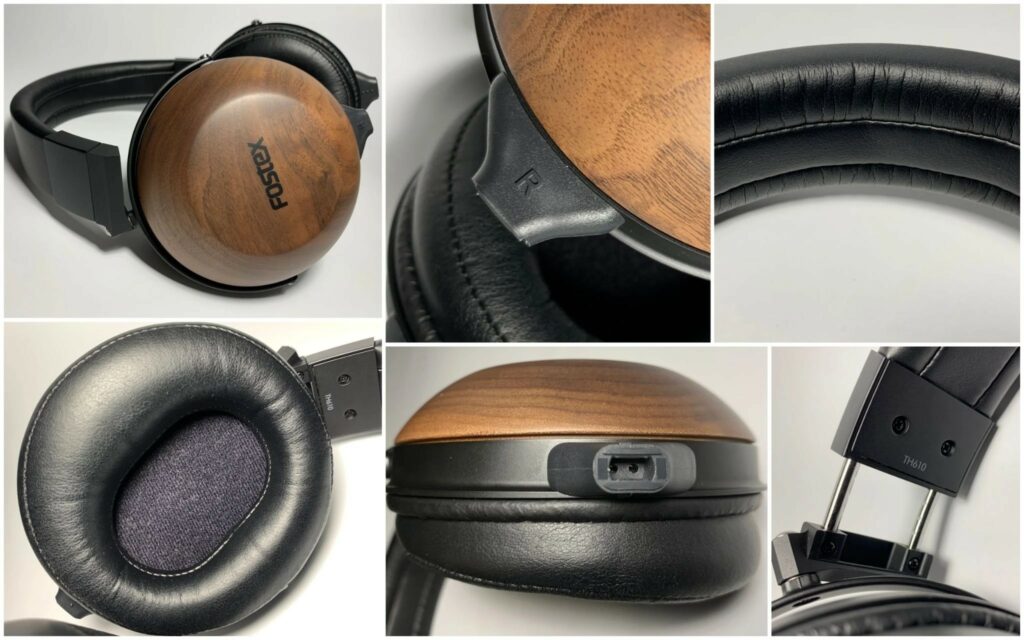
The Fostex TH610, for example, ships with a long cable using a 6.3 mm plug, which points naturally toward desktop or full-size hi-fi headphone outputs. In that case, forcing a balanced setup would require the correct compatible cable and connector system, not a random adapter.
- Use 4.4 mm balanced only when the DAC/amp and headphone cable are both designed for it.
- If your headphone includes both 3.5 mm and 4.4 mm cables, start with the connection that best matches your amplifier and listening position.
- Use supplied or manufacturer-approved adapters when moving between connector types.
- Do not treat balanced output as mandatory; treat it as one possible connection method.
- If you hear imbalance, dropouts, or distortion after changing cables, return to the original cable and verify connector seating.
Match amplification to planar magnetic headphones
Planar magnetic headphones often appeal to listeners because of speed, control, and detail, but they can vary dramatically in amplifier demand.
The FiiO JT7 uses a large 95 × 86 mm planar magnetic driver, an ultra-thin 3-micron diaphragm, and double-sided neodymium magnets.
Its 18-ohm impedance and included cable options make it relatively flexible for modern sources. The HIFIMAN HE6 Remastered, however, keeps the classic HE6 planar architecture, has 83.5 dB sensitivity, and is specifically described as needing a powerful amplifier to sound its best.
This is where gain and headroom become practical.
Gain is not the same as volume; it changes how much the amplifier increases the signal before the volume control.
Low gain usually gives finer control and lower noise with sensitive headphones. High gain can help demanding headphones reach suitable levels without running the volume control near its limit. If a planar headphone sounds flat, strained, or compressed at normal listening levels, the amplifier may not have enough headroom even if it technically gets loud.
For a desktop DAC/amp with an external power mode, such as the QX13 Desktop Mode, use the more capable power configuration when listening at a desk with harder-to-drive full-size headphones.
The source material notes that external power in Desktop Mode unlocks more headroom and improves dynamics.
That is exactly the kind of feature that matters for demanding planar headphones.
- Begin with low gain and raise volume slowly.
- If the volume control is near maximum or the sound lacks control, switch to a higher gain or more powerful amplifier.
- For demanding planar models, prefer desktop or externally powered operation when available.
- Avoid judging a planar headphone from a weak phone or laptop jack if the manufacturer or specifications suggest it needs power.
- Let powerful dongles and compact DAC/amps breathe on a desk, because high-output devices can run warm.
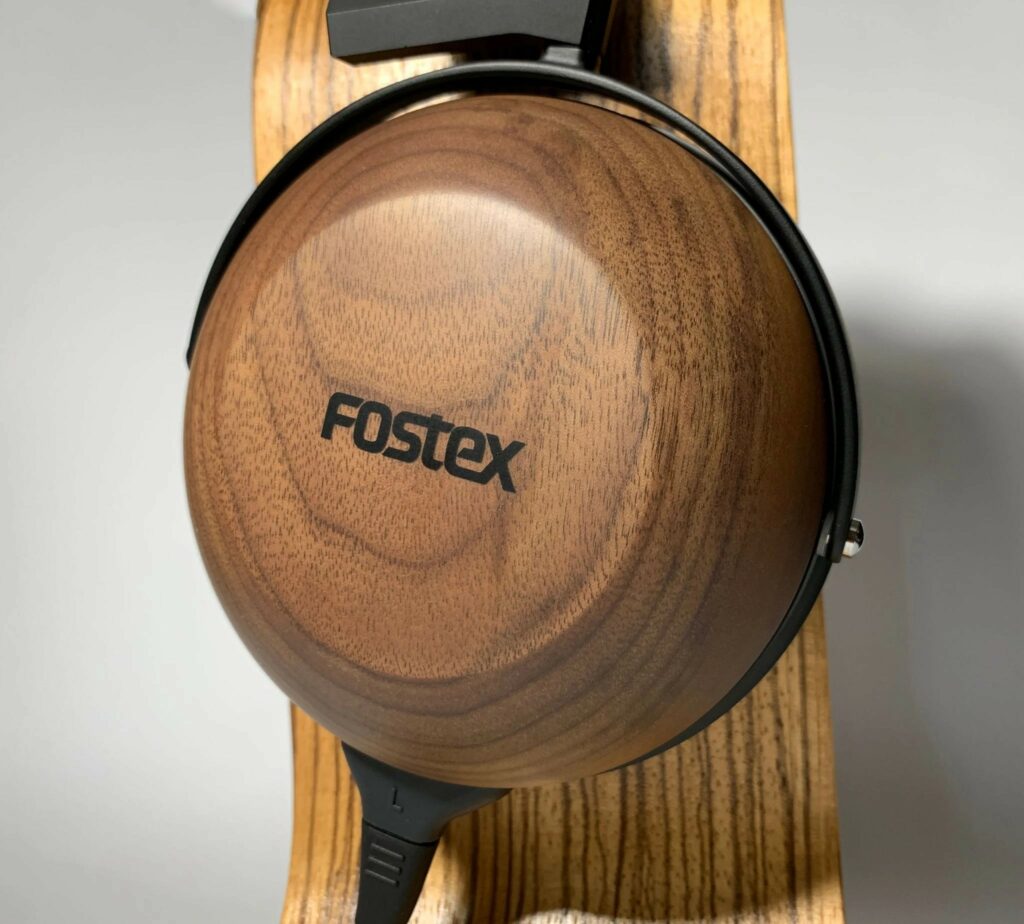
Match closed-back dynamic headphones for control, comfort, and cable length
Closed-back headphones are often used at desks, in offices, or anywhere isolation matters.
Their amplification needs vary, but many benefit from a clean, stable source rather than brute force.
The Final Audio DX4000CL has 37-ohm impedance and 96 dB sensitivity. It is not described as especially difficult to drive, and portable hi-res players can power it, but quality amplification is said to improve dynamics, bass control, and layering. That is a perfect example of a headphone that may work from modest gear but scales with a better DAC/amp.
Cable length and termination also matter with closed-back full-size headphones.
The DX4000CL’s included 4.4 mm balanced cable is two meters long, which suits desktop use better than portable listening.
The Fostex TH610 ships with a long fabric-braided cable and a 6.3 mm plug, again suggesting use with full-size desktop or hi-fi headphone outputs. A technically compatible amplifier is not enough if the cable is awkward, too short, too long, or terminated for the wrong environment.
For closed-back listening, also think about heat and fatigue.
A strong amplifier can give better control, but there is no benefit in listening too loudly simply because more power is available.
Closed-back designs isolate the ear and can make high levels feel less obvious at first. Set volume conservatively, especially during long sessions.
- Choose a desktop DAC/amp if the supplied cable is long or uses 6.35 mm/4.4 mm terminations suited to a desk.
- Use balanced 4.4 mm if the headphone cable and DAC/amp support it directly.
- If using a 6.3 mm plug, connect to a proper 6.3 mm headphone output or use a solid adapter only when appropriate.
- Check that the cable exits comfortably and does not pull on the earcups during listening.
- Reassess volume after a few minutes; closed-back isolation can make loud playback deceptively comfortable.
Match IEMs with low noise, adapters, and careful volume
In-ear monitors are highly sensitive compared with many full-size headphones.
The Meze Audio Astru is a good example: it is specified at 32 ohms and 111 dB SPL/mW at 1 kHz and is intended for high-quality portable listening.
A sensitive IEM does not usually need a high-power desktop amplifier. Instead, the priorities are low noise, channel balance at quiet levels, secure fit, and correct connector use.
If your DAC/amp has gain settings, start with low gain for IEMs.
This gives more usable movement on the volume control and reduces the risk of a sudden loud signal.
If the DAC/amp offers channel balance control, as the QX13 does through its app, it can be useful when listening quietly or if your ears or eartips create a slight perceived imbalance. EQ can also help fine-tune tonal balance, but avoid extreme EQ boosts that force you to raise amplifier output unnecessarily.
Adapters are common with IEMs.
The Astru includes a 4.4 mm to 3.5 mm adapter, which makes it easier to use both balanced and single-ended sources.
The safest habit is to use the cable and adapter supplied with the IEM or a properly specified replacement. Because IEM connectors are small and often used on the move, inspect them regularly for loose seating, bent plugs, and dirt on eartips or nozzles.
- Set the source volume low before inserting IEMs.
- Use low gain first, then increase only if necessary.
- Use the supplied 4.4 mm to 3.5 mm adapter when included and appropriate.
- Keep eartips clean and choose a size that seals without pressure pain.
- If you hear hiss, try a lower gain setting, a different output, or a quieter DAC/amp.
How to install and configure a USB DAC/amp for headphones
A modern USB DAC/amp can be straightforward, but setup still matters.
On Android, the QX13 example shows a typical process: plug in, grant permission, and use the control app for deeper settings.
On Windows, the same device was recognized without driver installation according to the source material, although firmware updates required more manual steps. Your exact product may differ, so always follow its instructions.
After connecting, set the computer or phone output to the DAC/amp, then choose the physical headphone output.
Use 3.5 mm for single-ended cables, 4.4 mm for balanced cables, and 6.35 mm where your amp provides a full-size output.
If your DAC/amp has a display, confirm the sample rate or input mode only as a diagnostic aid; do not chase settings you cannot hear or do not need. Stability, correct volume range, and absence of noise are more important than cosmetic display modes.
Many DAC/amps include filters, EQ, gain, and channel balance.
Filters usually make subtle changes to DAC behavior.
EQ adjusts frequency balance. Gain changes amplifier level range. Channel balance shifts level between left and right. Configure in this order: connection first, gain second, volume third, EQ last. This avoids using EQ or volume to compensate for a basic mismatch.
- Connect the DAC/amp to the phone, tablet, or computer by USB-C or the required data cable.
- Select the DAC/amp as the audio output device in the operating system or music app.
- Connect headphones using the correct output: 3.5 mm, 4.4 mm balanced, or 6.35 mm.
- Set gain to low, reduce volume, then start playback.
- Raise volume gradually and change gain only if you cannot reach comfortable levels with clean sound.
- Use the companion app for EQ, channel balance, filters, and display settings after the basic connection is stable.
Wireless headphones: when the DAC and amp are already inside
Wireless headphones change the matching question because the DAC and amplifier are built into the headphone.
In that case, you are not matching an external headphone amplifier in the same way.
You are choosing the best transmission method, app settings, noise cancellation mode, and source connection.
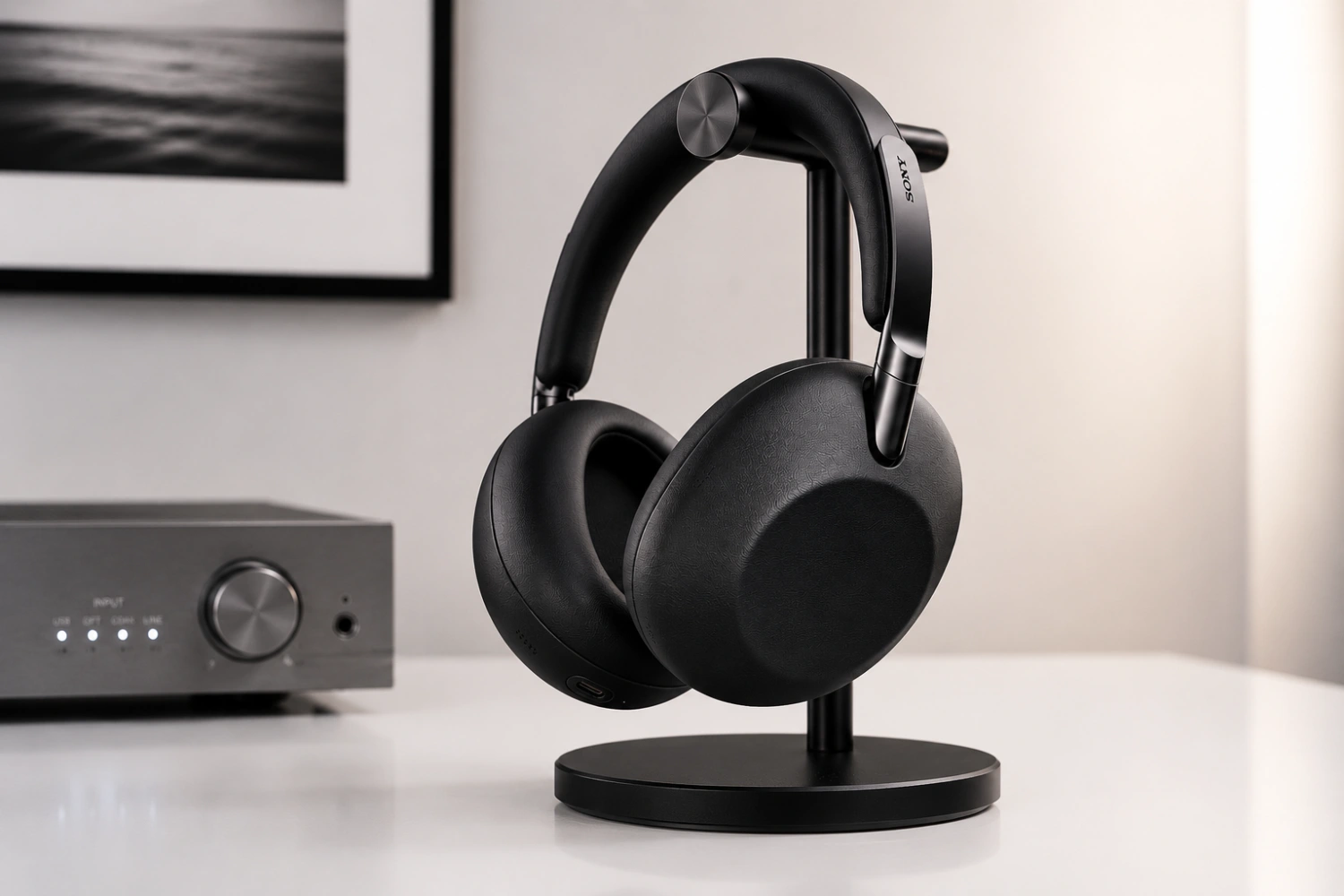
Sony’s 1000X THE COLLEXION, for example, supports LDAC, DSEE Ultimate processing, noise cancellation, listening modes for music, cinema, and gaming, and multipoint wireless features.
JBL’s Tour One M3 SMART TX goes further by using a smart wireless transmitter that connects via USB-C or analog minijack and sends audio wirelessly to the headphones.
When connected via USB-C, the JBL supports lossless digital audio, and its transmitter can control playback, noise cancellation, EQ, and sound modes without a phone.
For wireless headphones, do not buy an external headphone amp expecting it to improve Bluetooth playback.
The headphone’s internal electronics do that job.
Instead, optimize codec support, USB-C digital connection where offered, app EQ, ANC mode, and battery charge. If your wireless model includes analog input, that can be useful for travel or compatibility, but the product design determines how that signal is handled internally.
- Use the companion app to check sound modes, EQ, ANC, and firmware options.
- For supported models, use USB-C digital audio when you want the most direct compatible wired-digital connection.
- Use analog minijack inputs mainly for compatibility with airplanes, consoles, or older sources when supported.
- Keep the battery charged; wireless sound and ANC depend on internal electronics.
- Do not add a headphone amplifier to a Bluetooth chain unless the headphone is being used in a supported wired analog mode.
Troubleshooting poor sound, low volume, hiss, or one-sided playback
Most headphone matching problems come from one of five areas: not enough amplifier power, too much gain, the wrong cable, a bad adapter, or incorrect software output.
Start with the simplest checks.
Confirm the plug is fully seated, the correct output is selected, and the cable is connected to the correct earcups. Headphones such as the FiiO JT7 use dual 3.5 mm connectors at the earcups, while the Fostex TH610 uses proprietary 2-pin connectors, so cable seating and cable type are not universal.
If volume is too low, check software volume first, then DAC/amp gain, then amplifier capability.
If a demanding planar headphone still sounds weak, move from a phone or basic dongle to a stronger desktop or externally powered amplifier.
If sound is noisy with IEMs, do the opposite: lower gain, reduce unnecessary power modes, and try a quieter output.
If balanced output causes problems, return to single-ended and verify the cable.
A 4.4 mm plug does not automatically mean every adapter path is safe or suitable.
Use the cable supplied with the headphone whenever possible, and do not improvise with unknown adapters between balanced and single-ended outputs. If the problem disappears with the original cable, the issue is likely the replacement cable or adapter, not the headphone itself.
- Check that the DAC/amp is selected as the playback device.
- Reduce volume before reconnecting cables.
- Reseat the headphone plug and earcup connectors.
- Try the original cable supplied with the headphone.
- Switch from balanced to single-ended, or vice versa, only with the correct cable.
- Change gain one step at a time and listen for noise, distortion, or channel imbalance.
- For USB devices, reconnect the cable and restart the music app if playback is not detected.
Concise headphone DAC/amp setup checklist
- Read impedance, sensitivity, driver type, and connector requirements before buying an amplifier.
- Use low gain first, especially with IEMs and sensitive headphones.
- Use a powerful desktop or externally powered amplifier for demanding planar headphones.
- Use 4.4 mm balanced only with a compatible balanced cable and balanced headphone output.
- Match cable length and plug type to your listening location: portable, desk, hi-fi rack, or travel.
- Set the DAC/amp as the output device on your phone, tablet, or computer.
- Install or open the control app only after basic playback works.
- Use EQ gently and only after volume, gain, and connection are correct.
- Keep plugs, eartips, pads, and connectors clean and fully seated.
- If something sounds wrong, return to the original cable and simplest connection before troubleshooting further.
Common mistakes and how to avoid them
Choosing an amplifier from impedance alone.
Always consider sensitivity too.
An 18-ohm planar headphone and a 50-ohm low-sensitivity planar headphone can need very different amplification.
Assuming balanced output is always better.
Use balanced only when the DAC/amp, cable, and headphone are designed for it.
A good single-ended output can be the correct choice for many headphones.
Using high gain with sensitive IEMs.
Start with low gain and low volume.
Sensitive IEMs need clean, quiet control more than maximum amplifier power.
Buying a portable dongle for a desktop-only headphone setup without considering ergonomics.
Check size, heat, controls, cable strain, and external power options.
Some powerful dongles make more sense on a desk than in a pocket.
Ignoring supplied cable terminations.
A headphone that ships with a 6.3 mm cable or two-meter 4.4 mm cable is often intended for desktop-style use.
Plan your DAC/amp output around the cable you actually have.
Troubleshooting with too many variables changed at once.
Return to the original cable, low gain, no EQ, and a known working output.
Then change one item at a time.
Frequently asked questions
Do all headphones need a separate DAC and amplifier?
No.
Wireless headphones already include internal DAC and amplifier stages.
Easy-to-drive wired headphones may work well from a quality portable player or USB dongle. A separate or stronger DAC/amp becomes more important for demanding full-size headphones, noisy computer outputs, or setups that need balanced output, gain control, and cleaner volume adjustment.
Is 4.4 mm balanced automatically louder or better than 3.5 mm?
Not automatically.
A 4.4 mm balanced output can be useful when the amplifier is designed to provide more drive through that connection and the headphone cable is wired correctly.
But the quality of the amplifier matters more than the connector alone. Use 4.4 mm when your headphone and DAC/amp support it directly.
What kind of amp should I use with planar magnetic headphones?
It depends on sensitivity and model.
Some planar headphones, such as the FiiO JT7 with low impedance and included portable-friendly cables, are relatively flexible.
Others, such as the HIFIMAN HE6 Remastered, are specifically associated with needing a powerful amplifier. If a planar headphone sounds compressed or weak at normal levels, try a stronger desktop or externally powered amplifier.
Why do my IEMs hiss from a powerful DAC/amp?
Sensitive IEMs can reveal the noise floor of an amplifier.
Use low gain, reduce volume, and try a quieter output.
For IEMs, fine volume control and low noise are usually more important than high output power.
Can I use an adapter between 4.4 mm balanced and 3.5 mm single-ended?
Use only an adapter that is supplied with the headphone or properly specified for that purpose.
The Meze Audio Astru, for example, includes a 4.4 mm to 3.5 mm adapter.
Avoid improvised adapters, especially when converting between balanced and single-ended connections.
Should I use EQ before upgrading my DAC or amplifier?
Use EQ only after the basic setup is correct.
First confirm that the headphone is properly driven, the gain setting is suitable, the cable is correct, and the volume range is comfortable.
EQ can fine-tune tonal balance, but it cannot fully fix an underpowered amplifier or a wrong connection.
Conclusion: match the chain to the headphone, not the other way around
The right headphone setup starts with the headphone itself.
Read impedance, sensitivity, driver type, and cable termination, then choose a DAC/amp that fits the real use case.
Sensitive IEMs need quiet low-gain control. Many closed-back dynamic headphones benefit from a clean quality amplifier and practical cable matching. Demanding planar headphones may need serious desktop power or an externally powered mode. Balanced 4.4 mm output is useful when the whole chain supports it, but it is not a universal upgrade by itself. Start simple, connect correctly, set gain conservatively, and troubleshoot one variable at a time. That approach gives your headphones the best chance to perform without unnecessary risk, noise, or complexity.


Join the discussion
Share your thoughts, listening impressions or product experience.