

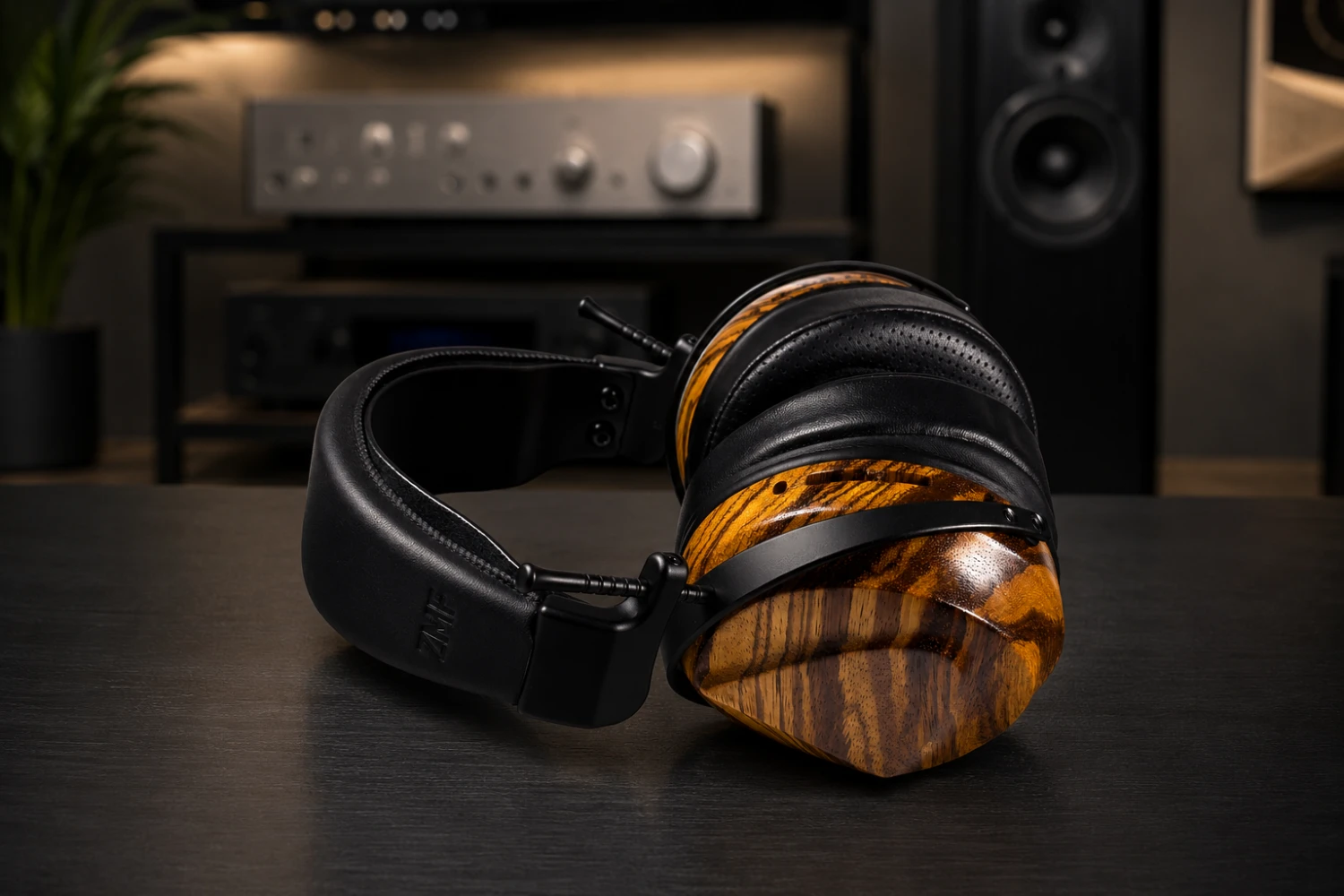
Headphones and IEMs are easier to use than full hi-fi systems, but the number of connection types can still be confusing.
A 3.5mm plug, a 4.4mm balanced output, a USB-C DSP cable, standard Bluetooth, and a low-latency 2.4 GHz dongle all solve different problems.
Choosing the wrong one can mean no sound, poor fit, avoidable noise, unwanted latency, or even a damaged cable or connector. This guide explains what each connection is for, how to set it up, and how to avoid common mistakes when using headphones and in-ear monitors.
H3: Start with the headphone type and listening use
Before choosing a connector, identify what you are connecting.
Full-size headphones and IEMs often behave differently in daily use.
IEMs rely heavily on ear-tip fit and insertion depth; headphones rely more on pad seal, headband adjustment, and whether the design is open-back or closed-back. The connection method matters, but so does how the headphone physically sits on or in your ears.
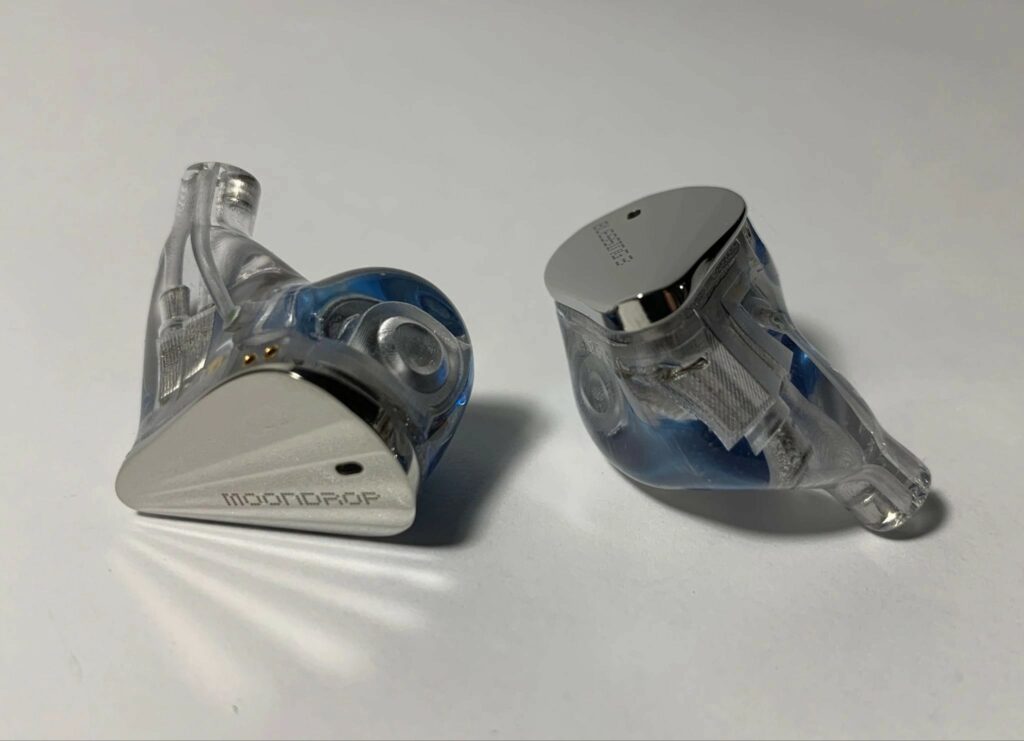
Wired IEMs such as modular-cable designs may offer several plug options from one cable system.
The FiiO Snowsky OAK Nano is a useful example: it uses a detachable 0.78 mm 2-pin cable system and includes 3.5mm, 4.4mm Pentaconn, and USB-C DSP plug options.
That kind of modular approach lets one IEM work with traditional analog outputs, balanced portable players, and digital USB-C sources.
Full-size headphones may also include balanced cables and adapters.
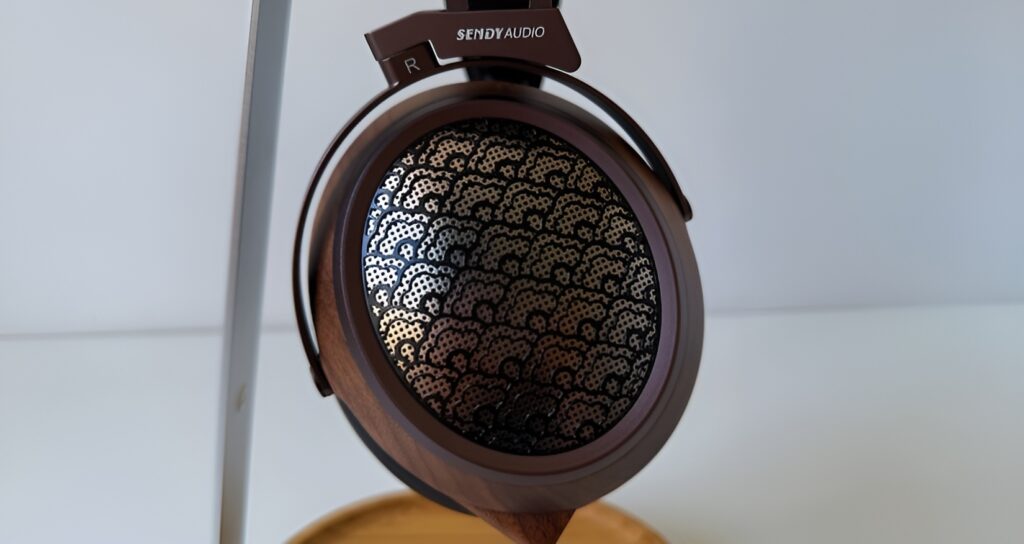
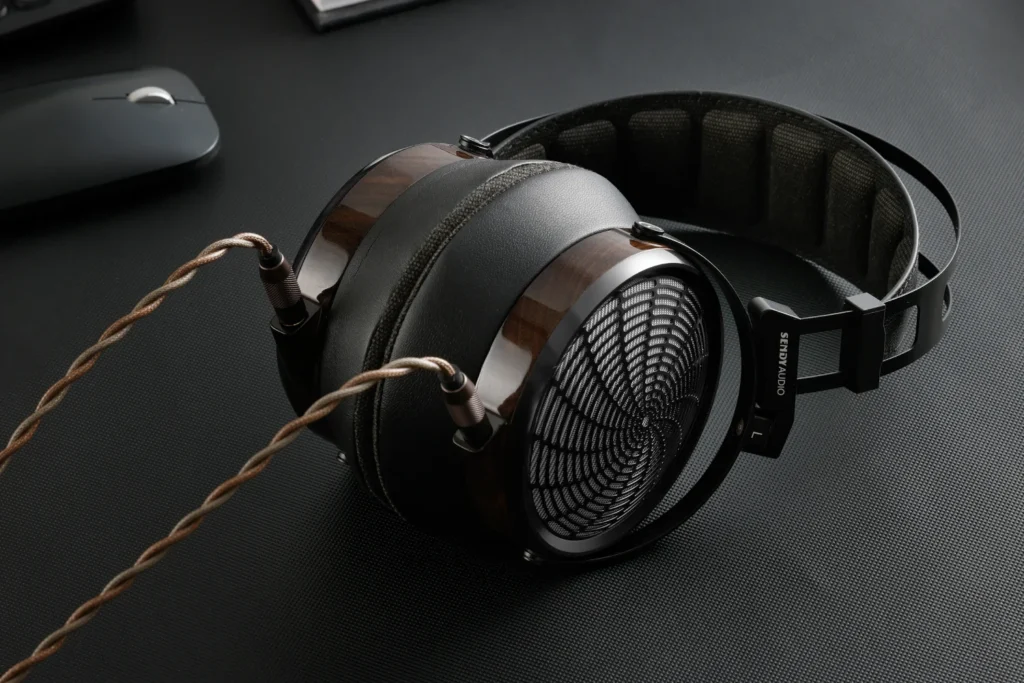
Some Sendy Audio models, for example, are supplied with a 4.4mm balanced cable and adapters for 3.5mm or 6.35mm outputs.
Final’s DX4000CL is another example of a headphone designed around a detachable cable terminating in 4.4mm Pentaconn, with a 6.3mm adapter for traditional hi-fi use.
Wireless headphones and earbuds add a different set of decisions.
A Bluetooth open-back headphone such as the Grado GW100x focuses on cable-free listening, but because it remains open-back, it still leaks some sound and lets outside sound in.
Gaming-focused earbuds such as SteelSeries Arctis GameBuds use a dedicated low-latency 2.4 GHz USB-C dongle for console and PC use, while keeping Bluetooth for mobile devices and general listening.
- Decide where you will listen: desk, portable player, phone, console, commute, or quiet shared room.
- Check whether the headphone is wired, wireless, or hybrid wired/wireless.
- Check the supplied cable ends before buying adapters.
- For IEMs, choose the ear tips and fit before judging sound or volume.
- For open-back headphones, consider sound leakage before using them around others.
H3: Connecting with 3.5mm analog: the simple, universal option
The 3.5mm headphone plug is the familiar small analog connector used on many portable devices, laptops, dongles, DAC/amps, and adapters.
In headphone use it is usually the most straightforward connection: plug the headphone into the output, select the correct device in your playback system if needed, lower the volume, and start listening.
A 3.5mm connection is often called single-ended.
In practical terms, that means it carries the left and right headphone channels through a shared ground arrangement.
You do not need to understand the circuit design to use it correctly; the main point is that 3.5mm and balanced outputs are not interchangeable unless the cable or adapter is designed for that purpose.
For IEMs, 3.5mm is often the safest starting point because it works with many compact sources and typically does not require extra software.
If your IEM has a detachable cable, make sure the left and right earpieces are connected correctly and that the pins are fully seated without being forced.
If the cable has ear hooks, route them over the ear before inserting the tips.
For full-size headphones, 3.5mm may be used directly or through an adapter.
Some headphones include a 4.4mm balanced cable plus a 3.5mm adapter, while other setups use a 6.3mm adapter for desktop amplifiers.
Do not stack loose adapters if they make the plug unstable; a wobbly connection can cause channel dropouts and stress the socket.
- Turn the volume down before plugging in.
- Insert the 3.5mm plug fully until it seats firmly.
- Select the correct audio output on your phone, computer, DAC, or player.
- Start playback at low volume and raise gradually.
- If one channel is missing, stop playback and reseat the plug and detachable cable connectors.
H3: Connecting with 4.4mm balanced: when your source supports it
The 4.4mm Pentaconn connector is common on modern portable audio players, headphone amplifiers, DAC/amps, and some audiophile headphone cables.
It is a balanced headphone connection, meaning the amplifier output is arranged differently from a standard 3.5mm single-ended output.
The practical benefit is compatibility with balanced headphone outputs, which may be designed to provide more capable drive from certain sources.
Balanced does not automatically mean better sound in every situation.
It only helps if the source has a proper 4.4mm balanced output and the headphone cable is wired for it.
A headphone supplied with a 4.4mm cable, such as several current planar or closed-back audiophile designs, is intended to plug into a matching balanced jack. If your source only has 3.5mm or 6.3mm outputs, use the manufacturer-supplied adapter if one is included and specified for that cable.
Be especially careful with adapters.
Adapting a balanced headphone cable to a single-ended output can be safe when the adapter is purpose-built and supplied or recommended for that use.
Random adapters in the other direction are risky. Do not try to turn a 3.5mm output into a true 4.4mm balanced output with a simple plug adapter; the amplifier circuit itself has to support balanced operation.
Planar magnetic headphones can benefit from capable amplification.
The Sendy Audio Egret, for instance, is described as easier to drive than many planar competitors, yet it still benefits from additional power from a capable desktop amplifier.
That is a useful reminder: the connector is only one part of matching. A sensitive IEM may need quiet, low-noise output; a larger planar headphone may appreciate a stronger amplifier.
- Confirm your source has a real 4.4mm balanced headphone output.
- Use a cable wired for the headphone and its connector system.
- Do not force 4.4mm plugs into other sockets or use improvised adapters.
- Begin at low volume, because balanced outputs may have a different gain level than 3.5mm outputs.
- If the sound is distorted or one-sided, unplug and check the cable seating at both earcups or IEM shells.
H3: Using USB-C DSP cables with IEMs
USB-C DSP cables combine digital connection, conversion, and sound processing in the cable plug.
Instead of using your phone or computer’s analog headphone jack, the USB-C cable receives digital audio and handles audio processing itself.
In a modern IEM system, that can add useful control without needing a separate dongle DAC.
The FiiO Snowsky OAK Nano provides a clear example of this approach.
Its USB-C DSP plug contains a DSP audio decoding chip, supports linear PCM playback, and offers an 8-band parametric equalizer that can be adjusted through the FiiO Control app or a web interface.
A parametric equalizer, or PEQ, lets you adjust specific frequency areas more precisely than a simple bass/treble control.
When setting up a USB-C DSP IEM cable, treat it as its own audio device.
Plug it into the phone, tablet, or computer, then choose it as the output if the system asks.
Open the control app or web interface only after you confirm basic playback. Avoid changing many EQ bands at once; make one adjustment, listen, then save the setting if the software allows it.
DSP can be powerful, but it should not be used to fix poor fit.
With IEMs, ear tips are part of the acoustic system.
The OAK Nano’s extensive ear-tip package illustrates how much fit can matter. If bass is weak, vocals sound thin, or one side seems quieter, first try reseating the IEMs and changing ear tips before making large EQ changes.
- Attach the correct detachable connectors to the IEM shells without forcing the pins.
- Plug the USB-C DSP connector into the playback device.
- Select the USB-C audio device if prompted.
- Confirm playback with EQ disabled or flat.
- Adjust PEQ gradually, one band at a time.
- Save or note your settings so you can return to a known good profile.
H3: Bluetooth headphones: pairing, codecs, charging, and latency
Bluetooth is the most convenient headphone connection because it removes the cable between your source and headphones.
It is ideal for casual listening, walking around the house, travel, and situations where cable management matters more than the last degree of system matching.
Bluetooth setup is usually simple: charge the headphones, enter pairing mode, choose the headphone from the source device’s Bluetooth menu, and start playback.
The details vary by model, but the same practical rules apply.
Keep the headphones charged, stay within a sensible range of the source, and re-pair if the connection becomes unreliable after switching between devices.
Codec support affects how the source and headphone communicate.
The Grado GW100x, for example, supports AAC for Apple users and aptX Adaptive, while using Bluetooth 5.2.
The useful takeaway is not that every listener must chase a specific codec, but that both the source and headphone must support the same codec for it to be used. If they do not, the system falls back to another compatible mode.
Latency is the delay between video or game action and the sound reaching your ears.
For music listening, small latency is usually not a serious issue.
For gaming, video editing, or rhythm-sensitive content, it can be distracting. Some Bluetooth headphones manage latency well, but standard Bluetooth is not always the best choice for competitive or timing-critical gaming.
Open-back Bluetooth headphones need one extra consideration: leakage.
The GW100x remains a true open-back headphone, even though its design reduces leakage compared with traditional open-back designs.
That means you should still be mindful of volume in quiet, crowded environments and avoid assuming wireless equals private.
- Fully charge the headphone before first pairing.
- Put the headphone into pairing mode.
- Select it from the Bluetooth menu on the phone, tablet, computer, or player.
- Check the playback volume on both source and headphone if both have controls.
- If audio stutters, move closer to the source and disconnect unused paired devices.
- For video or gaming latency, consider a dedicated low-latency wireless system instead.
H3: Low-latency wireless earbuds for gaming and consoles
Low-latency wireless is different from ordinary Bluetooth.
Gaming earbuds such as SteelSeries Arctis GameBuds use a dedicated 2.4 GHz wireless link through a compact USB-C dongle for PlayStation, Xbox, and PC support, while Bluetooth remains available for mobile devices and general listening.
The purpose is to reduce the delay and compatibility problems that can affect standard Bluetooth gaming audio.
The setup flow is usually closer to using a USB headset than pairing Bluetooth earbuds.
Insert the USB-C dongle into the console, PC, or compatible device; select it as the audio output if necessary; then use the earbuds through the dedicated link.
This is the connection to use when positional cues, dialogue timing, and game responsiveness matter.
Many gaming earbuds also include app-based EQ and sound modes.
In the SteelSeries example, the companion app includes game-specific profiles with parametric control and the ability to switch profiles without interrupting the audio stream.
Use these profiles deliberately. A shooter, story game, or racing title may benefit from different emphasis, but excessive EQ can make the sound less natural or harder to interpret.
Noise control also affects gaming safety and awareness.
Active noise cancellation can help reduce distractions, while transparency mode allows more outside sound in when situational awareness matters.
If you are gaming in a shared home, commuting, or waiting for announcements, transparency mode may be more appropriate than full isolation.
- Use the 2.4 GHz USB-C dongle for console and PC gaming when low latency matters.
- Use Bluetooth for mobile listening or general convenience.
- Select the dongle as the system audio output if the device does not switch automatically.
- Choose an EQ profile, then play briefly before making further changes.
- Use transparency mode when you need to hear your surroundings.
H3: Fit, placement, and acoustic matching for headphones and IEMs
Connection quality is only half the setup.
A headphone or IEM can be correctly plugged in and still sound wrong if it is not fitted properly.
With IEMs, the ear tip forms the seal that supports bass response and channel balance. With headphones, pad position and headband pressure influence comfort, isolation, and tonal balance.
For IEMs, start with medium tips, then move up or down.
Insert each earpiece gently and listen for a centered vocal image.
If the bass disappears or one side sounds thinner, the seal is probably uneven. Do not push deeply to the point of discomfort; try a different tip style instead. If your IEM includes tuning nozzles, as with the OAK Nano’s red and black mouthpieces, change only one variable at a time: first fit, then nozzle, then EQ.
For over-ear headphones, place the pads fully around the ears and adjust the headband so weight is distributed evenly.
Suspension-style headbands, used on several larger audiophile designs, are intended to spread weight over the head for longer sessions.
This matters especially with heavier planar headphones, where comfort depends on distribution as much as total mass.
Open-back and closed-back designs also behave differently.
Open-back headphones can sound spacious and reduce enclosure coloration, but they leak sound and do not isolate strongly.
Closed-back headphones offer privacy and isolation, but internal reflections and cup resonance are design challenges. From a user standpoint, choose open-back for private, quiet spaces and closed-back when isolation or reduced leakage is important.
- Fit IEM tips before judging bass or treble.
- Adjust over-ear headphones so pads seal evenly around both ears.
- Keep glasses, hair, or hat edges from breaking the pad seal if isolation matters.
- Use open-back headphones in private spaces when leakage is acceptable.
- Use closed-back headphones when you need isolation or want to keep music more private.
H3: Maintenance, cable care, and safe daily use
Good headphone setup includes maintenance.
Cables, ear tips, pads, and connectors are wear items.
Detachable cables are useful because they can be replaced or swapped, but they still need careful handling. Always unplug by holding the connector body, not by pulling the cable. Coil cables loosely rather than wrapping them tightly around a player or amplifier.
For IEMs, clean ear tips regularly and check nozzles for blockage.
A partially blocked nozzle can sound like driver failure because it reduces volume or changes treble.
If your IEM has removable tuning nozzles, make sure they are fully seated before listening. Store small nozzles, tips, and modular plugs in the case so they are not lost.
For wireless headphones and earbuds, battery care is part of maintenance.
Charge with the supplied or appropriate cable, keep the charging contacts clean, and avoid leaving earbuds loose in a bag where contacts and tips can collect debris.
The Grado GW100x’s move to USB-C charging is a reminder that charging convenience matters, but the port still needs gentle handling.
Protect your hearing.
Start every new connection at low volume, especially when switching from 3.5mm to 4.4mm balanced or from one amplifier to another.
A more powerful output can be much louder at the same volume position. If you hear distortion, discomfort, or ringing, stop and reduce the level.
- Unplug by the connector, not the cable.
- Store IEMs and headphones in their case when traveling.
- Clean ear tips and inspect nozzles regularly.
- Replace worn pads or tips when the seal or comfort changes.
- Lower volume before changing outputs, cables, or gain settings.
H3: Troubleshooting no sound, imbalance, noise, and delay
If there is no sound from wired headphones, start with the simple checks.
Confirm the source is not muted, the correct output is selected, and the plug is fully seated.
With detachable IEMs and headphones, check both the source end and the earpiece or earcup connectors. If an adapter is in use, remove it and test the simplest connection available.
If one side is quieter, swap ear tips first with IEMs and reseat the cable.
Ear-tip seal problems are extremely common and can mimic channel imbalance.
For headphones, check that the pad is not folded and that the cable is fully inserted into each earcup if the design uses dual connectors.
If a USB-C DSP cable is not recognized, unplug and reconnect it, then check the playback device’s audio output selection.
Open the control app only after the system sees the cable as an audio device.
If EQ sounds strange, return the PEQ to flat and rebuild your adjustments slowly.
If Bluetooth stutters, charge the headphone, move closer to the source, and disconnect from unused devices.
If video or games feel delayed, Bluetooth may simply be the wrong connection for that task.
Use a dedicated 2.4 GHz low-latency dongle system where available, especially for console and PC gaming.
If balanced output sounds distorted, stop immediately and confirm that the headphone cable and source output are compatible.
Do not use improvised adapters to connect balanced and single-ended systems.
When in doubt, return to a standard 3.5mm or manufacturer-supplied adapter path and verify normal operation.
- Reduce the system to the simplest connection and test again.
- Check volume, mute, output selection, and plug seating.
- For IEMs, test different tips before assuming a driver problem.
- Reset EQ or DSP settings to flat when troubleshooting tone problems.
- Use low-latency dongles instead of Bluetooth when gaming delay is unacceptable.
Concise headphone and IEM setup checklist
- Identify the headphone type: wired IEM, wired over-ear, Bluetooth, or low-latency wireless.
- Match the plug to the source: 3.5mm to 3.5mm, 4.4mm balanced to a real 4.4mm balanced output, USB-C DSP to USB-C digital audio, or dongle wireless to the supplied dongle.
- Turn volume down before connecting or switching outputs.
- For IEMs, choose ear tips and confirm a stable seal before adjusting EQ.
- For 4.4mm balanced, avoid random adapters and use only appropriate cables or supplied adapters.
- For USB-C DSP, confirm basic playback before changing PEQ settings.
- For Bluetooth, pair, charge, and verify codec compatibility only after connection is stable.
- For gaming, use a dedicated 2.4 GHz low-latency dongle when timing matters.
- Check comfort and leakage: open-back for private spaces, closed-back or IEMs for isolation.
- Store cables, tips, nozzles, and adapters safely after use.
Common mistakes and how to avoid them
Assuming 4.4mm balanced is always better than 3.5mm.
Use 4.4mm only when your source has a proper balanced output and your cable is wired for it.
A good 3.5mm connection is often the correct and simpler choice.
Using random adapters between balanced and single-ended connections.
Use manufacturer-supplied or clearly appropriate adapters only.
Do not try to create a balanced output from a normal 3.5mm jack with a simple adapter.
Trying to fix poor IEM fit with EQ.
Change ear tips, reseat the IEMs, and check nozzle cleanliness first.
Apply DSP or PEQ only after the acoustic seal is stable.
Using Bluetooth for latency-critical gaming and blaming the earbuds.
For console and PC gaming, use a dedicated low-latency 2.4 GHz dongle system when available.
Keep Bluetooth for mobile and general listening.
Listening too loudly after switching outputs.
Always lower volume before moving from one output to another, especially when switching to balanced outputs or more capable amplifiers.
Ignoring open-back leakage.
Use open-back headphones in private or tolerant environments.
In quiet shared spaces, choose closed-back headphones, IEMs, or lower volume.
Frequently asked questions
Can I plug 4.4mm balanced headphones into a 3.5mm output?
Only with an appropriate adapter designed for that specific use, such as a supplied adapter from the headphone maker.
Do not use random adapters, and do not expect a 3.5mm jack to become balanced.
Is USB-C DSP better than a normal headphone jack?
It depends on the setup.
USB-C DSP can add built-in digital conversion and adjustable EQ, which is useful for IEM tuning.
A normal 3.5mm connection is simpler and may be preferable when you want no software or processing.
Why do my IEMs have weak bass?
The most likely cause is an incomplete ear-tip seal.
Try different tip sizes or styles, reseat the IEMs, and check for blocked nozzles before changing EQ.
Should I use Bluetooth or a 2.4 GHz dongle for gaming?
Use the 2.4 GHz low-latency dongle for console and PC gaming when timing matters.
Bluetooth is better suited to mobile use and general listening.
Do open-back wireless headphones keep sound private?
Not completely.
Open-back headphones can leak sound even when wireless.
Some designs reduce leakage compared with traditional open-backs, but you should still keep volume sensible around other people.
Why does one side of my headphone or IEM cut out?
Check the plug, adapter, and detachable cable connectors first.
For IEMs, also check the ear-tip seal and nozzle cleanliness.
If the problem follows a cable movement, the cable or connector seating may be the issue.
Conclusion: choose the connection that fits the job
The right headphone connection is the one that matches your source, listening situation, and hardware.
Use 3.5mm analog when you want the simplest wired setup.
Use 4.4mm balanced only with a true balanced output and the correct cable. Use USB-C DSP when you want digital connection and controlled EQ for compatible IEMs. Use Bluetooth for everyday wireless convenience, and use a dedicated low-latency 2.4 GHz dongle for gaming where delay matters. Just as importantly, fit the headphone or IEM correctly, start at low volume, avoid unsafe adapters, and troubleshoot from the simplest connection first. Good headphone setup is not complicated, but it rewards careful matching and a few disciplined habits.

Join the discussion
Share your thoughts, listening impressions or product experience.