


Matching a hi-fi amplifier with your speakers is not just a matter of buying the model with the biggest wattage number.
The amplifier is the electrical control center of a stereo system: it receives a low-level signal from your source or preamplifier, increases it, and delivers it to the speakers with enough voltage and current to reproduce music cleanly.
A good match can make bass sound firmer, vocals more natural, and the stereo image more stable. A poor match can lead to strained treble, weak bass, overheating, clipping, or listening fatigue. This guide explains how to choose, connect, configure, and troubleshoot an amplifier-speaker pairing in a practical way, using the specifications that matter without treating the spec sheet as the whole story.
Start with the amplifier’s role in the system
An amplifier does more than make music louder.
In a hi-fi system, the source component provides the signal, the speakers turn electrical energy into sound, and the amplifier determines how confidently that signal is handled and delivered.
Its power supply, current delivery, circuit design, damping factor, load stability, and thermal stability all affect how well it controls the speakers.
This is why two amplifiers with similar wattage ratings can behave differently in real use.
A modestly rated amplifier with a strong power supply and stable current delivery may control demanding speakers better than a higher-wattage amplifier that struggles when the speaker load becomes difficult.
Conversely, very efficient speakers may not need huge power, but they can reveal noise, tonal imbalance, or coarse volume control.
Before shopping or connecting anything, define the amplifier’s job in your system.
Are you using a simple integrated amplifier, separate preamp and power amplifier, or an all-in-one streaming amplifier?
The answer affects not only power matching but also inputs, outputs, volume control, subwoofer options, and future upgrades.
- Identify whether you need an integrated amplifier, a power amplifier, or a streaming/all-in-one amplifier.
- List every source you plan to connect: turntable, DAC, streamer, TV via HDMI ARC or eARC, CD player, computer, or network player.
- Check whether you need a phono input, built-in DAC, headphone output, pre-out, subwoofer output, or home-theater bypass/pass-through.
- Decide whether your priority is simplicity, upgrade flexibility, or maximum control over demanding speakers.
Read speaker impedance correctly
Impedance is the electrical load your speaker presents to the amplifier.
It is measured in ohms.
Many speakers are described as 4-ohm, 6-ohm, or 8-ohm designs, but that number is usually a nominal value rather than a fixed resistance. In practice, speaker impedance changes with frequency, and some speakers have complex impedance behavior that demands more current from the amplifier.
This matters because an amplifier must remain stable into the load presented by the speaker.
If a speaker has low impedance or difficult impedance swings, the amplifier needs strong current delivery and load stability, not just a large wattage figure.
Power amplifiers such as PS Audio’s PMG Signature S400 and S200, for example, are specified into a 4-ohm load, which is a useful reminder that amplifier ratings should be read together with speaker load requirements. Some amplifiers also specify behavior into 8 ohms, 4 ohms, or even lower loads, but you should always follow the manufacturer’s limits.
Do not assume that an amplifier is suitable for every speaker just because the connectors fit.
Binding posts are physically simple, but electrical compatibility is the real issue.
If your speakers are known to be low-impedance or demanding, choose an amplifier described or specified for stable operation with that kind of load.
- Find your speaker’s nominal impedance in its manual or rear-panel label.
- Check whether the speaker maker publishes a minimum impedance or notes that the speaker is a difficult load.
- Compare that with the amplifier’s supported speaker impedance range and power ratings.
- Avoid connecting speaker combinations that present a lower load than the amplifier is designed to handle.
- If in doubt, use one pair of speakers at a time rather than running multiple pairs from the same amplifier outputs.
Understand power without chasing watts
Power output matters, but wattage alone does not tell you whether an amplifier and speaker will work well together.
Watts describe output under stated test conditions, typically into a specified impedance.
But real music is dynamic, speakers vary in load, and room size and listening distance affect how much power is needed.
Low-sensitivity speakers need more amplifier output to reach the same volume as high-sensitivity speakers.
Sensitivity is usually expressed as a sound-pressure level produced from a given input at a stated distance.
In plain language, a more sensitive speaker plays louder with less power. A less sensitive speaker can still sound excellent, but it asks more from the amplifier, especially during dynamic peaks.
Current delivery is just as important as watts.
A speaker with low sensitivity or a complex impedance curve can make an amplifier work hard even at moderate volume.
A good amplifier match should sound composed rather than strained. If the bass becomes loose, the treble hardens, or the sound collapses during loud passages, the amplifier may be running out of clean control before the volume knob suggests anything is wrong.
- Use wattage as a starting point, not a final decision.
- Consider speaker sensitivity: lower sensitivity generally requires more amplifier capability.
- Consider room size and listening habits: larger rooms and louder playback demand more headroom.
- Look for signs of strong amplifier design, including robust power supply design, current delivery capability, and thermal stability.
- When possible, audition the amplifier with your actual speakers or speakers with similar impedance and sensitivity.
Choose the right amplifier type for your speakers and system
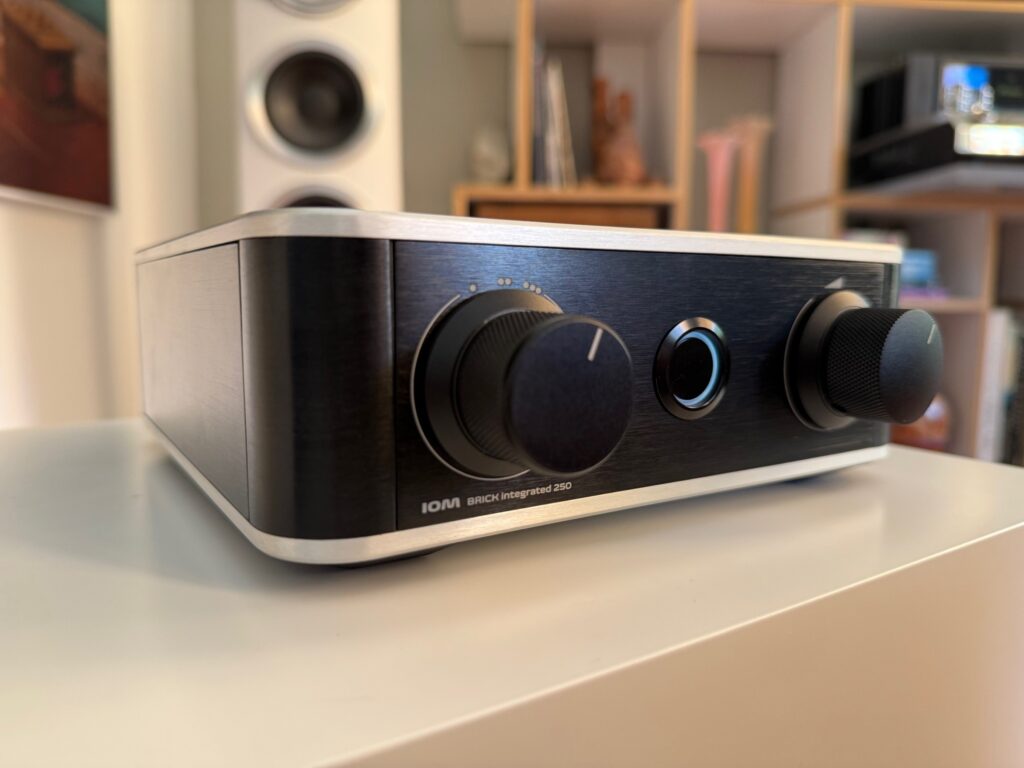
Integrated amplifiers combine a preamplifier and power amplifier in one chassis.
They are popular because they reduce box count and simplify matching between preamp and power amp stages.
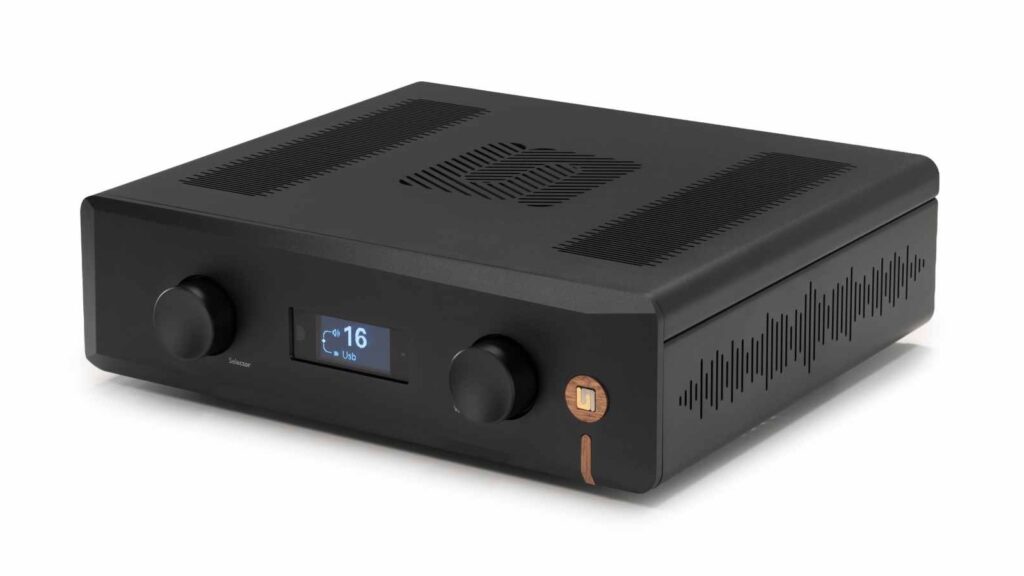
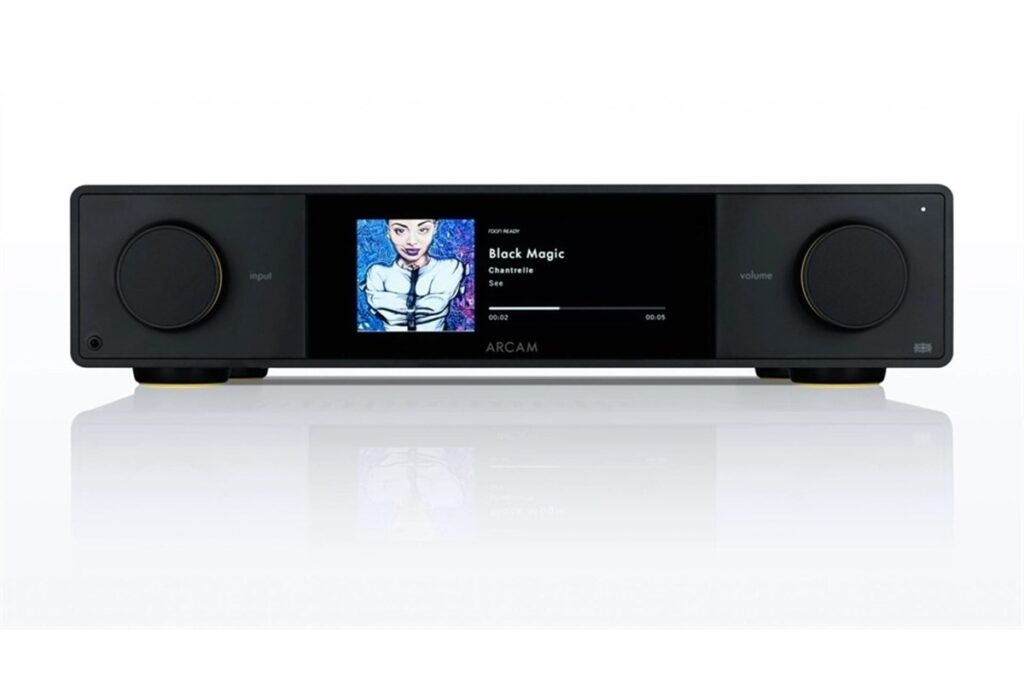
Many modern integrated amplifiers also include DACs, phono inputs, tone controls, subwoofer outputs, Bluetooth, streaming modules, or HDMI eARC. Advance Paris’s NOVA integrated amplifiers are a useful example of this trend, combining analog and digital inputs, DAC functions, DSP room correction, HDMI eARC, and dual subwoofer outputs in one amplifier platform.
Separate preamplifiers and power amplifiers provide more flexibility.
A dedicated power amplifier sits downstream of a preamplifier or a compatible source with volume control.
This approach can help when speakers require more power or current than an integrated amplifier can provide, or when you want to upgrade the control and power stages separately. Products such as the T+A A 3100 HV or PS Audio PMG Signature stereo power amplifiers illustrate the role of a dedicated power amplifier: they are not source hubs, but power stages for two-channel systems.
Streaming amplifiers and all-in-one systems suit listeners who want fewer components and easier daily use.
The key is to avoid letting features distract from speaker compatibility.
A built-in DAC, network streaming, HDMI, or room correction system is useful only if the amplifier section can properly drive your speakers.
- Choose an integrated amplifier if you want a compact, straightforward stereo system.
- Choose separates if your speakers are demanding, your room is large, or you want a clearer upgrade path.
- Choose a streaming amplifier if convenience and minimal cabling matter, but still verify speaker load compatibility.
- Do not buy features at the expense of amplifier stability, speaker control, and appropriate connectivity.
Match amplifier character to speaker demands
Amplifier class describes how the output stage operates.
Common hi-fi amplifier types include Class A, Class AB, Class D, and Class G.
These labels do not automatically tell you whether an amplifier is good or bad, but they do affect heat, efficiency, design priorities, and sometimes system matching. Class A amplifiers are often less efficient and can run warm; Class AB designs are common in hi-fi integrated and power amplifiers; Class D can be compact and efficient; Class G uses multiple supply rails to improve efficiency under changing demands.
Tube, solid-state, and hybrid designs also behave differently.
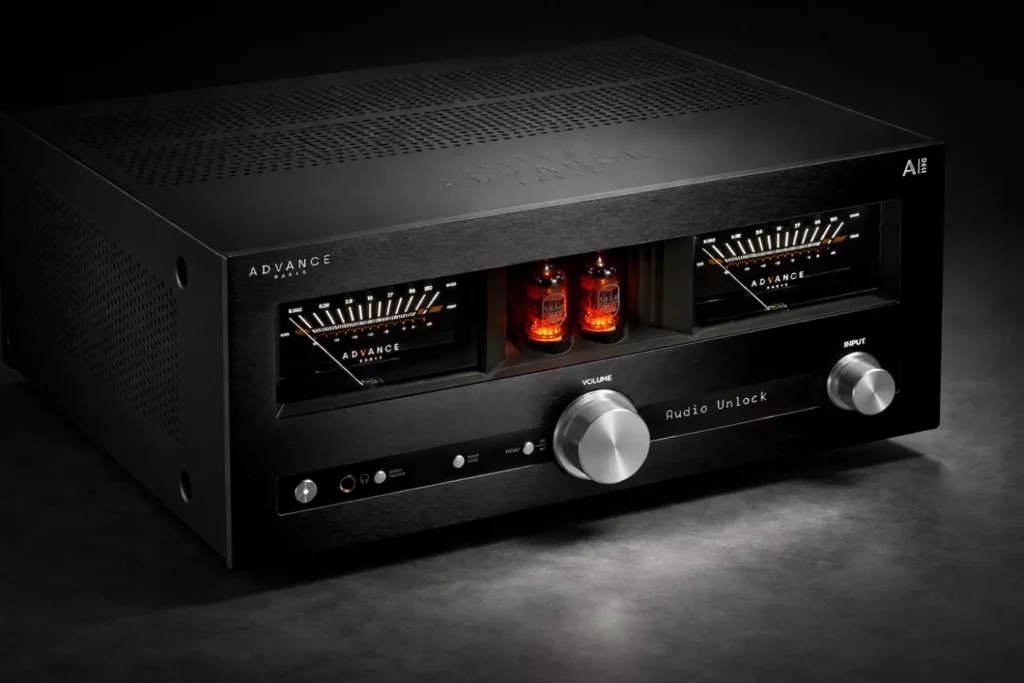
A pure Class A tube integrated amplifier such as the Jadis Óde, specified at 30 watts per channel with KT88 tubes, is a concrete example of an amplifier where the matching conversation is not about huge output.
It may be better suited to speakers that do not require large amounts of power. Hybrid amplifiers, such as designs using a tube preamp stage with a solid-state output stage, aim to combine tube character with speaker control.
The practical rule is simple: demanding speakers need an amplifier with stable current delivery and control; highly efficient speakers may benefit more from low noise, smooth volume control, and tonal refinement than from sheer power.
Never assume one amplifier technology is universally best.
Match the amplifier’s strengths to the speaker’s needs.
- For low-sensitivity or difficult-impedance speakers, prioritize stability, current delivery, and headroom.
- For high-sensitivity speakers, pay attention to noise, gain, and fine volume adjustment.
- For tube amplifiers, confirm the speaker load and power requirements carefully before purchase.
- For Class A or high-power amplifiers, plan for ventilation and heat management.
- Use listening as the final check because timing, tonal balance, and control cannot be fully predicted from specifications.
Check inputs, outputs, and control features before connecting
A correct electrical match is only part of the job.
The amplifier must also connect cleanly to the rest of the system.
Line-level RCA inputs cover many sources. Balanced XLR inputs and outputs can be useful in systems that support them, especially with separate preamps and power amplifiers. A phono input is needed for a turntable unless you use an external phono stage. Digital inputs, USB, optical, coaxial, HDMI ARC or eARC, and streaming modules may reduce the need for separate components.
Outputs are equally important.
A pre-out allows you to feed an external power amplifier, powered subwoofer, or another device depending on the design.
Subwoofer outputs make bass integration easier, especially when the amplifier supports crossover and independent subwoofer control. Some integrated amplifiers support 2.1 or 2.2 configurations, which means two main speakers plus one or two subwoofers. Home-theater bypass or surround pass-through can be useful if the stereo amplifier shares front speaker duties with an AV processor.
Tone controls, balance adjustment, loudness, and room correction can be useful, but they should be used deliberately.
Some amplifiers allow signal processing to be bypassed for the most direct path.
Start with neutral settings, then adjust only to solve a clear room, speaker, or placement issue.
- Confirm that every source has a suitable input on the amplifier.
- Use the phono input only for a turntable cartridge type it supports, such as MM or MC where applicable.
- Use pre-out only as intended by the amplifier manual; do not treat every output as interchangeable.
- If using a subwoofer, choose an amplifier with subwoofer outputs or pre-outs and suitable bass-management options.
- Begin with tone controls flat, loudness off, and room correction disabled or neutral before making adjustments.
Connect the speakers safely and correctly
Speaker connection is simple but unforgiving.
A loose strand of speaker wire touching the wrong terminal can short the amplifier output.
Always switch the amplifier off before connecting or disconnecting speakers. If the amplifier has been running hot, allow it to cool before moving cables. Heavy power amplifiers and Class A designs deserve extra care because heat and weight are part of their normal operating reality.
Observe polarity.
The red amplifier terminal should connect to the red or positive speaker terminal, and black to black or negative.
If one speaker is wired out of phase, bass can weaken and the stereo image can become vague because the speakers are moving in opposite directions. Use properly terminated cable or neatly twisted bare wire, and tighten binding posts securely without forcing them.
Place the amplifier where it has ventilation.
Do not stack it tightly under other heat-producing components unless the manufacturer specifically allows it.
Thermal stability is part of amplifier performance, and an overheated amplifier may shut down, distort, or age prematurely.
- Turn the amplifier off and lower the volume before making connections.
- Connect left amplifier output to the left speaker and right output to the right speaker.
- Match polarity: red to positive, black to negative on both speakers.
- Check for stray wire strands that could touch the opposite terminal.
- Keep speaker cables secure, not stretched, and away from accidental foot traffic.
- Power on at low volume and play a familiar track to confirm both channels work.
Set volume, gain, tone, and subwoofers methodically
After connecting the amplifier and speakers, configure the system in small steps.
Start with the amplifier in its most neutral state: balance centered, tone controls flat, loudness off, and any DSP or room correction bypassed unless you already know you need it.
This gives you a baseline for judging the amplifier-speaker match.
Raise the volume gradually.
Listen for clean dynamics, stable imaging, and controlled bass.
If the system becomes harsh or compressed at levels you expect it to handle, do not keep turning it up. Clipping occurs when an amplifier is asked to deliver more clean output than it can provide, and it can be dangerous for speakers. Audible strain is a warning sign, not a challenge to push harder.
If the amplifier includes subwoofer management, integrate the subwoofer after the main speakers sound correct on their own.
Use the crossover and level controls conservatively.
The goal is not obvious bass from the subwoofer, but a smooth extension of the main speakers. Amplifiers with independent subwoofer control or DSP room correction can help, but settings still need careful adjustment.
- Begin with neutral amplifier settings and low volume.
- Confirm left/right balance and image center with a familiar vocal recording.
- Increase volume gradually and stop if the sound hardens, compresses, or distorts.
- Add tone control only to correct a specific issue, and compare with bypassed settings.
- Set subwoofer level low at first, then raise it until bass support is audible but not dominant.
- If using room correction, run it after speakers and subwoofers are correctly connected and roughly balanced.
Troubleshoot amplifier-speaker matching problems
Weak bass can come from incorrect polarity, poor room placement, insufficient amplifier control, or subwoofer settings that do not blend with the main speakers.
First check wiring polarity at both speakers.
Then verify that tone controls and bass management are not cutting low frequencies unexpectedly. If the bass is present but loose or slow, the amplifier may not be controlling the speaker load well enough.
Harsh treble or listening fatigue may indicate clipping, excessive volume, a poor tonal match, or room reflections.
Reduce the volume and listen again.
If the harshness disappears at lower levels, the amplifier may be running out of clean headroom. If it remains, review speaker positioning, toe-in, tone controls, and source quality before blaming the amplifier alone.
Amplifier shutdown, protection mode, or unusual heat should be treated seriously.
Turn the system off, let it cool, and inspect speaker wiring for shorts.
Confirm that speaker impedance is within the amplifier’s supported range and that ventilation is adequate. If the problem repeats under normal use, stop using the system until the cause is identified.
- For no sound, check source selection, mute, volume, speaker cables, and whether the amplifier is in the correct operating mode.
- For one silent channel, swap left/right source cables or speaker cables carefully to isolate whether the issue follows the speaker, cable, source, or amplifier channel.
- For weak bass, verify polarity and disable unnecessary processing before changing equipment.
- For distortion, reduce volume immediately and check whether the amplifier is clipping or overheating.
- For protection shutdown, power off and inspect for shorted speaker wires or unsupported speaker loads.
Concise amplifier-speaker matching checklist
- Confirm speaker impedance and sensitivity before choosing the amplifier.
- Use amplifier power ratings only with the stated impedance, such as 4 ohms or 8 ohms.
- Prioritize current delivery, power supply quality, and load stability for demanding speakers.
- Choose integrated, separate, or streaming amplification based on system needs, not features alone.
- Check all required inputs: phono, RCA, XLR, digital, USB, HDMI ARC/eARC, or streaming as needed.
- Check outputs: speaker terminals, pre-out, subwoofer output, headphone output, and trigger options if required.
- Power off before connecting speakers and check polarity on both channels.
- Start with tone controls flat, loudness off, and low volume.
- Provide adequate ventilation, especially for Class A, tube, hybrid, or high-power amplifiers.
- Stop troubleshooting immediately if the amplifier overheats, shuts down, or distorts heavily.
Common mistakes and how to avoid them
Choosing by wattage alone.
Compare power with impedance, speaker sensitivity, current delivery, power supply quality, and real system demands.
Watts are useful, but they do not describe the whole amplifier-speaker relationship.
Ignoring speaker impedance behavior.
Check the speaker’s nominal impedance and any available minimum impedance information.
Use an amplifier rated for stable operation with that load.
Using a low-power amplifier with demanding speakers and then turning it up too far.
Listen for strain, compression, or harshness.
If these appear at normal listening levels, reduce volume and consider an amplifier with more clean headroom and current capability.
Letting features outweigh amplifier fundamentals.
Streaming, DACs, HDMI eARC, room correction, and Bluetooth are useful, but the amplifier must still drive the speakers properly.
Wiring one speaker out of phase.
Connect red to positive and black to negative on both channels.
If bass is weak and imaging is vague, polarity should be one of the first checks.
Poor ventilation or unsafe stacking.
Leave space around the amplifier and avoid trapping heat.
High-power, tube, hybrid, and Class A amplifiers can require careful placement.
Frequently asked questions
How many watts do I need for my speakers?
There is no single wattage number that fits every speaker.
Consider the speaker’s sensitivity, impedance, room size, and listening level.
Low-sensitivity or difficult-impedance speakers usually need more amplifier capability and current delivery, while efficient speakers may need refinement more than raw power.
Can I use a 4-ohm speaker with any hi-fi amplifier?
No.
The amplifier must be specified to handle that load.
A 4-ohm speaker can demand more current than an 8-ohm speaker, so check the amplifier’s supported impedance range and power rating into 4 ohms before connecting.
Is an integrated amplifier enough, or do I need separates?
An integrated amplifier is enough for many systems and is often the simplest choice.
Separates make sense when you need more power, better upgrade flexibility, or a dedicated power amplifier for demanding speakers.
Either approach can work if the amplifier is properly matched to the speakers.
Are tube amplifiers suitable for all speakers?
Not automatically.
Tube amplifiers can be excellent matches with suitable speakers, but power output and load compatibility matter.
A lower-powered Class A tube amplifier should be paired with speakers that do not require large amounts of power or difficult current delivery.
Should I use tone controls or bypass them?
Start with tone controls flat or bypassed to hear the basic amplifier-speaker balance.
Then use bass, treble, loudness, room correction, or DSP only to solve a specific problem.
Small adjustments are usually better than large corrections.
Why does my system sound harsh when I turn it up?
The amplifier may be clipping, the speakers may be difficult to drive, or the room may be adding bright reflections.
Reduce volume first.
If the sound cleans up immediately, the amplifier may be running out of headroom or struggling with the speaker load.
Conclusion: match the system, not just the specifications
The right amplifier-speaker match begins with electrical compatibility, but it does not end there.
Check speaker impedance and sensitivity, then choose an amplifier with suitable power, current delivery, stability, and connection options.
Decide whether an integrated amplifier, separate power amplifier, or streaming amplifier best fits your system. Connect speakers carefully, observe polarity, give the amplifier ventilation, and start with neutral settings before applying tone control, DSP, or subwoofer adjustments. Most importantly, listen for control, ease, tonal balance, and clean dynamics. A well-matched amplifier should make your speakers sound composed and natural rather than strained, loud for its own sake, or overly feature-driven.



Join the discussion
Share your thoughts, listening impressions or product experience.