Computer buying decisions are rarely about one headline specification.
A gaming laptop with a powerful GPU still needs effective cooling, a monitor with a fast panel still has to match your desk space and ports, and a printer that looks simple can be the right choice if your workload is mostly monochrome documents.
This guide draws only on the supplied Stereoindex source articles, so it is deliberately focused on what those reports actually establish: announced specifications, stated features, form-factor differences, and practical use cases. It does not treat every entry as a full review or a lab-tested endorsement. The result is a compact shortlist of computer hardware, display technologies, and PC-platform developments that matter when planning an upgrade. Some are direct purchase candidates, while others are useful signals about where gaming graphics, foldable PCs, high-refresh monitors, and office peripherals are heading.
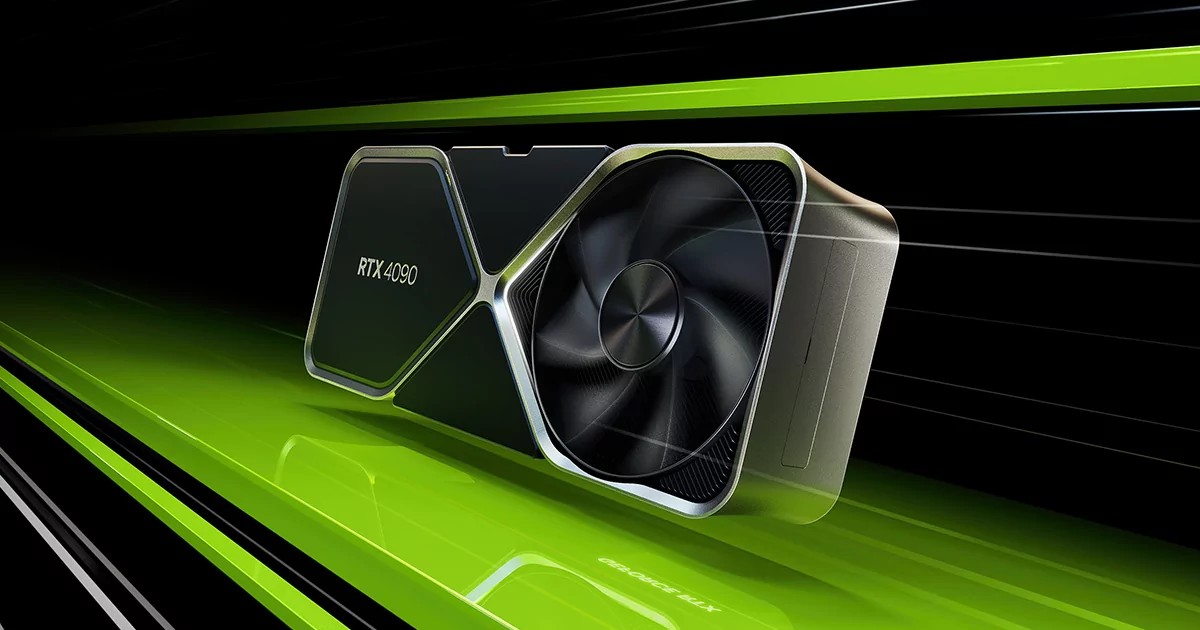
1. NVIDIA introduced a new texture compression algorithm
NVIDIA Neural Texture Compression is presented as a new approach to handling high-resolution texture data for graphics workloads.
NVIDIA’s Neural Texture Compression is not a consumer product in the usual sense, but it is important context for anyone following graphics hardware.
The technology is designed around the growing memory demands of high-resolution textures and associated texture attributes, using neural-network-based methods rather than conventional block compression assumptions.
NVIDIA states that it can deliver four times higher resolution, described as 16 more texels, than standard block compression, while retaining random and local access as a key feature. The trade-off is complexity: the source makes clear that NTC is technically more involved than the established block-compression approach used across many graphics workloads.
Best for: PC graphics watchers and developers
- Targets high-resolution texture memory demands
- Uses neural-network-based compression
- NVIDIA claims higher resolution than block compression
- Designed for random and local texture access
Verdict: Neural Texture Compression is worth tracking as a graphics-memory technology, especially for users interested in how future GPUs may handle increasingly detailed textures.
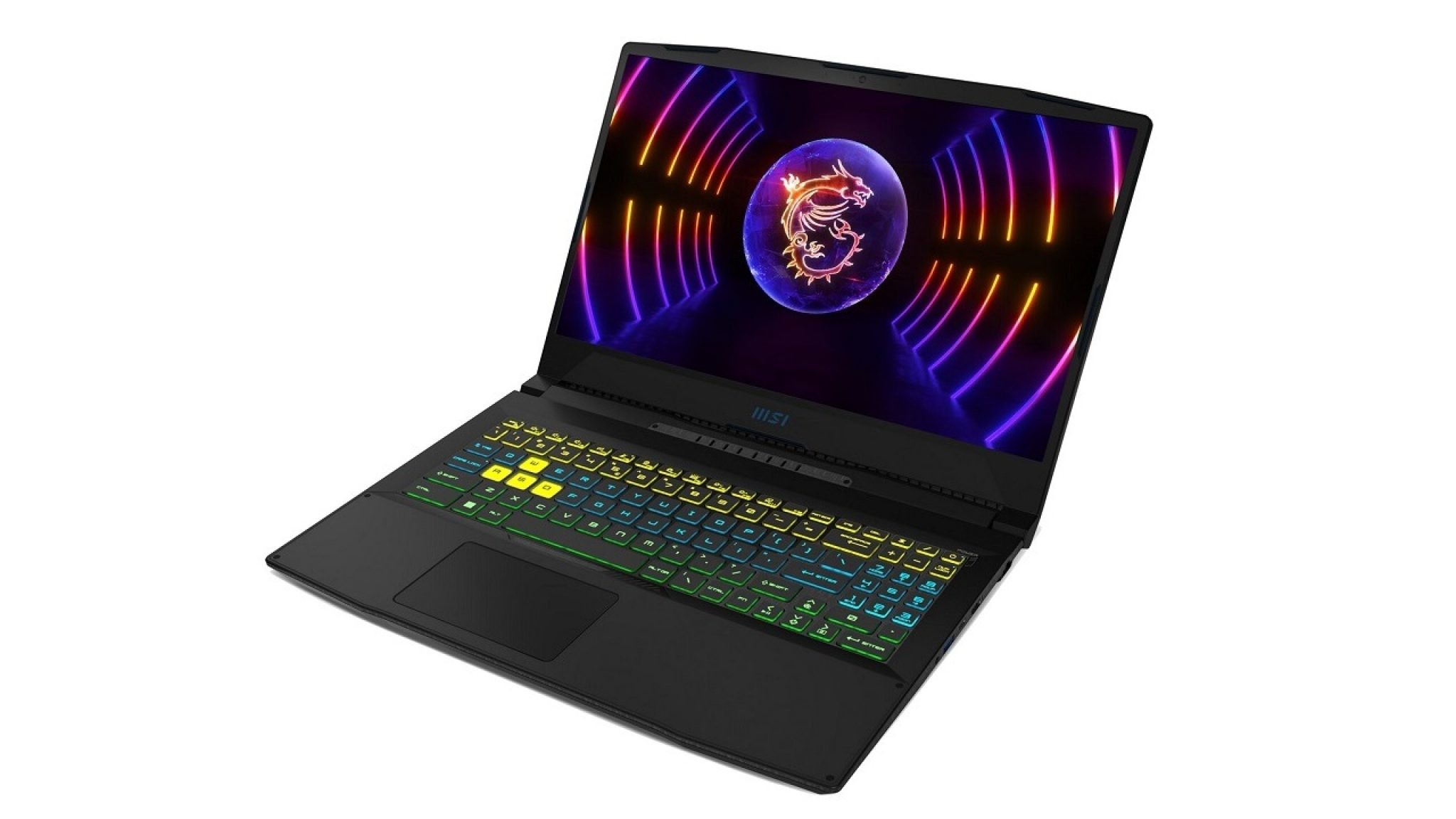
2. MSi Crosshair 15 C12VF-418XES: A powerful laptop packed with Nvidia RTX 4060
The MSi Crosshair 15 C12VF-418XES combines a 15.6-inch gaming-laptop format with RTX 4060 graphics and customizable keyboard lighting.
The MSi Crosshair 15 C12VF-418XES is positioned as a high-end gaming laptop built around an Nvidia RTX 4060 GPU, a 12th generation Intel Core i7 processor, and up to 32 GB of DDR5 RAM.
The source presents it as a machine aimed at demanding gaming rather than maximum portability, which is consistent with its 15.6-inch format, 2.3 kg weight, and 35.9 cm x 25.9 cm x 2.69 cm chassis.
Its reduced screen bezels and full-size RGB-backlit keyboard with a number pad help reinforce the dedicated gaming focus. Buyers should note that the article frames it as powerful but not the most compact option.
Best for: Dedicated laptop gaming
- Nvidia RTX 4060 graphics
- 12th generation Intel Core i7 processor
- Up to 32 GB of DDR5 RAM
- Full-size RGB-backlit keyboard
Verdict: The Crosshair 15 C12VF-418XES makes most sense for gamers who prioritize RTX 40-series laptop graphics over the lightest possible chassis.
3. Lenovo unveils the Legion 9i gaming laptop
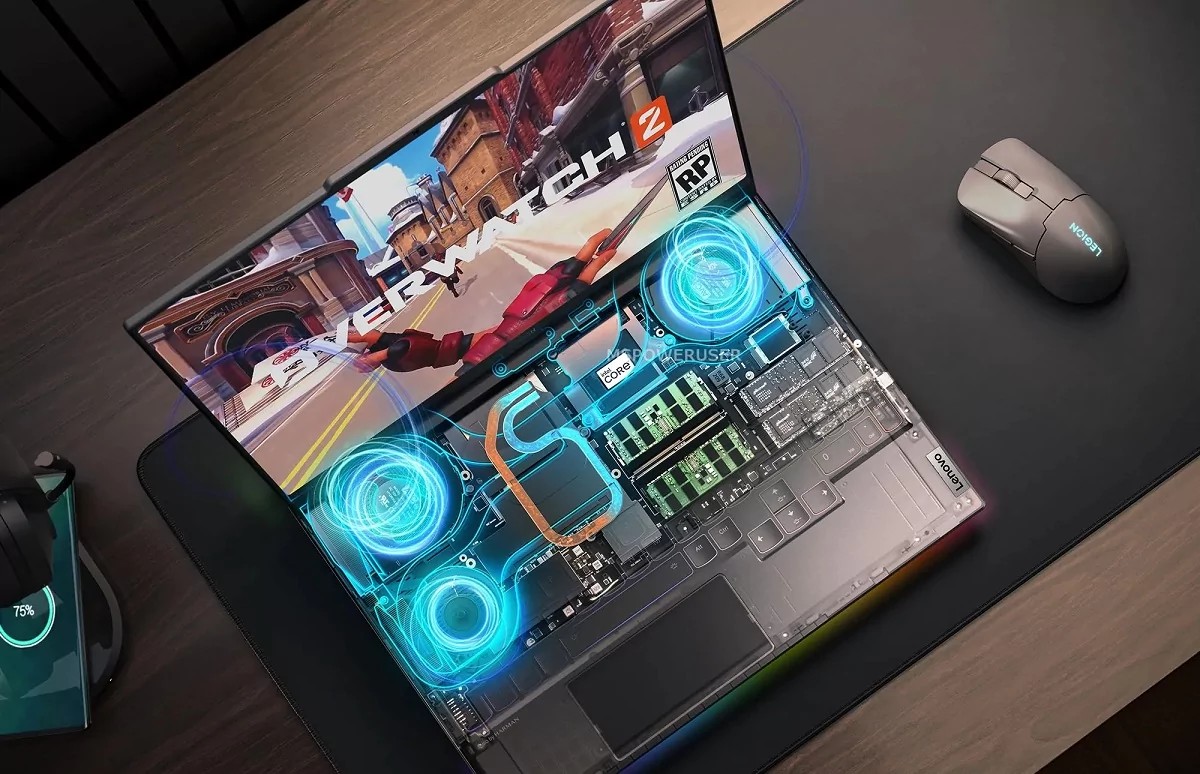
Lenovo’s Legion 9i pairs flagship mobile gaming hardware with an internal closed-loop liquid-cooling design.
The Lenovo Legion 9i is described as a gaming laptop built around a flagship mobile configuration: an Intel Core i9-13980HX processor and an RTX 4090 laptop GPU with 16 GB of video memory.
The source emphasizes not only the performance ambition but also the engineering challenge, because Lenovo placed this hardware in an 18.9 mm chassis.
Cooling is central to the story: the laptop uses an internal closed-loop liquid-cooling system, with a pump that Lenovo says activates only under high loads. For buyers comparing gaming notebooks, the Legion 9i stands out as the source’s most performance-focused portable system, while also raising the usual questions about cost, heat, and long-term serviceability that accompany highly integrated cooling designs.
Best for: Maximum-performance gaming laptops
- Intel Core i9-13980HX mobile processor
- RTX 4090 laptop GPU with 16 GB video memory
- Thin 18.9 mm chassis
- Internal closed-loop liquid cooling
Verdict: The Legion 9i is the most extreme laptop option in this selection, aimed at buyers who want flagship mobile CPU and GPU hardware in a notably thin gaming chassis.
4. AOC launches CU34G2XP/BK 34-inch curved gaming monitor
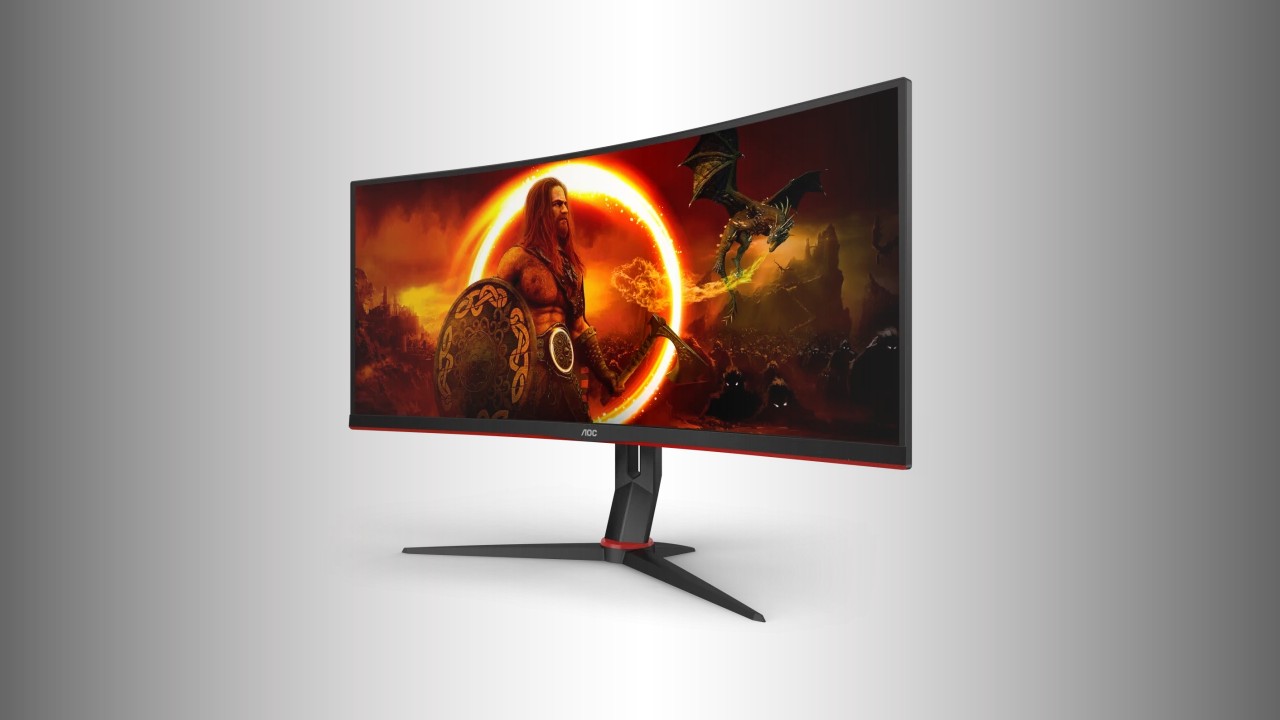
The AOC Gaming CU34G2XP/BK uses a 34-inch curved VA panel with 3440 x 1440 resolution and a 180 Hz refresh rate.
The AOC Gaming CU34G2XP/BK is a 34-inch curved ultrawide monitor with a 1500R curve, 21:9 aspect ratio, and 3440 x 1440 resolution.
Its VA panel is specified with a 180 Hz refresh rate, response time of no more than 1 ms, Adaptive Sync support, DisplayHDR 400 certification, 4000:1 static contrast, and 10-bit color depth.
Connectivity is broad for the class described in the source, including two HDMI 2.0 ports, two DisplayPort 1.4 inputs, four USB-A ports, and a headphone output, plus two built-in 2-watt speakers. For buyers who want a wide gaming desktop without moving to the very largest formats, this is the most conventional ultrawide gaming monitor in the list.
Best for: Curved ultrawide PC gaming
- 34-inch 3440 x 1440 ultrawide panel
- 180 Hz refresh rate
- Adaptive Sync support
- Two HDMI 2.0 and two DisplayPort 1.4 inputs
Verdict: The CU34G2XP/BK is a practical ultrawide gaming pick for users who want high refresh, 3440 x 1440 resolution, and generous connectivity in a 34-inch curved format.

5. RTX 3060 is now the most popular graphics card in the world
The RTX 3060 is presented through Steam hardware data as a widely used graphics card among PC gamers.
The RTX 3060 entry is useful less as a product launch and more as a market signal.
According to the source, Valve’s Steam hardware data placed the RTX 3060 ahead of the RTX and GTX 1060 among Steam users during the reported period, with a listed share of 10.44%.
That popularity matters because it suggests many PC games and settings discussions are likely to use RTX 3060-class hardware as a practical reference point. Popularity alone is not a specification or a guarantee of suitability, but it can help buyers understand where the mainstream gaming baseline has moved.
Best for: Mainstream GPU context
- Led the cited Steam GPU popularity ranking
- Reported 10.44% Steam user share
- Useful mainstream gaming reference point
Verdict: The RTX 3060’s reported popularity makes it a useful benchmark for mainstream PC-gaming expectations, even if buyers still need to match any GPU to their own display and game requirements.
6. HP unveils Specter Fold: Tablet, laptop and desktop in one device with a flexible screen
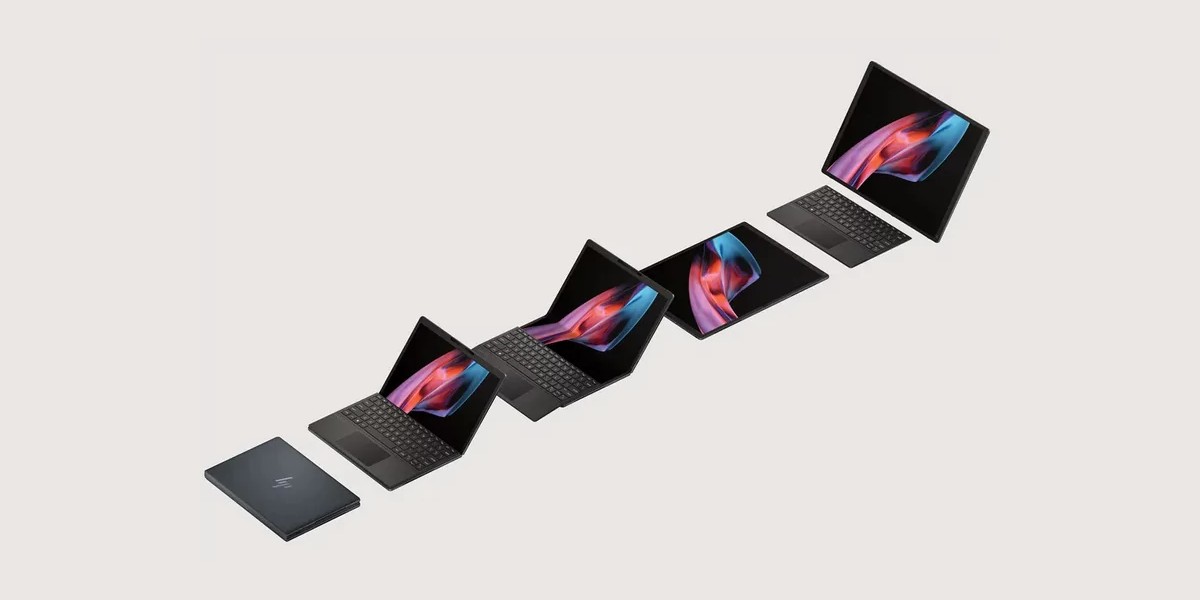
HP’s Specter Fold can be used as a large tablet, a compact laptop with magnetic keyboard, or a stand-supported desktop-style display.
The HP Specter Fold is the most unusual computer here, combining a folding 17-inch personal-computer concept with tablet, laptop, and desktop-style use.
With its built-in stand extended, the device can act like a 17-inch all-in-one; folded with the wireless magnetic keyboard attached, it becomes a 12.3-inch laptop; without the keyboard, it functions as a tablet.
The supplied specifications include a 10-core Intel Core i7-1250U processor, 16 GB of RAM, a 1 TB solid-state drive, an OLED display with a 3:4 aspect ratio and x 2560 resolution, a GlamCam camera, and a company-stated battery life of 12 hours. The source also makes the price positioning clear: this is an expensive device aimed at users who value a flexible form factor enough to pay for it.
Best for: Premium flexible computing
- 17-inch folding PC design
- Tablet, laptop, and desktop-style modes
- OLED display with x 2560 resolution
- 16 GB RAM and 1 TB solid-state drive
Verdict: The Specter Fold is for buyers who want one premium device to cover several physical modes, not for those seeking the lowest-cost route to a laptop or desktop setup.
7. HP LaserJet Tank 1604w is a multifunctional workhorse for intensive work
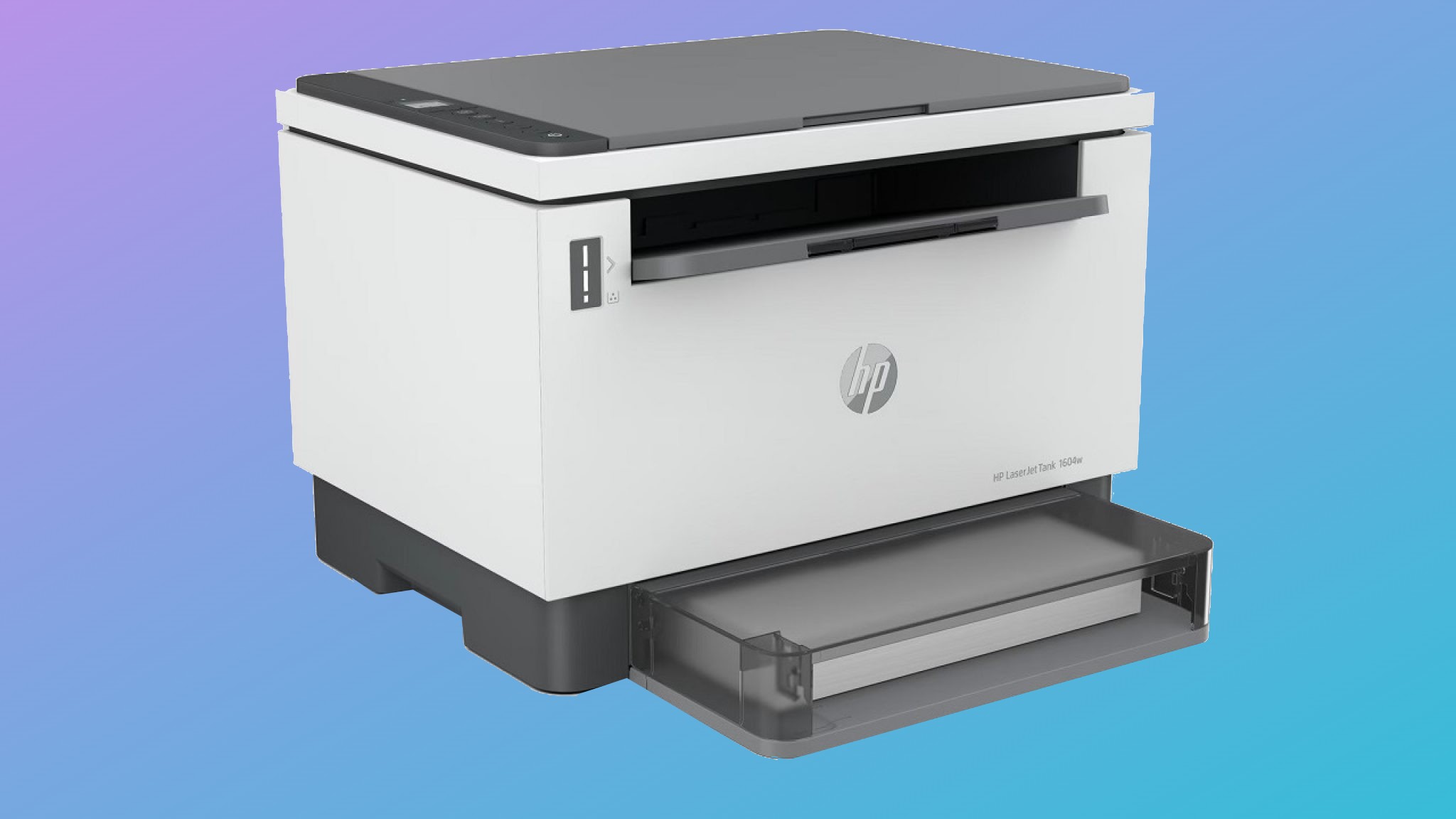
The HP LaserJet Tank MFP 1604w is a robust monochrome laser multifunction printer intended for regular document workloads.
The HP LaserJet Tank MFP 1604w is a monochrome laser multifunction printer aimed at document-heavy environments.
The source describes it as a mid-range model with printing, scanning, copying, and wireless connectivity, making it suitable for home use but especially relevant to a small office where several people may use it daily.
It is not a color printer, so buyers handling presentations, photos, or color-coded materials should look elsewhere. Its 368 x 326 x 255 mm size and 7.9 kg weight also mean it needs a proper desk or office surface rather than a cramped shelf.
Best for: Monochrome office documents
- Print, scan, and copy functions
- Wireless connectivity
- Suited to high document volumes
- Appropriate for small-office use
Verdict: The LaserJet Tank 1604w is a sensible workhorse when black-and-white document volume matters more than color output or compact dimensions.
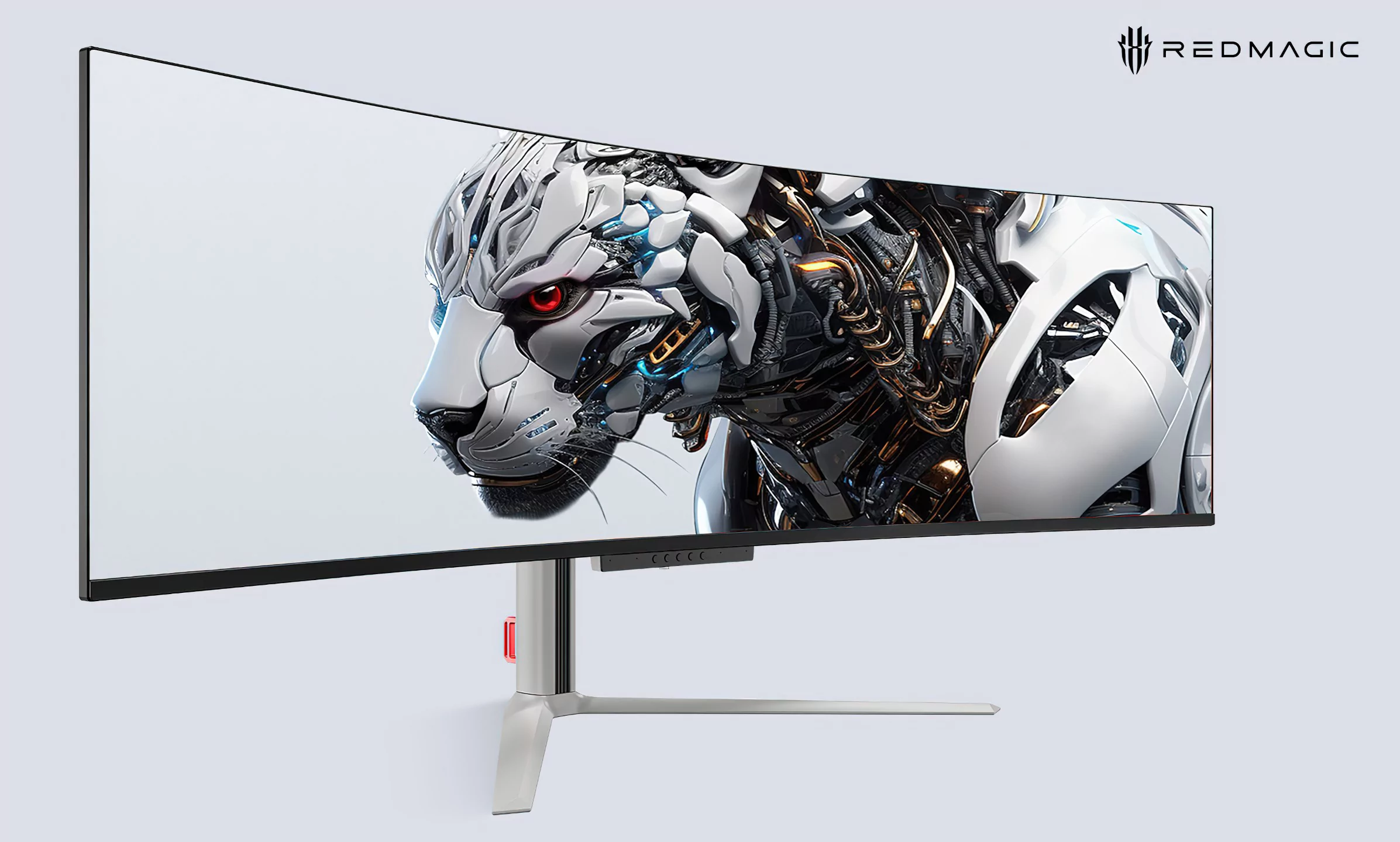
8. REDMAGIC unveils huge curved QD-OLED gaming display
The REDMAGIC QD-OLED gaming display stretches to 49 inches with a 32:9 aspect ratio and 5120 x 1440 resolution.
REDMAGIC’s 49-inch curved QD-OLED gaming display is the boldest monitor format in the supplied set.
It uses a Samsung QD-OLED panel with 5120 x 1440 resolution, a 32:9 aspect ratio, 240 Hz refresh rate, and 0.03 ms response time.
The source positions it not only for gamers but also for creatives and ultrawide enthusiasts who want extra room for multitasking. Additional features include an 1800R curve, True Black 400 support, 99% DCI-P3 color gamut, AMD FreeSync and G-Sync support, HDMI 2.1, DisplayPort 1.4, USB Type-C charging up to 90 W, built-in speakers, a microphone, rear ARGB LEDs, and an adjustable stand.
Best for: Super-ultrawide gaming and multitasking
- 49-inch 32:9 QD-OLED panel
- 5120 x 1440 resolution at 240 Hz
- 0.03 ms response time
- USB Type-C charging up to 90 W
Verdict: REDMAGIC’s 49-inch QD-OLED display is the wide-screen choice for users who want an expansive gaming and multitasking canvas and have the space to accommodate it.
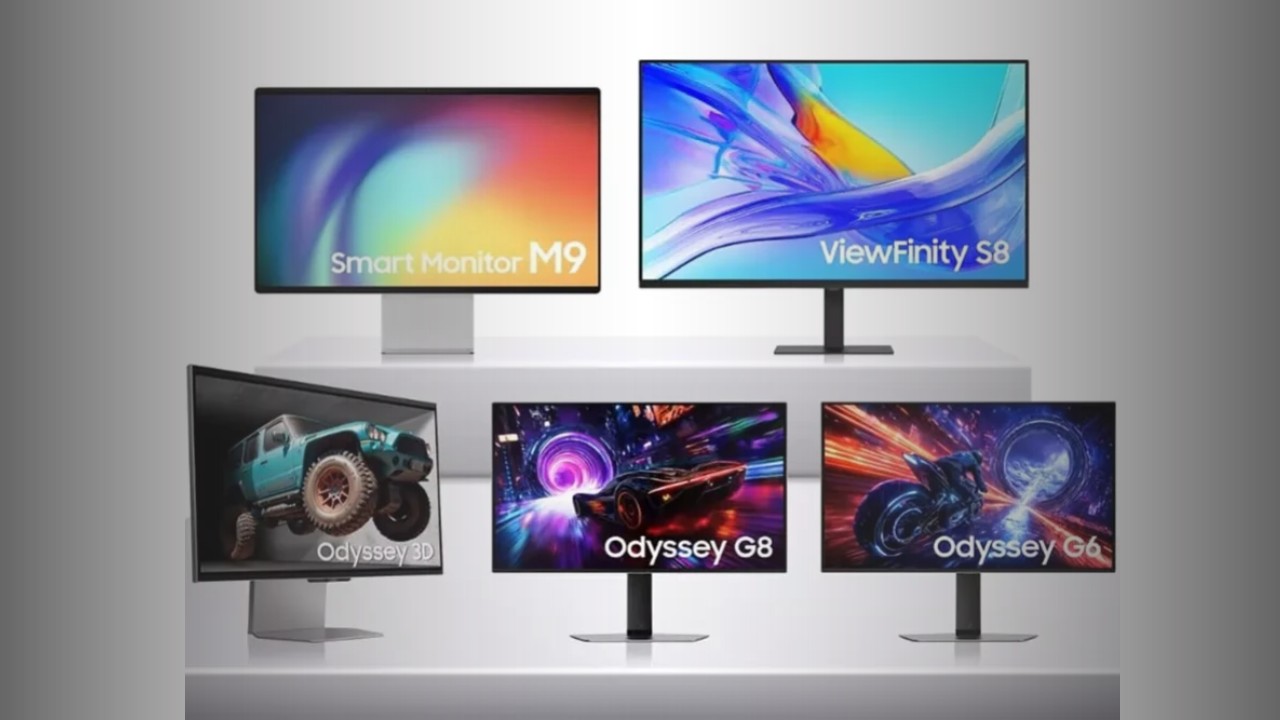
9. Samsung Unveils QD-OLED Monitors with 500Hz and 4K 240Hz Resolution
Samsung’s QD-OLED monitor range includes a 27-inch 500 Hz QHD model and a 27-inch 4K 240 Hz model.
Samsung’s QD-OLED monitor lineup shows two different high-end gaming priorities.
The Odyssey OLED G6 is described as a 27-inch QD-OLED monitor with 2560 x 1440 resolution and a 500 Hz refresh rate, while the Odyssey OLED G8 is a 27-inch QD-OLED model with 3840 x 2160 resolution and 240 Hz refresh rate.
Both variants are equipped with VRR, VESA DisplayHDR True Black 400 support, NVIDIA G-SYNC, AMD FreeSync Premium Pro, and HDMI 2.1 connectivity. For buyers, the distinction is straightforward: the G6 prioritizes extreme refresh rate at QHD resolution, while the G8 prioritizes 4K detail while still offering a high refresh rate.
Best for: Competitive and high-resolution OLED gaming
- Odyssey OLED G6 reaches 500 Hz
- Odyssey OLED G8 offers 4K at 240 Hz
- VRR, G-SYNC, and FreeSync Premium Pro support
- HDMI 2.1 connectivity
Verdict: Samsung’s QD-OLED monitors split the premium gaming choice neatly between maximum refresh-rate focus and sharper 4K detail.
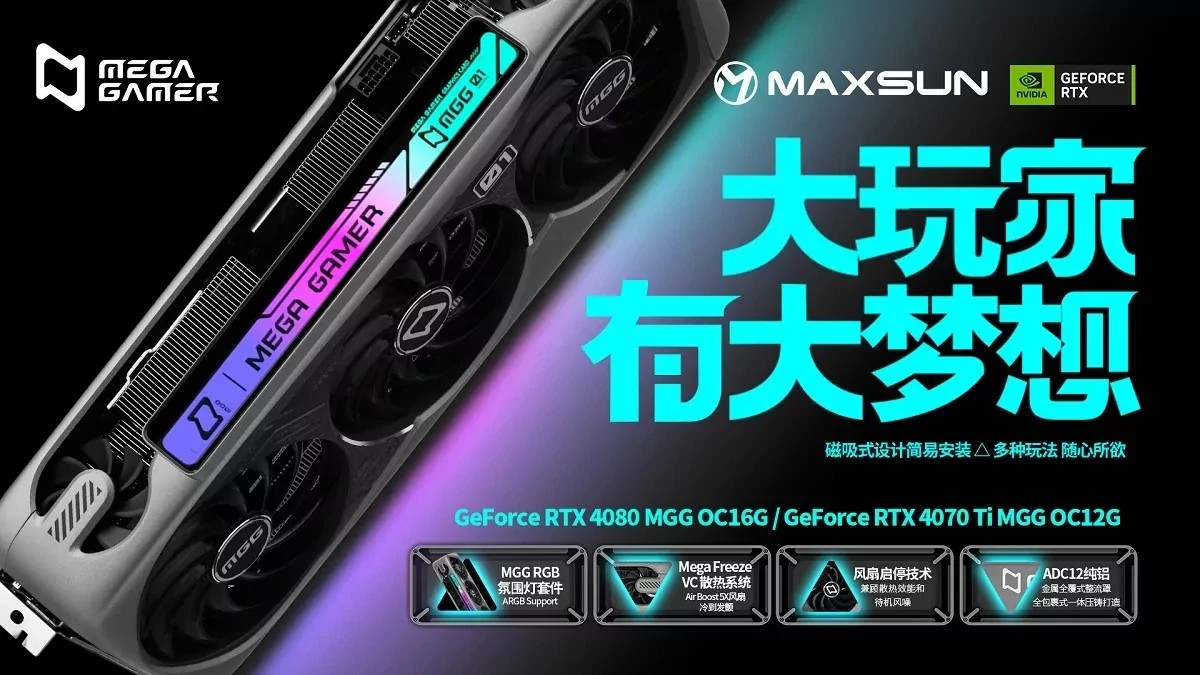
10. MaxSun unveils the world’s first RTX 4090 with five fans and a magnetic screen
The MaxSun RTX 4090 MGG stands out for its five-fan cooler and magnetic screen feature.
The MaxSun RTX 4090 MGG is a specialist graphics card whose defining feature is its cooling design.
The source describes a five-fan layout, with three roughly 100 mm fans directing airflow onto a large aluminum heatsink over the GPU and memory area, plus additional fans beyond that conventional arrangement.
The article frames this as a way for MaxSun to distinguish its RTX 4090 from other high-priced RTX 40-series cards, alongside a magnetic screen feature referenced in the title. Buyers should treat it as an enthusiast-focused design story rather than a general recommendation for every gaming PC, because the supplied information centers on the cooler concept rather than comparative performance data.
Best for: Enthusiast GPU builds
- RTX 4090 graphics card design
- Five-fan cooling layout
- Large aluminum heatsink
- Magnetic screen feature
Verdict: The MaxSun RTX 4090 MGG is most relevant to enthusiasts drawn to distinctive RTX 4090 hardware and an unusually elaborate cooling layout.
Quick comparison
These entries do not all compete in the same way.
Some are direct hardware candidates, some are specialist enthusiast products, and others are technology or market signals that can inform a computer upgrade.
The comparison below keeps the distinctions high-level and limited to what the source material supports.
| Product | Best for | Verdict |
|---|---|---|
| NVIDIA Neural Texture Compression | Understanding future graphics-memory approaches | A neural texture-compression technology aimed at higher-resolution textures and more efficient handling of growing graphics memory demands. |
| MSi Crosshair 15 C12VF-418XES | RTX 4060 laptop gaming | A 15.6-inch gaming laptop with RTX 4060 graphics, Core i7 processing, and a full-size RGB keyboard, but not the lightest class of portable PC. |
| Lenovo Legion 9i | Flagship mobile gaming performance | A high-end gaming laptop built around Core i9-13980HX and RTX 4090 laptop graphics, with internal closed-loop liquid cooling in a thin chassis. |
| AOC Gaming CU34G2XP/BK | 34-inch curved ultrawide gaming | A 3440 x 1440 VA ultrawide with 180 Hz refresh, Adaptive Sync, DisplayHDR 400 certification, and broad display connectivity. |
| NVIDIA RTX 3060 popularity ranking | Mainstream GPU context | Steam hardware data in the source places the RTX 3060 as a widely used gaming GPU, making it a relevant baseline for PC-gaming expectations. |
| HP Specter Fold | Flexible premium computing | A folding OLED PC that can operate as a tablet, a compact laptop with magnetic keyboard, or a desktop-style 17-inch device. |
| HP LaserJet Tank MFP 1604w | Small-office monochrome documents | A wireless monochrome laser multifunction printer suited to regular print, scan, and copy work where color is not required. |
| REDMAGIC 49-inch QD-OLED gaming display | Super-ultrawide gaming and multitasking | A 49-inch 32:9 QD-OLED monitor with 5120 x 1440 resolution, 240 Hz refresh, and extensive gaming and connectivity features. |
| Samsung Odyssey OLED G6 and Odyssey OLED G8 QD-OLED monitors | Premium 27-inch OLED gaming | The G6 emphasizes 500 Hz QHD speed, while the G8 combines 4K resolution with a 240 Hz refresh rate. |
| MaxSun RTX 4090 MGG | Distinctive enthusiast graphics builds | An RTX 4090 graphics card differentiated by a five-fan cooling design and magnetic screen feature. |
Frequently asked questions
Should I choose a gaming laptop by GPU alone?
No.
The supplied laptop examples show why the wider design matters: the MSi Crosshair 15 pairs RTX 4060 graphics with a larger gaming chassis, while the Lenovo Legion 9i combines flagship mobile hardware with a dedicated internal liquid-cooling system.
GPU choice is important, but cooling, chassis size, weight, memory, and display format all affect the final fit.
Is an ultrawide monitor better than a standard monitor for gaming?
It depends on space, preference, and the type of games or work you do.
The AOC 34-inch model offers a 21:9 3440 x 1440 format, while the REDMAGIC display expands to a much larger 49-inch 32:9 canvas.
Wider screens can improve immersion and multitasking, but they require more desk space and a graphics setup suited to the resolution.
When does a monochrome laser printer make sense?
A monochrome laser multifunction printer such as the HP LaserJet Tank MFP 1604w makes sense when the workload is mainly black-and-white documents and regular office tasks such as printing, scanning, and copying.
It is less suitable if your work depends on color output.
Are the fastest OLED monitors always the right choice?
Not automatically.
Samsung’s QD-OLED monitors illustrate the trade-off: one model emphasizes a 500 Hz refresh rate at 2560 x 1440, while another emphasizes 3840 x 2160 resolution at 240 Hz.
Competitive players may value maximum refresh rate, while users who want finer detail may prefer the higher-resolution option.
How to choose from this computer shortlist
Start with the workload rather than the headline feature.
If the main goal is portable gaming, compare the MSi Crosshair 15 and Lenovo Legion 9i by performance ambition, cooling approach, chassis expectations, and likely budget class.
The Crosshair 15 is the more straightforward RTX 4060 gaming-laptop option from the supplied material, while the Legion 9i is the more extreme flagship configuration with a much more elaborate cooling story. For desktop displays, decide first on format. The AOC Gaming CU34G2XP/BK is the practical curved ultrawide choice at 34 inches, with 3440 x 1440 resolution and 180 Hz refresh. REDMAGIC’s 49-inch QD-OLED display is a much larger super-ultrawide option for users who want a 32:9 canvas, 240 Hz refresh, and multitasking space. Samsung’s QD-OLED models serve a different buyer again: those who want a 27-inch OLED gaming monitor and are choosing between extreme refresh at QHD resolution or 4K detail at a still-high 240 Hz. For productivity hardware, the HP LaserJet Tank MFP 1604w is the clearest office tool here. Its appeal is not glamour but suitability for recurring monochrome print, scan, and copy work in a home or small-office environment. The HP Specter Fold sits at the opposite end of the practicality spectrum: it is compelling if the folding multi-mode concept solves a real space or workflow need, but the source makes clear that its price positioning is high. Graphics-card buyers should separate proven fit from market noise. The RTX 3060’s popularity in the supplied Steam data makes it a useful mainstream reference point, but popularity is not a substitute for checking your display resolution and game requirements. MaxSun’s RTX 4090 MGG is an enthusiast object defined by its five-fan cooler and magnetic screen, while NVIDIA’s Neural Texture Compression is a technology to watch rather than an item to put in a shopping basket today. The safest buying approach is to match each product to a concrete use case: high-refresh competitive gaming, ultrawide immersion, flexible mobile work, monochrome office output, or enthusiast PC building. The stronger the match between the hardware’s defining feature and your daily use, the less likely you are to overpay for specifications or design choices that do not matter to you.