

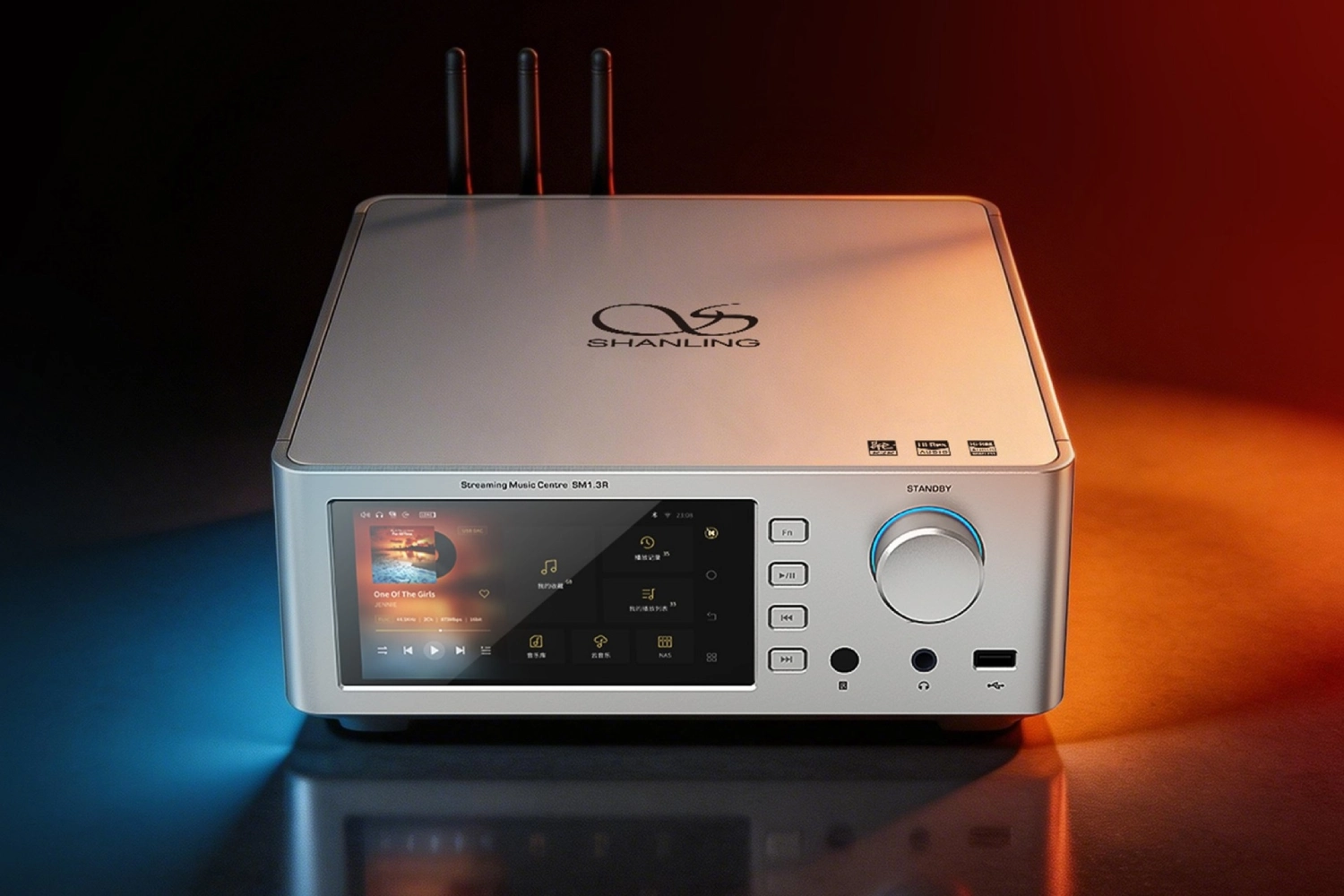
A DAC, or digital-to-analog converter, has one job at its core: it takes a digital audio signal from a computer, streamer, CD transport, TV, phone, or digital bridge and converts it into an analog signal your amplifier, preamplifier, active speakers, or headphones can use.
The connections around that job can be confusing because some sockets carry digital audio into the DAC, while others carry analog audio out of it.
This guide explains USB, coaxial, optical, AES/EBU, XLR and RCA in practical terms, then walks through how to install, match, configure and troubleshoot a DAC in a real hi-fi system.
Digital inputs vs analog outputs: the first rule of DAC setup
Before connecting anything, separate the DAC’s sockets into two groups.
USB, coaxial S/PDIF, optical/TOSLINK and AES/EBU are digital inputs.
They feed the DAC with ones and zeros from a source. RCA and XLR can be analog outputs, but RCA can also be used for coaxial digital input, and XLR-style connectors can also be used for AES/EBU digital input. That is why labels matter more than connector shape.
A pure DAC, such as designs focused only on conversion, normally has no analog inputs and no volume control.
It must feed a preamplifier, integrated amplifier, headphone amplifier, or another device that controls listening level.
Other DACs also work as preamplifiers or headphone amplifiers and include volume control, input switching, or even streaming. The connection plan changes depending on which type you own.
Never assume that an XLR socket is always analog or that an RCA socket is always analog.
A coaxial digital RCA input must not be connected to an analog RCA input expecting line-level sound, and an AES/EBU digital input must not be treated as a balanced analog input.
Read the rear-panel labels first.
- Identify every DAC socket by its printed label, not only by its shape.
- Mark digital inputs separately from analog outputs in your setup notes.
- If the DAC has no volume control, plan to connect it to a preamp, integrated amp, or active speaker system with its own level control.
- Power down or mute the amplifier before changing analog connections.
USB: best for computers, tablets and high-resolution file playback
USB is often the most convenient DAC input for a computer-based system.
It lets a computer, tablet, compatible phone, or USB audio source send digital audio directly to the DAC.
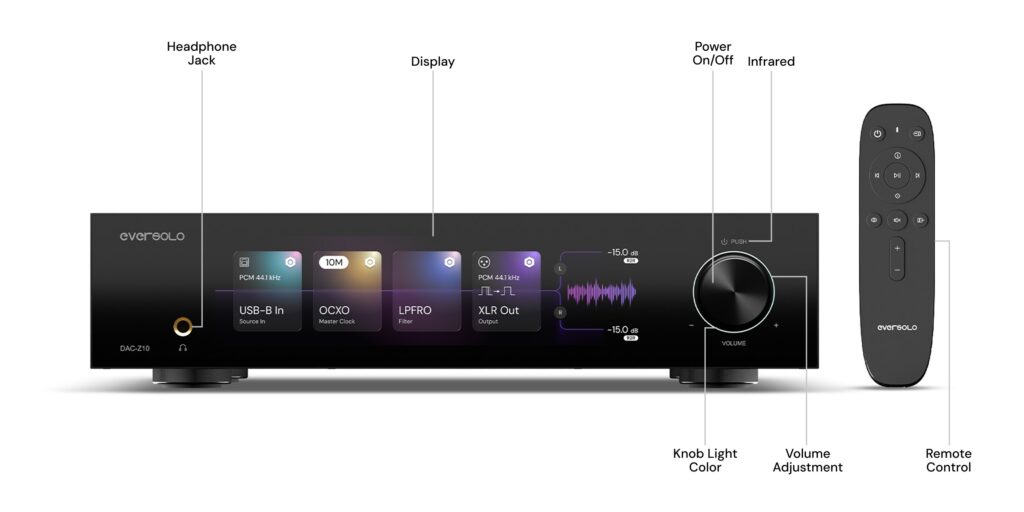
Some modern DACs use asynchronous USB transfer, where the DAC’s clocking system helps control the audio timing rather than simply following the computer. The SMSL D200, for example, specifies USB 2.0 asynchronous operation and supports high PCM and DSD rates over USB. The Eversolo DAC-Z10 also uses USB for high-resolution PCM and DSD playback.
USB is also the connection most likely to involve software settings.
Some DACs work driver-free with macOS, Linux, iOS, Android, or modern USB Audio Class 2 systems, while Windows may require a manufacturer driver depending on the DAC.
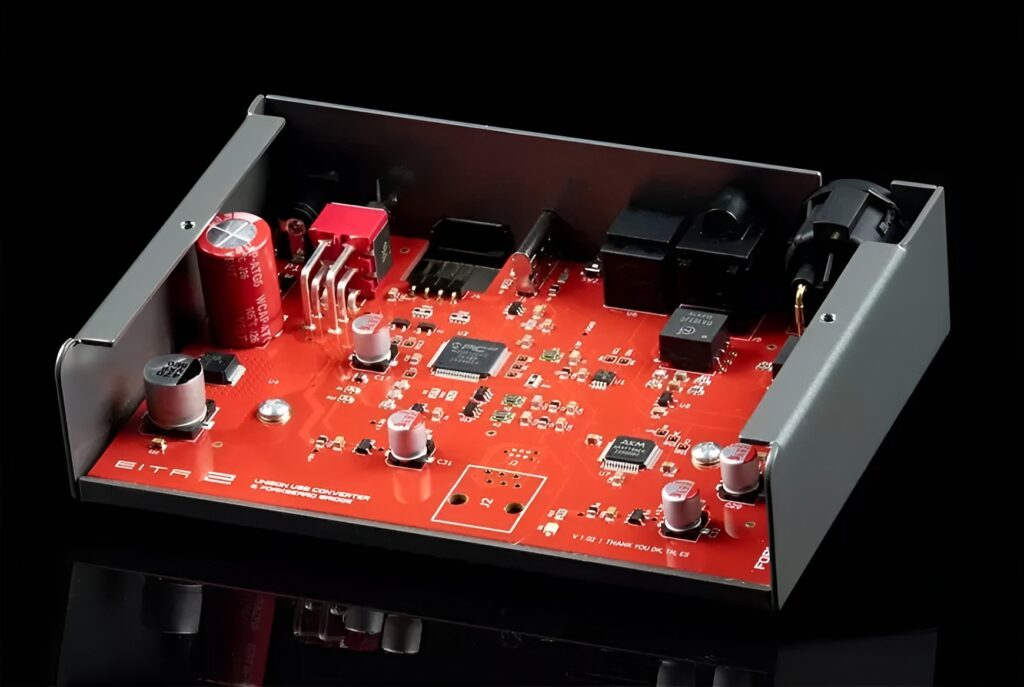
One example from the available material is the SMSL D200, which lists Windows 7–11 operation with a driver and macOS, Android, iOS and Linux without a driver. A USB bridge such as the Schiit Eitr 2 follows the UAC 2 standard but does not support older platforms such as Windows XP or Windows 7.
USB can be connected directly to a DAC, or it can feed a digital-to-digital converter that outputs coaxial, optical or AES/EBU to the DAC.
This approach is useful when a DAC has no USB input, as with some purist converters, or when you want to turn a computer or mobile device into a cleaner digital source for a DAC with S/PDIF or AES inputs.
- Install the DAC manufacturer’s USB driver if your operating system requires it.
- Connect the computer or mobile source to the DAC’s USB input with a suitable USB cable.
- Select USB on the DAC’s input menu or front panel.
- In the operating system or playback app, select the DAC as the audio output device.
- Set the playback app to use exclusive, bit-perfect, or direct output mode if available, so system sounds and sample-rate conversion are avoided.
- Start with the DAC or amplifier volume low, then raise it gradually.
Coaxial S/PDIF: a strong all-purpose digital link
Coaxial S/PDIF usually uses an RCA-style socket labeled coaxial, coax, S/PDIF, or digital in.
It is commonly found on CD transports, streamers, digital bridges, TVs, and many DACs.
In DAC systems, it is a digital connection only; it is not the same as the left/right analog RCA outputs used after conversion.
Coaxial can be a good choice when your source has a dedicated digital output and you want a simple one-cable connection to the DAC.
Several DAC examples include coaxial inputs: the Hegel D50 includes coaxial cinch and coaxial BNC, the Weiss DAC205 MK2 includes coaxial input, and the SMSL D200 includes coaxial input.
Supported sample rates vary by DAC. For instance, the D200 lists optical/coaxial PCM support up to 24-bit/192 kHz, while the Hegel D50 lists AES/EBU and coaxial support up to 24-bit/192 kHz and DSD64 via DoP.
A coaxial RCA cable should go from the source’s digital output to the DAC’s coaxial digital input.
Do not connect a DAC’s analog RCA output to a coaxial digital input, and do not use the DAC’s coaxial input as though it were an analog line input.
- Locate the source’s coaxial digital output and the DAC’s coaxial digital input.
- Connect one cable between those two points only.
- Select the coaxial input on the DAC.
- Set the source to output PCM if the DAC does not accept the format currently being sent.
- If there is no sound, lower the source sample rate to a format the DAC’s coaxial input supports.
Optical/TOSLINK: useful for isolation, TVs and simple digital sources
Optical, often called TOSLINK, carries digital audio as light rather than through an electrical connection.
In a hi-fi DAC setup, that can be useful when connecting devices such as TVs, computers, streamers or CD transports, especially where you want to avoid an electrical link between source and DAC.
Optical is convenient, but it can have lower supported limits than USB or some coaxial/AES inputs depending on the DAC.
The Hegel D50, for example, lists optical inputs restricted to 24-bit/96 kHz, while its AES/EBU and coaxial inputs can handle higher rates.
The SMSL D200 lists optical/coaxial PCM support up to 24-bit/192 kHz. The Schiit Eitr 2’s optical output supports up to 24-bit/192 kHz PCM. The practical lesson is simple: always check the DAC’s input-specific format limits, not just the headline maximum sample rate.
Optical connectors are also physically delicate compared with metal coaxial connectors.
Keep the plug straight, remove protective caps, and avoid tight bends in the cable.
- Remove the small protective caps from the optical cable ends if fitted.
- Connect the source’s optical digital output to the DAC’s optical input.
- Select optical on the DAC.
- Set the source to stereo PCM when connecting a TV or media device, unless the DAC explicitly supports the transmitted format.
- If playback fails at a high sample rate, set the source or player to a lower rate supported by that optical input.
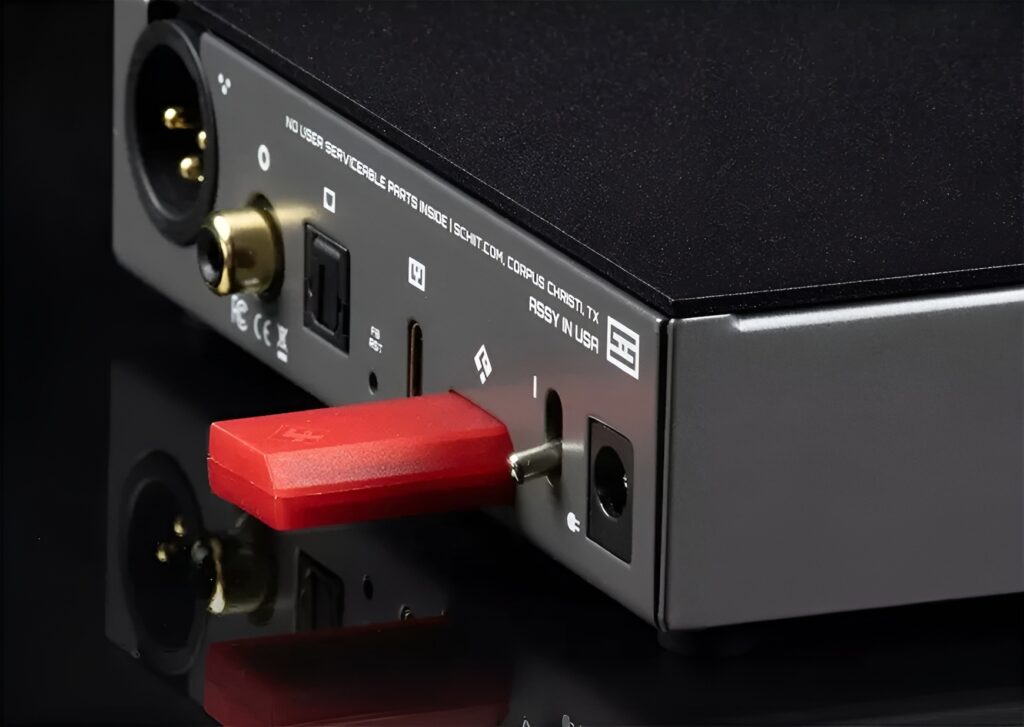
AES/EBU: the professional-style balanced digital input
AES/EBU is a digital audio interface often associated with studio and professional equipment, but it also appears on serious hi-fi DACs.
It typically uses a three-pin XLR-style connector, which is why confusion with analog balanced XLR is common.
The key point is that AES/EBU is a digital input; it is not a left or right analog audio output.
A DAC with AES/EBU can be a good match for a dedicated transport, digital bridge, streamer, or studio source that provides AES output.
The Hegel D50 includes AES/EBU, and its AES/EBU input is described as using an RS422 receiver intended to handle both weak and strong signals with minimal latency.
The Eversolo DAC-Z10 also includes AES/EBU among its digital inputs, and the Schiit Eitr 2 can output AES/EBU from USB.
AES/EBU is especially useful when the source and DAC both support it.
But do not buy or connect an AES cable just because the connector looks like XLR.
Confirm that one end is labeled AES/EBU output and the DAC end is labeled AES/EBU input.
- Confirm the source has an AES/EBU digital output.
- Confirm the DAC has an AES/EBU digital input, not only analog XLR outputs.
- Connect the AES/EBU cable from source output to DAC input.
- Select AES/EBU on the DAC.
- If the DAC locks to the signal but produces no audio, check the source’s output format and sample rate.
XLR outputs: balanced analog from the DAC to the next component
After the DAC converts digital audio to analog, it sends that analog signal out through RCA, XLR, or both.
XLR analog outputs are balanced outputs.
In practical terms, balanced analog connections are useful when the receiving equipment also has balanced inputs, when cable runs are longer, or when you want a secure professional-style connector.
Many DACs provide both balanced XLR and unbalanced RCA outputs.
The Weiss DAC205 MK2, SMSL D200, Hegel D50, Shanling SM1.3R and Eversolo DAC-Z10 are examples of DACs that include both RCA and XLR analog outputs.
Output level can differ between the two. The SMSL D200, for example, specifies 5 Vrms from XLR and 2.5 Vrms from RCA. The Weiss DAC205 MK2 offers selectable output levels in 10 dB steps, which is useful for matching gain to active monitors, preamps or power amplifiers.
Because XLR output may be hotter than RCA output on some DACs, volume matching matters.
If you switch from RCA to XLR and the system suddenly sounds much louder, that does not necessarily mean the DAC is better through XLR; it may simply be feeding the amplifier a higher signal level.
- Use XLR outputs only into balanced analog inputs on a preamp, integrated amplifier, power amplifier, active speaker, or headphone amplifier.
- Turn down the volume before switching from RCA to XLR.
- If the DAC has selectable output level, start with a conservative setting and increase only if needed.
- Avoid connecting DAC analog XLR outputs to an AES/EBU digital input.
RCA outputs: simple unbalanced analog connection
RCA analog outputs are the most common way to connect a DAC to an amplifier.
They are usually labeled left/right, L/R, analog out, line out, pre out, or RCA out.
Unlike coaxial digital RCA, analog RCA uses two connectors for stereo: one for left and one for right.
Use RCA outputs when your amplifier or preamplifier has only unbalanced line inputs, when cable runs are short, or when you simply want the easiest connection.
A DAC with both RCA and XLR outputs gives you flexibility, but there is no need to use XLR if the rest of your system is RCA-based.
Be aware of fixed versus variable RCA output.
A pure DAC may output a fixed line level and expects volume control later in the chain.
A DAC/preamp may offer variable RCA output controlled by its volume setting. Feeding a fixed-output DAC directly into a power amplifier or active speaker without any volume control can create an immediate loud-sound hazard.
- Connect the DAC’s left and right RCA analog outputs to a line-level input on the amplifier or preamp.
- Do not use a phono input unless the amplifier explicitly allows it to be configured as line level.
- If the DAC has fixed/variable output modes, choose fixed for an integrated amplifier with its own volume control, or variable only when the DAC is safely acting as the preamp.
- Start playback at low volume and confirm left/right channel orientation.
How to choose the best input for your DAC system
The best DAC input is the one that your source supports reliably, your DAC handles at the required format, and your system can be configured without unnecessary complications.
For a computer library, USB is usually the most direct path.
For a CD transport or streamer, coaxial, optical or AES/EBU may be cleaner and simpler. For a DAC without USB, a USB digital bridge can convert a computer’s USB output to coaxial, optical or AES/EBU.
Input choice also depends on format support.
Some DACs support their highest PCM and DSD rates only over USB.
The SMSL D200, for example, lists USB PCM up to 32-bit/768 kHz and DSD512, while optical/coaxial are listed lower and DSD is limited to DoP DSD64 over optical/coaxial. The Hegel D50 supports PCM up to 32-bit/384 kHz overall, but optical is restricted compared with AES/EBU and coaxial. The practical advice is to check the table for each input, because a DAC’s maximum specification may not apply to every socket.
If you mainly play standard-resolution streaming, CD-quality files, or TV audio, optical or coaxial may be entirely sufficient.
If you play very high-rate PCM, native DSD, or use computer-based playback software, USB is more likely to expose the DAC’s full format capability.
- List your source devices: computer, streamer, CD transport, TV, phone, NAS player, or digital bridge.
- For each source, note its available digital outputs.
- Compare those outputs with the DAC’s input-specific format limits.
- Choose the simplest connection that supports the music formats you actually use.
- Avoid changing connections repeatedly while troubleshooting; test one path at a time.
Gain matching and volume control: avoid loud surprises
A DAC is part of the system’s gain structure.
If its output is too high for the next component, you may get very little usable range on the volume knob.
If it is too low, you may need to turn the amplifier up more than expected. Balanced XLR outputs can have a higher level than RCA outputs, as shown by DACs that specify different Vrms levels for each output type.
Some DACs include proper preamplifier functions and volume control.
The SMSL D200 can be used as a pure DAC or as a preamplifier with volume control.
The Eversolo DAC-Z10 is designed as a DAC, preamplifier and headphone amplifier, with analog inputs and outputs as well as digital inputs. Other DACs, including purist models, deliberately omit volume control. The Hegel D50 is described as a source device intended for connection to an external preamplifier or integrated amplifier, with no volume adjustment.
If you are unsure, treat the DAC as fixed-output until proven otherwise and keep the downstream volume low.
- Check whether the DAC output is fixed, variable, or switchable.
- If using an integrated amplifier, set the DAC to fixed output unless the manual advises otherwise.
- If feeding active speakers or a power amplifier directly, use only a DAC/preamp with reliable volume control.
- Begin at minimum volume after every wiring change.
- Match levels before judging differences between RCA and XLR outputs.
Placement, power and cable management for a stable DAC setup
DACs handle low-level analog signals after conversion, so placement and cable routing matter.
Keep the DAC on a stable shelf with ventilation around it.
If it uses an external power supply, avoid stacking that supply directly on top of the DAC or tightly bundling its cable with analog interconnects. Some designs place power supplies externally or separate digital and analog power internally to reduce unwanted interference; the practical setup habit is to give the DAC and its power supply sensible physical space.
Use short, tidy cable runs where practical.
Avoid putting power cables, USB cables, optical cables and analog RCA cables into one tight bundle.
Do not force connectors, especially optical plugs and USB sockets. If the DAC has a grounded power connection, use it as intended by the manufacturer. One design example notes potential benefits from power input filtering when connected to a grounded outlet, but such effects depend on the wider system and conditions.
For desktop systems, keep the DAC away from heat sources and avoid placing it where headphone cables or USB cables will be pulled sideways.
For rack systems, leave enough room to access the rear labels; misconnection is much more likely when sockets are hidden.
- Place the DAC on a stable, ventilated surface.
- Keep analog output cables away from power adapters and tightly bundled mains cables where possible.
- Avoid sharp bends in optical cables.
- Do not stack heavy components on a compact DAC.
- Label cables if the rear panel is hard to reach.
Concise DAC setup checklist
- Identify which DAC sockets are digital inputs and which are analog outputs.
- Choose the source connection: USB for computers, coaxial/optical for many transports and TVs, AES/EBU for compatible digital sources.
- Check the DAC’s input-specific sample-rate and format limits.
- Install required USB drivers before selecting the DAC in your playback software.
- Connect analog RCA or XLR outputs to a line-level input, preamp, integrated amp, active speakers, or headphone amp.
- Never connect fixed DAC output directly to a power amp or active speakers unless you have safe volume control.
- Start with the amplifier or DAC volume low after every wiring change.
- Select the correct DAC input and confirm the source is sending stereo PCM or a supported format.
- Keep optical cables unbent, power supplies ventilated, and analog cables routed neatly.
- Test one connection path at a time when troubleshooting.
Common DAC connection mistakes and how to avoid them
Confusing analog RCA with coaxial digital RCA.
Read the label.
Coaxial, S/PDIF or digital in is a digital input.
Left/right RCA line out is analog output after conversion.
Treating AES/EBU as an analog XLR connection.
AES/EBU is digital.
Connect it only between an AES/EBU digital output and an AES/EBU digital input.
Using a pure DAC directly into a power amplifier with no volume control.
Use a preamplifier, integrated amplifier, active speaker volume control, or a DAC/preamp with variable output.
Assuming every input supports the DAC’s highest advertised resolution.
Check the specifications for each input.
USB, optical, coaxial and AES/EBU often have different limits.
Switching from RCA to XLR and judging the result without level matching.
Reduce volume first and compare at the same listening level.
XLR outputs may have a higher signal level than RCA.
No sound after USB connection because the operating system is still using another output.
Select the DAC in the OS and playback app, install the required driver if needed, and confirm the DAC is on the USB input.
Frequently asked questions
Is USB always the best way to connect a DAC?
Not always.
USB is often best for computer playback and high-resolution files, but coaxial, optical or AES/EBU can be simpler with a streamer, CD transport or digital bridge.
The best input is the one your source and DAC both support reliably at the formats you use.
Can I use the XLR outputs on my DAC with any amplifier?
Only if the amplifier, preamplifier or active speaker has balanced analog XLR inputs.
Do not connect DAC analog XLR outputs to an AES/EBU digital input, even though the connector shape may look similar.
Why does optical work for some music but not high-resolution files?
Many DACs have different limits for different inputs.
Optical may support lower maximum sample rates than USB, coaxial or AES/EBU on some models.
Set the source to a supported PCM rate and try again.
What is a USB digital-to-digital converter used for?
A digital-to-digital converter takes USB audio from a computer, tablet or phone and outputs another digital format such as coaxial, optical or AES/EBU.
It is useful when a DAC has no USB input or when you want an intermediary stage between a computer and a DAC.
Should I connect both RCA and XLR outputs at the same time?
Only do so if the DAC manual allows it and the connected components are appropriate.
For most systems, choose one analog output type and keep the setup simple.
Do I need a DAC with volume control?
You need volume control somewhere in the system.
If your amplifier or preamp controls volume, a fixed-output DAC is fine.
If you want to feed active speakers or a power amplifier directly, use a DAC/preamp with safe variable output.
Conclusion: connect the DAC by signal direction, not connector shape
The correct way to connect a DAC is to follow the signal path: digital source into the DAC, analog output from the DAC to the next audio component.
USB, coaxial, optical and AES/EBU are input choices; RCA and XLR are usually analog output choices, although RCA and XLR-style connectors can also appear in digital roles.
Always read the labels, check each input’s supported formats, install drivers when required, and start with low volume after changing cables. Use USB for computer-based high-resolution playback, coaxial or optical for many transports and TVs, AES/EBU where both source and DAC support it, and RCA or XLR outputs according to the inputs and gain structure of your amplifier or speakers. The best DAC setup is not the most complicated one; it is the one that is correctly matched, safely connected, and stable in daily use.


Join the discussion
Share your thoughts, listening impressions or product experience.