Computer buying decisions are rarely about one neat product category.
A gaming setup may need a faster monitor before it needs a new graphics card; a meeting room may need cameras and microphones more urgently than another desktop; and a home office may be better served by a tiny low-cost PC than by a premium laptop.
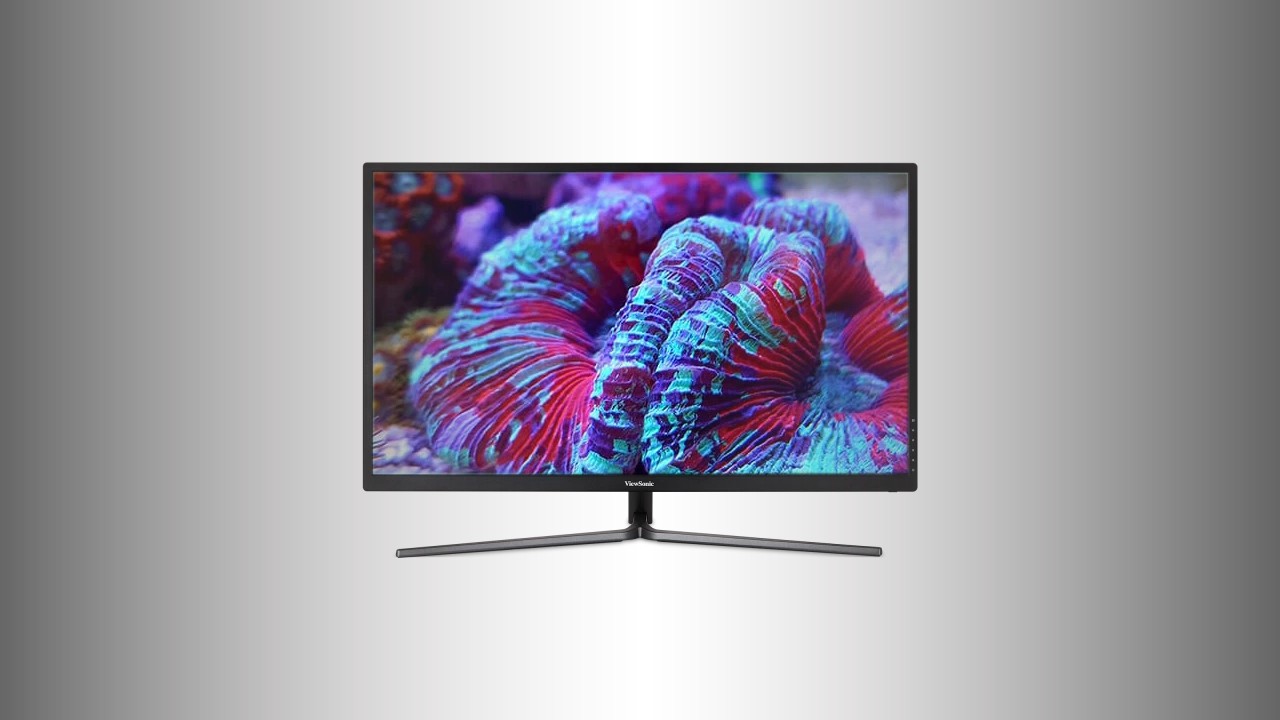
1. ViewSonic VX2781-4K-Pro-6
The ViewSonic VX2781-4K-Pro-6 is positioned around a 27-inch 4K Fast IPS panel, 165Hz refresh, IGZO technology, and a broad mix of gaming and USB connectivity.
ViewSonic’s VX2781-4K-Pro-6 is a 27-inch 4K gaming monitor built around a Fast IPS panel, a 165Hz refresh rate, and IGZO technology.
The source describes it as not yet publicly available, so it belongs on a shortlist for buyers watching high-resolution gaming displays rather than those who need a monitor immediately.
Its appeal is the combination of 3840 x 2160 resolution, fast refresh, 1ms overdrive response time, 10-bit color, 99% DCI-P3 coverage, 100% sRGB coverage, and a broad port set that includes HDMI 2.1, DisplayPort 1.4, USB-C with power delivery, USB-A, USB-B, and a 3.5mm audio jack.
Best for: High-resolution gaming monitor buyers who can wait
- 27-inch 4K Fast IPS panel
- 165Hz refresh rate with 1ms overdrive response
- Native 10-bit color with 99% DCI-P3 and 100% sRGB coverage
- Wide connectivity including HDMI 2.1 and USB-C power delivery
Verdict: A promising 4K gaming display for users who want speed, color coverage, and modern connectivity, provided they are not buying immediately.
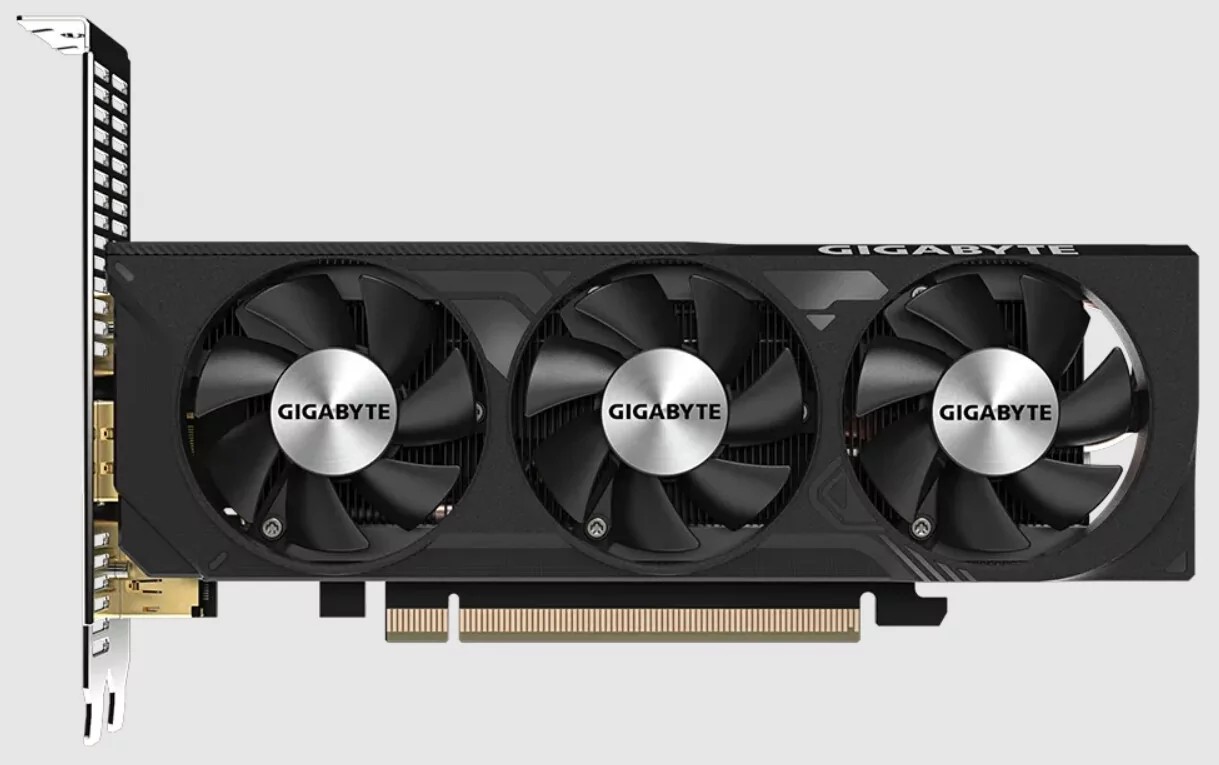
2. Gigabyte RTX 4060 OC Low Profile
Gigabyte’s RTX 4060 OC Low Profile combines an unusually compact card format with a three-fan cooler and an 8-pin power connector.
Gigabyte’s RTX 4060 OC Low Profile is unusual because it applies a three-fan cooler to a low-profile graphics card.
The source frames it as a niche option for very compact gaming or work PCs, while also noting a 115W default power limit and the lowest performance among RTX 4060 cards.
That makes it more interesting as a space-conscious graphics option than as a maximum-performance RTX 4060 choice.
Best for: Compact PC builders with limited expansion space
- Low-profile form factor for compact PCs
- Three-fan cooling design
- 115W default power limit
- RTX 4060-class card in a niche compact format
Verdict: Choose it for the low-profile format and modest power limit, not because it is presented as the fastest RTX 4060.
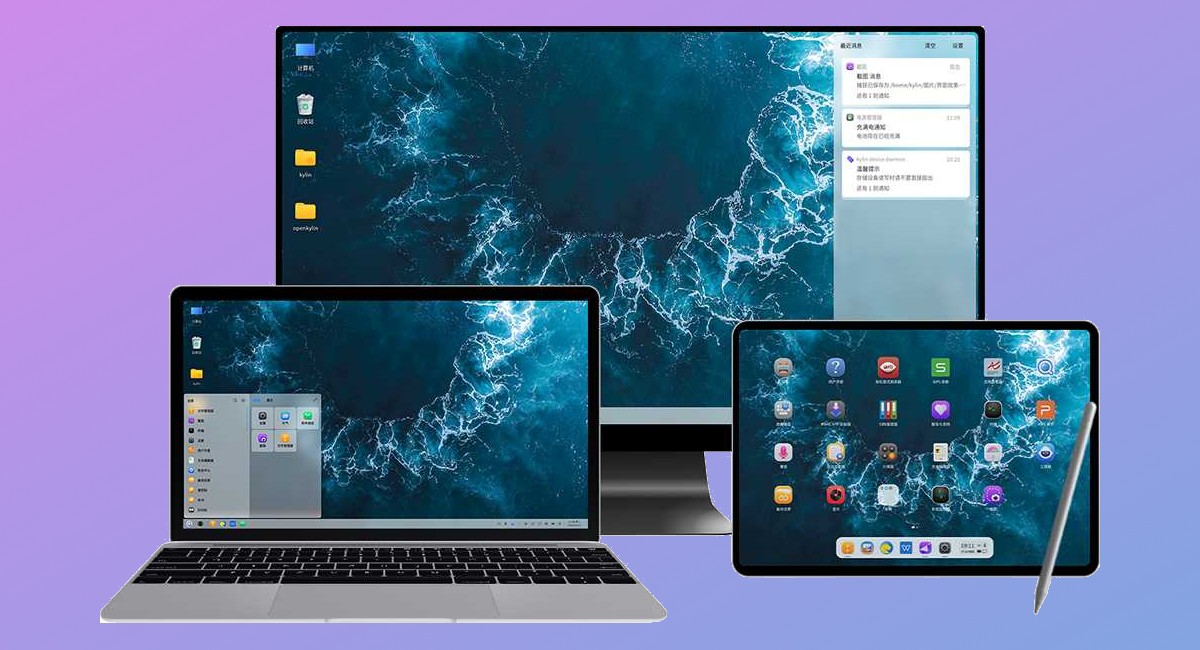
3. OpenKylin 1.0
OpenKylin 1.0 pairs a Linux foundation with the UKUI desktop and support for multiple processor architectures.
OpenKylin 1.0 is presented as an open-source Chinese operating system based on Linux, with a UKUI desktop and standard software such as Mozilla Firefox and WPS Office.
Its most practical distinction is software flexibility: the source says users can run Linux, Windows, and Android applications, though some require an emulator.
Support for x86, Arm, and RISC-V systems makes it a platform for experimentation rather than a simple drop-in recommendation for everyone.
Best for: Open-source users and platform experimenters
- Open-source operating system based on Linux
- UKUI desktop environment
- Runs Linux, Windows, and Android apps, with emulation needed for some
- Supports x86, Arm, and RISC-V systems
Verdict: OpenKylin 1.0 is most compelling for users who value open code, architecture variety, and cross-platform app experimentation.
4. Windows 12 with artificial intelligence
The Windows 12 AI discussion is best viewed as a planning signal for future PC purchases rather than a confirmed buying recommendation.
This item is based on a rumour about a next-generation Windows release with artificial intelligence features and a possible wave of AI-oriented PCs.
Because the source is explicitly rumour-based, it should influence planning rather than immediate purchasing.
For buyers considering a new PC, the useful takeaway is not a confirmed feature list, but the possibility that major PC makers are preparing for more AI-focused hardware and software positioning.
Best for: Buyers deciding whether to wait before a major PC upgrade
- Highlights the industry’s AI-PC direction
- Useful context for buyers timing a major PC purchase
- Connected to expectations from major PC manufacturers
Verdict: Treat this as market context only, because the source does not provide a confirmed product release or final feature set.
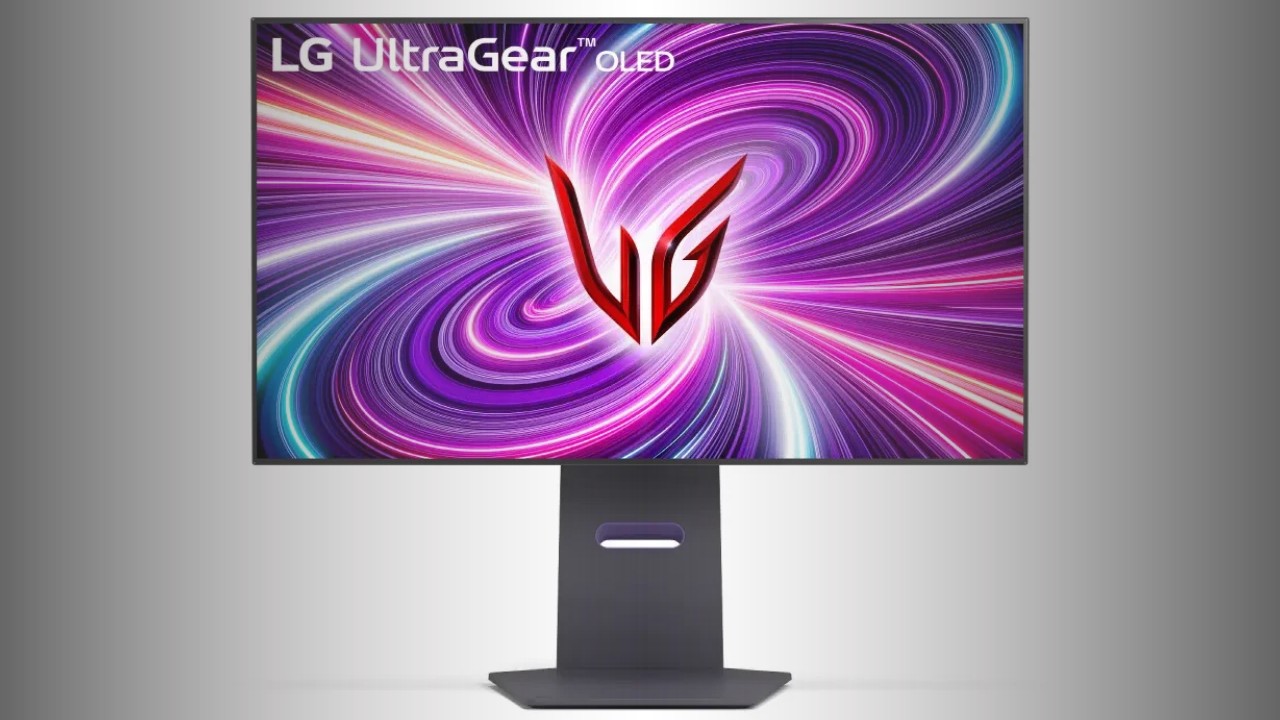
5. LG UltraGear OLED gaming monitor lineup
LG’s UltraGear OLED lineup includes the 32GS95UE with Dual-Hz operation, plus larger curved ultra-wide OLED gaming displays.
LG’s UltraGear OLED gaming monitor lineup is led by the 32GS95UE, a 32-inch 4K OLED model with a 240Hz refresh rate, 0.03ms gray-to-gray response time, Dual-Hz mode, and Pixel Sound technology.
The Dual-Hz feature is the key differentiator: it lets users switch between 3840 x 2160 at 240Hz and x 1080 at 480Hz, making the same display more adaptable to both visually rich games and fast action titles.
The lineup also includes 39-inch and 34-inch ultra-wide curved OLED models.
Best for: Gamers who want one OLED display for visual quality and speed
- 32-inch 4K OLED option
- Dual-Hz switching between 4K 240Hz and Full HD 480Hz
- 0.03ms GtG response time
- Ultra-wide curved OLED models also included
Verdict: The 32GS95UE stands out in the lineup because its Dual-Hz mode directly addresses the trade-off between resolution and refresh rate.

6. Mozilla Firefox support changes for older Windows and macOS versions
Firefox support changes affect older Windows and macOS systems, making operating-system updates part of practical computer maintenance.
Mozilla’s Firefox support change is not hardware, but it matters for anyone maintaining older computers.
The source says standard support is ending for Windows 7, Windows 8, Windows 8.1, macOS 10.12, macOS 10.13, and macOS 10.14, with Extended Support Release and Long-term Support versions offering a temporary path.
The practical message is straightforward: if a computer still depends on these older operating systems, browser security and operating-system support should be part of the upgrade plan.
Best for: Users maintaining older Windows or macOS computers
- Clear warning for older operating-system users
- Temporary ESR and LTS browser paths are available
- Reinforces the security risk of unsupported systems
Verdict: This is a timely reminder that software support can be as important as hardware specifications when deciding whether to keep an old PC in service.

7. Windows 11 built-in RGB lighting control
Windows 11 test settings show native controls for RGB brightness, color, effects, and accent-color synchronization.
Microsoft is working on native RGB lighting control for gaming accessories in Windows 11, according to the source.
The feature appears in test builds and includes system settings for brightness, color, lighting effects, and synchronization with Windows accent colors.
If delivered broadly, its main benefit would be reducing dependence on separate utilities from accessory makers such as Razer, Corsair, and Logitech for basic lighting control.
Best for: Windows 11 users with RGB gaming peripherals
- System-level RGB accessory control
- Brightness, color, and lighting-effect settings
- Can sync lighting with Windows accent colors
- May reduce reliance on third-party accessory software
Verdict: Built-in RGB control would make accessory lighting simpler, though the source describes it as an experimental Windows 11 feature rather than a fully launched standard.
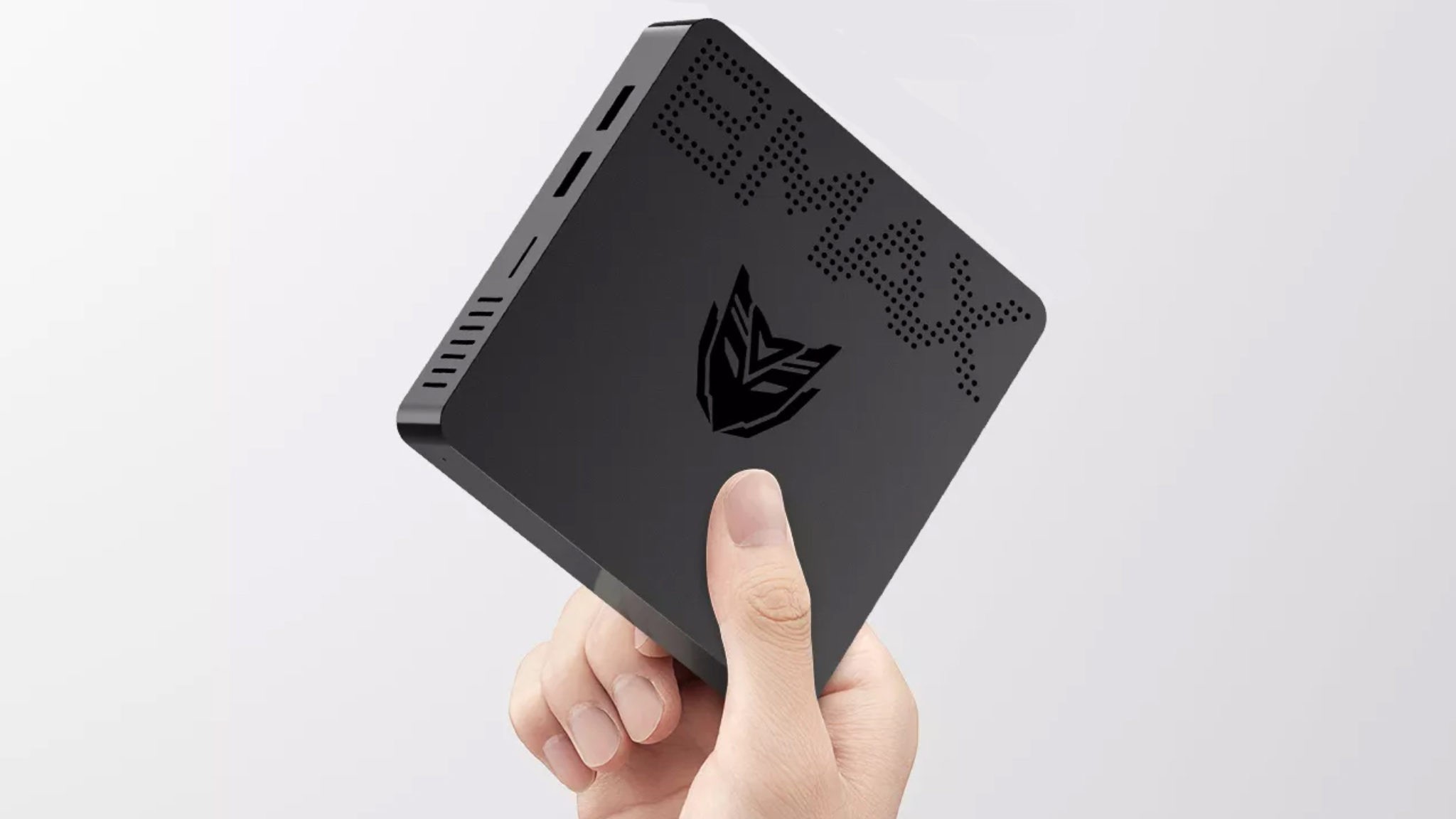
8. BMAX B1 Pro
The BMAX B1 Pro is a small black plastic mini-PC intended for basic computing, media use, and easy placement behind or near a display.
The BMAX B1 Pro is a compact, low-cost mini-PC described with an Intel N4000 CPU, 8GB of RAM, and 128GB or 256GB of internal storage.
The source is clear about its limits: it is not intended for heavy workloads.
Its stronger role is basic office work, client-PC use, multimedia playback, or HTPC duties, helped by its small, light chassis and enough USB ports and video outputs for typical simple setups.
Best for: Basic desktop tasks and compact media setups
- Compact and light mini-PC design
- Intel N4000 with 8GB of RAM
- 128GB or 256GB internal storage options
- Suited to basic office, multimedia, client-PC, and HTPC use
Verdict: The BMAX B1 Pro is a sensible small-form-factor option when the workload is light and space matters more than performance headroom.

9. PanaCast 50 Video Bar System
The PanaCast 50 Video Bar System combines camera, microphone, speaker, touch-control, and room-sensing functions for hybrid meeting spaces.
Jabra’s PanaCast 50 Video Bar System is aimed at small and medium-sized video-conference rooms rather than casual home webcams.
The system includes a 10.1-inch touch controller, compatibility with Zoom Rooms and Microsoft Teams Rooms, an Android device, processor, webcam, speakers, and microphones.
Its meeting-room credentials come from a 4K 180-degree camera system using three 13MP cameras, eight beamforming microphones, four speakers, one-touch meeting control, and real-time air-quality sensing.
Best for: Hybrid meeting rooms needing an integrated conference system
- Designed for small and medium-sized meeting rooms
- 4K 180-degree camera system with three 13MP cameras
- Eight beamforming microphones and four speakers
- 10.1-inch touch controller with Zoom Rooms and Microsoft Teams Rooms compatibility
Verdict: The PanaCast 50 Video Bar System is the most room-focused option here, built around coverage, control, audio, and collaboration-platform integration.
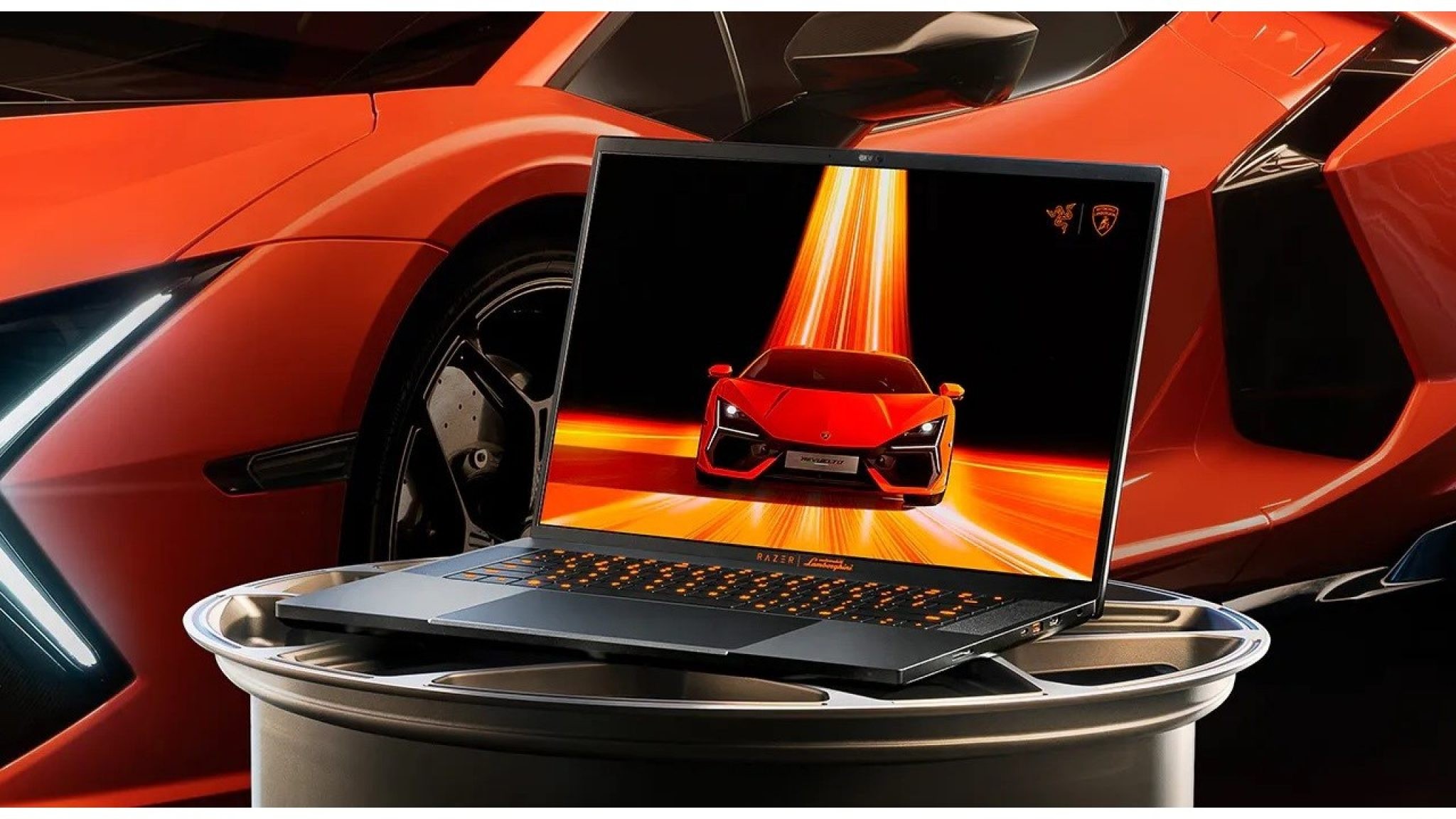
10. Razer Blade 16 x Automobili Lamborghini Edition
The Razer Blade 16 x Automobili Lamborghini Edition pairs high-end gaming hardware with a matte black and orange branded aluminum chassis.
The Razer Blade 16 x Automobili Lamborghini Edition is a limited gaming laptop built for exclusivity as much as performance.
The source states that only 150 units are on sale in the United States, with a listed price of $4,999, and that it is not reaching Europe.
Its hardware specification is high-end: a Mini LED display with two modes, Intel Core i9-13950HX processor, NVIDIA GeForce RTX 4090 graphics, 32GB of DDR5 memory, and two 1TB PCIe 4.0 SSDs in RAID, all wrapped in a customized aluminum chassis with Lamborghini-inspired orange detailing and branding.
Best for: Collectors and high-end gaming laptop buyers in the United States
- Limited Automobili Lamborghini design
- Mini LED display with two operating modes
- Intel Core i9-13950HX and NVIDIA GeForce RTX 4090
- 32GB DDR5 memory and dual 1TB PCIe 4.0 SSDs in RAID
Verdict: It is an enthusiast luxury laptop first and a practical value purchase second, with availability and price narrowing its audience sharply.
Quick comparison
The ten entries below are not interchangeable upgrades.
Some are displays, one is a graphics card, several are software or platform decisions, and others address compact computing, conference rooms, or luxury portable gaming.
The most useful comparison is therefore by role: what problem each item solves, and what limitation should temper expectations.
| Product | Best for | Verdict |
|---|---|---|
| ViewSonic VX2781-4K-Pro-6 | High-resolution, high-refresh gaming monitor shoppers | Strong on paper for 4K speed, color coverage, and connectivity, but availability is not established in the source. |
| Gigabyte RTX 4060 OC Low Profile | Compact PC builds needing a low-profile graphics card | Its value is the compact format and 115W limit, while the source notes reduced performance versus other RTX 4060 cards. |
| OpenKylin 1.0 | Open-source OS users and cross-platform tinkerers | A flexible Linux-based platform with UKUI and broad app ambitions, best suited to experimentation. |
| Windows 12 with artificial intelligence | PC buyers watching the direction of AI-focused systems | Useful as rumour-based planning context, not as a confirmed product recommendation. |
| LG UltraGear OLED gaming monitor lineup | OLED gaming setups balancing 4K detail and very high refresh | The 32GS95UE’s Dual-Hz switching is the clearest differentiator in the lineup. |
| Mozilla Firefox support changes for older Windows and macOS versions | Owners of older computers assessing continued safe use | A software-support warning that may push an operating-system upgrade or hardware replacement. |
| Windows 11 built-in RGB lighting control | Users with RGB gaming accessories | A promising simplification for lighting control, though described as still in test builds. |
| BMAX B1 Pro | Low-cost basic computing, client-PC use, and compact media setups | A small, light mini-PC for simple tasks rather than heavy workloads. |
| PanaCast 50 Video Bar System | Small and medium-sized hybrid meeting rooms | An integrated video-room system with camera, microphone, speaker, touch-control, and room-sensing features. |
| Razer Blade 16 x Automobili Lamborghini Edition | Collectors and premium gaming laptop enthusiasts | Powerful and distinctive, but extremely limited and positioned as a luxury edition. |
Frequently asked questions
Which of these makes the biggest difference for gaming?
It depends on the weakest part of the setup.
The ViewSonic and LG monitors focus on display smoothness and resolution, the Gigabyte card targets compact PC graphics upgrades, and the Razer Blade 16 x Automobili Lamborghini Edition is a complete premium gaming laptop.
If the current PC is already fast enough, a better monitor may be the more visible upgrade; if the PC cannot drive the games you play, the graphics hardware matters more.
Should a buyer wait because of the Windows 12 AI rumour?
The supplied material describes Windows 12 with artificial intelligence as a rumour, so it should not be treated as a confirmed reason to delay every purchase.
It is most relevant to buyers planning a major PC refresh who are curious about the next wave of AI-focused systems.
If a current computer is failing, unsupported, or too slow for daily work, the rumour alone is not a solid reason to postpone replacement.
Is an older Windows or macOS computer still safe to keep using?
The Firefox support change shows why older systems need careful attention.
The source says support is ending for Windows 7, Windows 8, Windows 8.1, and several older macOS versions, with ESR and LTS browser options only providing a temporary path.
For any machine used online, operating-system support and browser security should be treated as essential, not optional.
How should I choose between a mini-PC and a meeting-room system?
The BMAX B1 Pro is for basic personal computing, office tasks, multimedia use, client-PC roles, or HTPC duties.
The PanaCast 50 Video Bar System is for video meetings in small and medium-sized rooms, with a 180-degree 4K camera system, microphones, speakers, and a touch controller.
They solve different problems: one is a compact computer, the other is an integrated collaboration-room system.
Final buying advice: match the upgrade to the bottleneck
Start with the task, not the spec sheet.
For gaming, decide whether the problem is display capability, graphics performance, or the need for a complete portable system.
The ViewSonic VX2781-4K-Pro-6 and LG UltraGear OLED lineup are display-led upgrades, with the LG 32GS95UE standing out for its Dual-Hz mode and the ViewSonic standing out for a 4K Fast IPS specification with broad connectivity. The Gigabyte RTX 4060 OC Low Profile makes more sense when the case is the limiting factor, while the Razer Blade 16 x Automobili Lamborghini Edition is a limited luxury laptop rather than a broad recommendation. For work and everyday computing, be realistic about workload. The BMAX B1 Pro is described for basic office, multimedia, client-PC, and HTPC use, not heavy processing. The PanaCast 50 Video Bar System addresses a completely different requirement: reliable room coverage and integrated control for hybrid meetings. Software choices matter too. OpenKylin 1.0 is compelling for open-source experimentation and architecture flexibility, while the Firefox support changes are a reminder that an old operating system can become the weak point even when the hardware still turns on. Treat rumours and test-build features with caution. Windows 12 with artificial intelligence may be useful planning context, and Windows 11’s built-in RGB lighting control could reduce accessory-software clutter if broadly delivered, but neither should be weighed the same way as a shipping product with defined specifications. The strongest purchases are the ones where the need is clear, the limitation is understood, and the source-supported feature set directly addresses the job at hand.